When you open Google Chrome, you might notice the message "Search Google or type a URL" inside the omnibox. At first glance it looks simple, but this one line is a powerful upgrade in how we browse.
So what exactly do these two options, Search Google or Type a URL, mean? Which one is more efficient in different scenarios, and why does the omnibox show this message in the first place? This guide explains everything, from what the omnibox is, to how your browser decides between a search and a URL, to how you optimize both your browsing experience and your website traffic.
"Search Google or type a URL" means your browser's address bar can do two jobs from one field: type keywords and it runs a Google search, or type a web address and it takes you straight to that site. Search when you are exploring or unsure of the address, and type a URL when you already know exactly where you are going.
What Is Search Google or Type a URL?
Search Google or Type a URL is the dual function of your browser's address bar that combines web search and direct navigation in one place. You can type a search query and get Google results, or type a website URL and go straight to that page.
This single field boosts user experience, site accessibility, and search efficiency. It also shapes how traffic reaches a website: organic search traffic comes from queries, while direct traffic comes from web addresses typed directly.
What Is the Omnibox?
The omnibox is the combined address bar and search bar in modern browsers, and it is the foundation of the Search Google or Type a URL feature. Unlike older browsers that kept search and website entry in separate bars, the browser omnibox lets you do both from one input.
You can type a keyword to perform a Google search or enter a full URL to go directly to a website. The omnibox also adds several conveniences:
- It automatically predicts what you are typing, whether it is a search query or a web address.
- It shows instant suggestions like trending searches, frequently visited pages, and relevant sites.
- It corrects minor typos automatically for more accurate results.
- It supports quick calculations, unit conversions, currency conversion, weather, and shortcut commands like
site:example.comordefine: keyworddirectly from the bar. - You can jump straight to it with
CTRL+L(orCMD+Lon a Mac), and pressTABafter a site's name to search within that site. - Beyond typing, you can start a Google Images search, or highlight text on any page and right-click Search Google for it.
Why Does the Browser Address Bar Matter?
The browser address bar matters because it is the central hub for website navigation, not just a place to type a web address. It saves time by handling search and direct navigation together, reduces typing errors, and influences your website traffic through both organic search and direct visits.
What Does Search Google Mean?
Search Google means using Google as your default search engine straight from the omnibox, without opening google.com first. When you type keywords like "digital marketing tips" or "best laptops USA", Chrome recognizes this is not a website URL and runs a Google search.
Google then shows relevant search results instantly, along with related keywords, suggestions, and autocomplete options. Even when you are unsure exactly what you want, searching on Google makes the process faster and more precise.
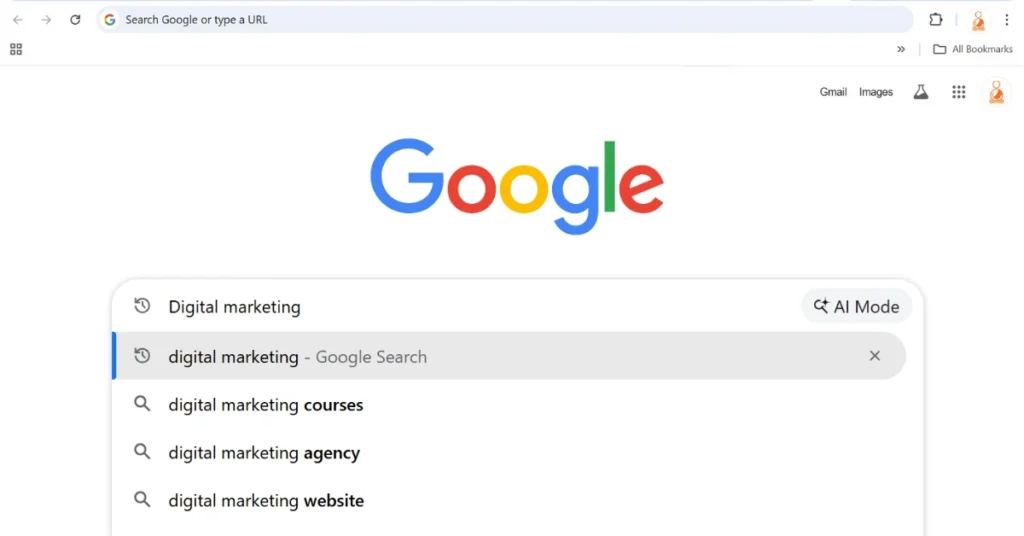
Use Google search in the omnibox when you want instant answers, want to discover new websites and resources, need autocomplete predictions, or want to research and compare before choosing.
Advantages of Google search
- It lets you discover new websites, compare sources, and explore a topic when you do not know the exact address.
- It surfaces quick answers, featured snippets, and local results right on the page.
- It corrects typos and suggests better phrasing, so a rough query still returns useful online search results.
Disadvantages of Google search
- It is slower, because you scan and choose from a list before reaching a page.
- Ads and lower quality results can sit above the page you actually want.
- Your query is logged and used to shape future results and advertising.
What Does Type a URL Mean?
Type a URL means entering the exact web address of a site so the browser loads it directly, with no search engine in between. URL stands for Uniform Resource Locator, the unique web address of a page, and typing it is the fastest form of direct website access.
This method is ideal when you already know the full website URL or can paste it from another source. It bypasses search results entirely, which saves time for sites you visit often and gives you a direct, distraction-free visit. Even a shortened version of the link often works, because many sites redirect to the correct page.
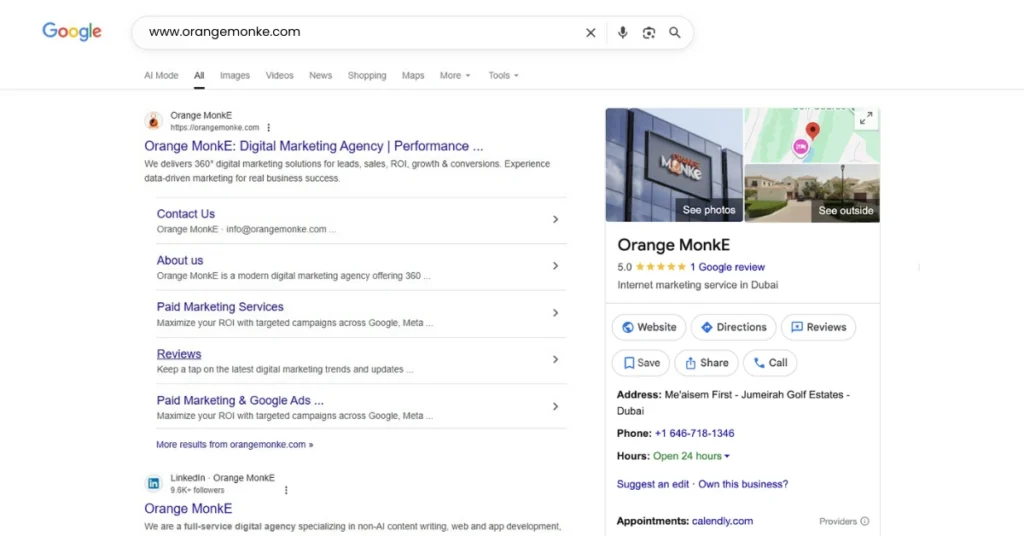
People choose typing a URL directly when revisiting a known site, logging into a portal or dashboard, visiting it frequently, or wanting protection against phishing and deceptive search ads.
Benefits of typing a URL directly
- It is the fastest route to a site you already know, since it skips the results page.
- It supports direct traffic and brand recall, which matters for businesses that want to be typed, not searched.
- It reduces the risk of clicking a fake or lookalike site that ranks in the results.
Disadvantages of typing a URL directly
- It only works when you know the exact web address.
- A single typo can send you to an error page or the wrong site.
- It does not help you discover anything new, so it is poor for research.
How Does Your Browser Decide Between a Search and a URL?
Your browser decides between a search and a URL by checking whether what you typed looks like a web address before it does anything else. This is what happens when you type in the address bar: it reads your text, tests it against the pattern of a real web address, then either loads a site or runs a search. The same logic powers the omnibox in Google Chrome, Microsoft Edge, Mozilla Firefox, and the Safari browser.
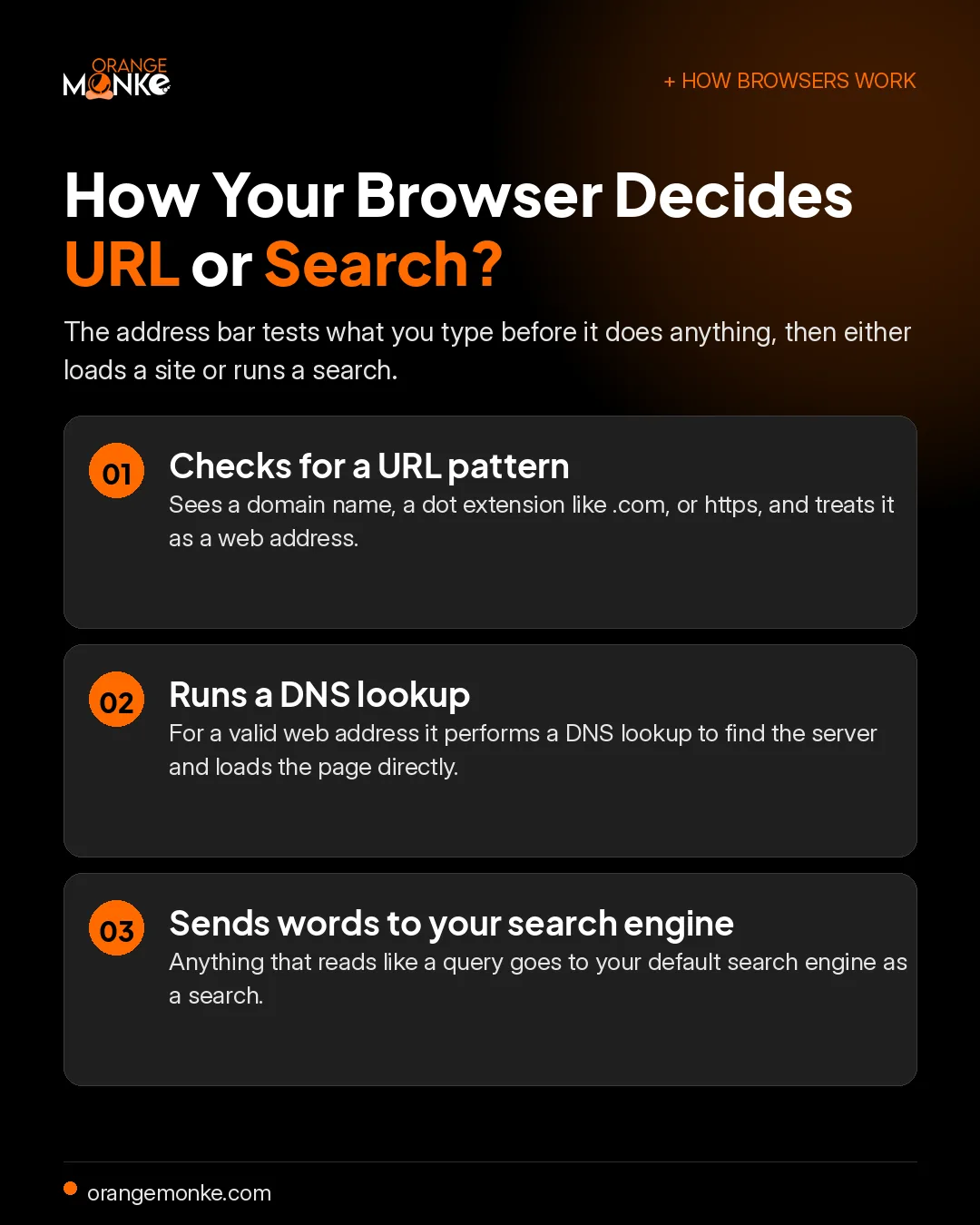
Here is how browsers decide between a search and a URL, step by step:
- It checks for a URL pattern firstIf your text has a domain name, a dot extension like .com, or a protocol like https, the browser treats it as a web address and prepares direct navigation. For a bare word like a brand name, it uses smart guessing and may automatically add www and .com to try that site first.
- It runs a DNS lookup for addressesFor a valid web address, the browser performs a DNS lookup to translate the domain name into the server's IP address, then loads the page with no search engine involved.
- It sends everything else to your search engineIf the text reads like words or a question, the browser passes it to your default search engine as a query and shows online search results.
That single decision is what makes internet browsing feel seamless: one browser address bar handles both direct website access and search without you choosing a mode. It is the difference between the search engine vs direct URL paths, or search query vs URL, resolved automatically as you type.
How to change your default search engine
You can change the default search engine your browser uses from its settings, and the steps are similar across browsers. Most default to Google, but you can switch to Bing, DuckDuckGo, or another engine.
- Google Chrome and Microsoft Edge: open Settings, go to Search engine, then Manage search engines, and set your preferred engine as default.
- Mozilla Firefox: open Settings, select Search, and choose your default search engine from the list.
- Safari: open Settings, go to Search, and pick your search engine there.
Search Google vs Type a URL, Which One Should You Use?
Use Google search when you are exploring or unsure of the exact web address, and type a URL when you already know the site you want. If you are looking for alternatives or comparing options, Google search offers flexibility, suggestions, and quick access to multiple sources. If you know the exact website or want direct, distraction-free access, typing a URL is faster, more accurate, and reliable.
The table below compares the two search methods side by side.
| Criteria | Search Google | Type a URL |
|---|---|---|
| Speed | Moderate, you scan results first | Fast, opens the website directly |
| Accuracy | High for topic queries, shows options | Very high if the URL is typed correctly |
| Flexibility | Very flexible, discovers new sites | Low, takes you to one specific site |
| Risk of errors | Low, the engine corrects typos | Higher, a single typo leads to the wrong site |
| Convenience | Best for research and comparisons | Best for returning users and brand recall |
Both methods are useful, and knowing when to use each saves time and improves your browsing experience.
Seen side by side, the difference is discovery versus direct access. This is the search engine vs direct URL choice, or search query vs URL: a search finds options, while a web address is a destination you already know.
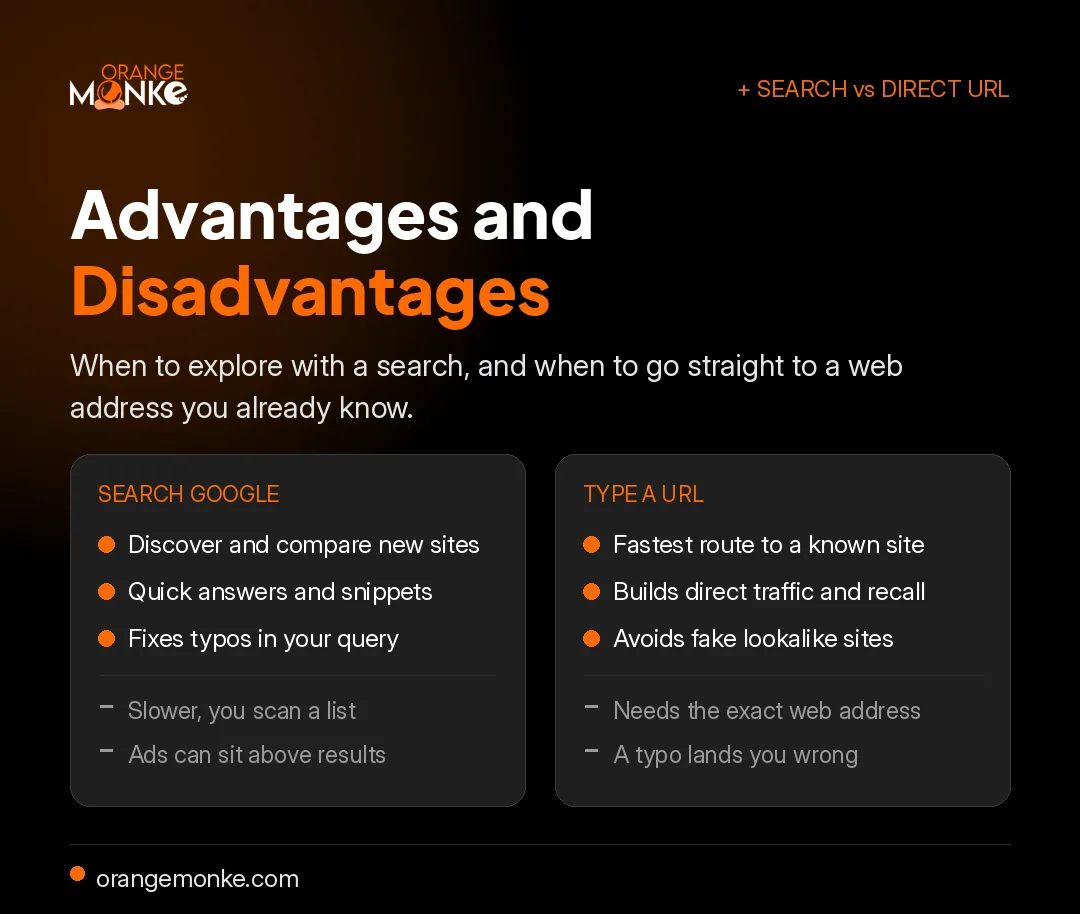
There is no one-size-fits-all answer; the right balance is to search for discovery and type URLs for sites you trust, which also helps you avoid information overload and ranking biases. Use Google search when you are exploring, and type a URL directly when you already know your destination. Getting found in that first case is exactly what strong SEO services are for.
How Do You Type a URL Correctly?
To type a URL correctly, enter the full web address in the right order: the protocol, the domain name, then any path to a specific page. Getting this URL structure right helps you reach the correct page on the first try and avoids the typos that lead to fake websites when you search or type a web address.
- Start with the protocolMost sites use https, the secure version of http that encrypts your data. The older http is not encrypted, so https is what keeps your connection protected, and browsers usually add it automatically.
- Enter the domain name accuratelyThe domain name, such as example.com, is the core of the address. Add www only if the site needs it, and check the spelling.
- Confirm the domain extensionEndings like .com, .org, .net, .gov, and .edu point to different sites, and country domains such as .uk or .in point to specific regions, so the wrong extension can take you somewhere unintended.
- Add a slash for a specific pageTo open a subpage directly, add a slash and the path, for example example.com/about.
- Avoid spaces and stray charactersA correct web address has no spaces or extra punctuation, so remove anything that does not belong before you press Enter.
To type less and stay accurate when typing a website address in your browser, lean on its memory. Bookmarks give one-click access to sites you visit often, while browser history and autocomplete finish an address after a few characters, which reduces typing as the browser learns your behavior from pages you have visited before.
What Is the URL for a Google Search?
The URL for a Google search is the web address Google builds when you run a query, and it follows a fixed URL structure you can read and even edit. Understanding it explains how the search query vs URL relationship actually works behind the scenes.
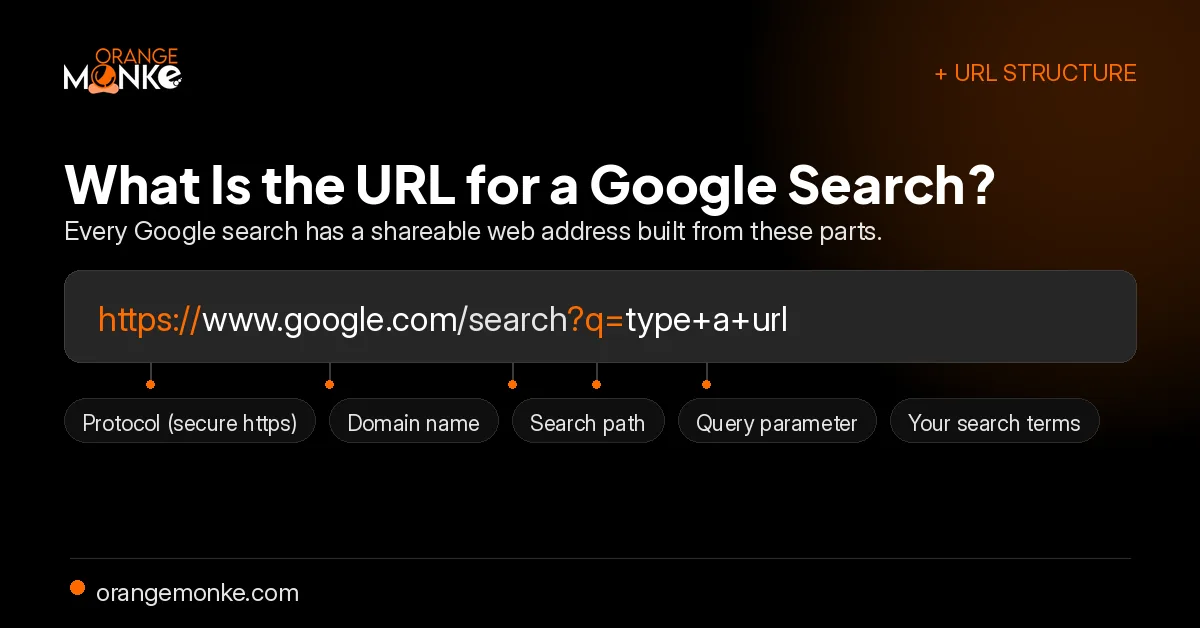
Here is a typical Google search web address, broken into its parts:
The part after ?q= is your search itself, with spaces shown as plus signs or as %20. That is why you sometimes see a Google URL with a percent sign in place of the query. You can even edit those words in the address bar to run a new search. The same clean technical work that earns visibility here is the core of modern AI SEO.
Is Typing a URL Safer?
Typing a URL is generally safer for sensitive sites because it avoids the fake websites and phishing pages that can imitate real brands in search results. When you enter the correct web address yourself, you reach the genuine site directly instead of trusting a link.
This makes safe browsing by typing a URL the better habit for banking, logins, and any secure browsing where a lookalike domain could cost you. A few simple rules keep direct navigation safe:
- Type the web address yourself for banking and login pages rather than clicking a result.
- Check for https and the correct domain name before you enter any details.
- Watch the domain extension closely, since typosquatting and fake lookalike sites often copy a brand on a slightly different ending or spelling.
For discovery you can still search, but verify the result before clicking and avoid ads dressed up as official links.
Staying private when you search
Typing a URL directly is also more private than searching, because a direct visit sends no query to Google. Search is convenient, but it leaves a trail worth understanding.
- Your searches are loggedGoogle records your queries and search history, which feed the advertising profiles used to target ads.
- Your provider can see the sites you visitYour ISP can see which sites you open, so a direct URL is more private than a logged search.
- Reduce your digital footprintUse Incognito Mode or Private Browsing to skip local history, a VPN to hide your traffic, and privacy-focused browsers or extensions along with Chrome's Safe Browsing settings for extra protection.
People are searching for what you sell. Are they finding you or a competitor?
We turn search visibility into organic traffic and a brand people type from memory, so you win both the search and the direct visit.
Get a free SEO audit →How Do You Search a Website in Google?
To search within one website on Google, type site: followed by the domain and then your keyword. This searches inside a single site directly from Google, which is far faster than finding the page by hand.
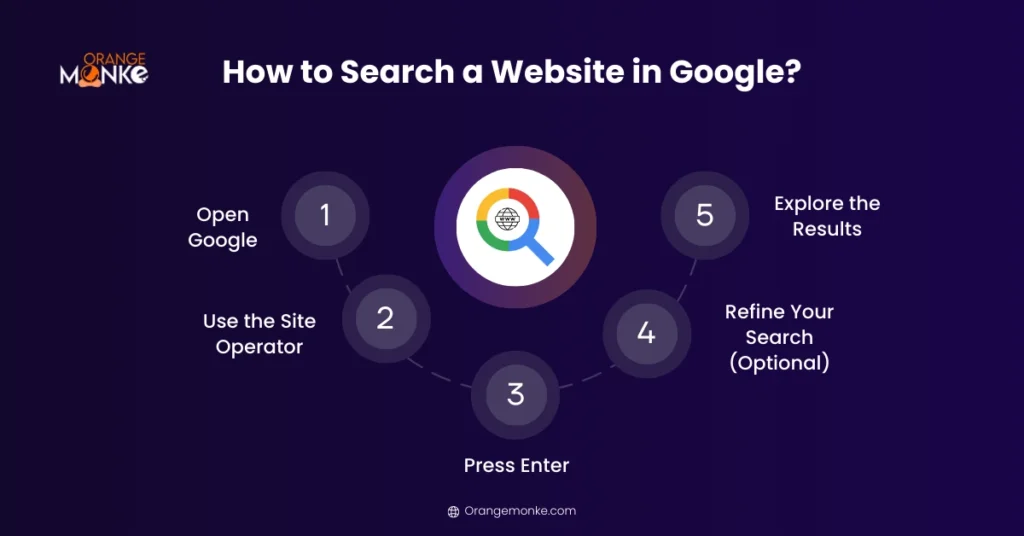
- Open GoogleGo to www.google.com in your browser.
- Use the site operatorType
site:followed by the website URL, then your keyword, for examplesite:orangemonke.com top local citation sites. - Press EnterGoogle shows only the pages on that site that contain your keyword.
- Refine your searchWrap a phrase in quotes for an exact match, or use AND and OR for multiple keywords.
This is a fast way to find an old post or resource, like a guide to your top local citation sites, without endless scrolling.
How Do You Search an Exact Word or Phrase on Google?
To search for an exact word or phrase on Google, wrap it in quotation marks so Google matches that exact sequence. This finds precise information fast, without wading through unrelated results.
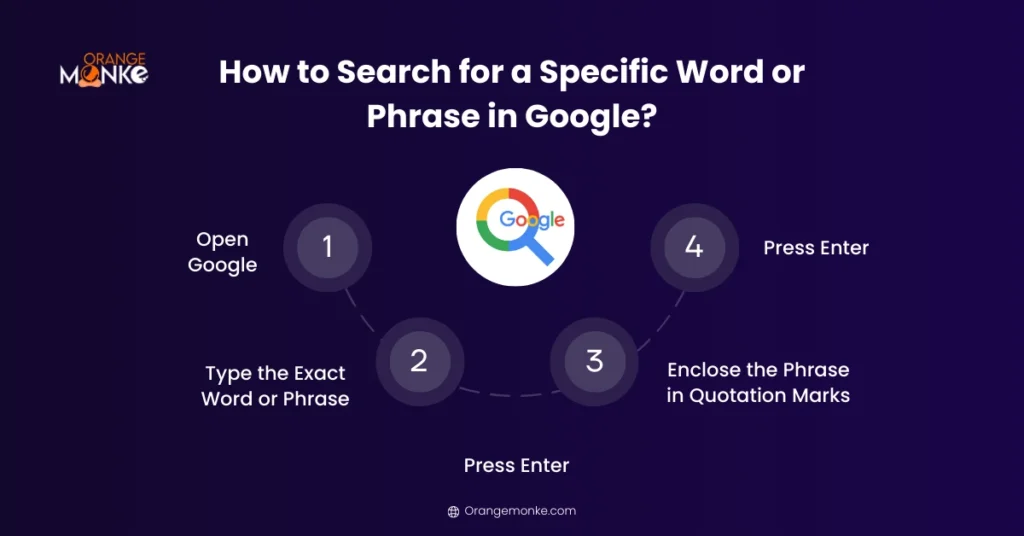
- Open Google and type your phraseEnter the exact word or phrase you want in the search bar.
- Enclose it in quotation marksQuotes tell Google to match the exact sequence of words, for example "top local citation sites".
- Press EnterGoogle now shows only pages that contain your phrase exactly as typed.
How Do You Get Both Search and Direct Traffic?
To capture visitors from both search Google and type a URL, optimize for discoverability through SEO and for a memorable web address that earns direct visits. The two work together on a discovery-to-loyalty path: strong rankings on the search engine results pages (SERPs) bring new users who do not know your brand, and a clear, memorable URL brings loyal ones back.
SEO for discoverability
- Target the terms your audience uses and cover on-page SEO, including meta titles, descriptions, and headings, with genuinely useful content.
- Handle the technical SEO basics: fast loading, mobile responsiveness, secure HTTPS, and clean indexing.
- Build authoritative backlinks to raise domain authority and improve your search results.
A memorable URL for direct traffic
- Keep the web address short, readable, and built around your brand name so people can type it from memory.
- Avoid special characters and keep it consistent across every marketing channel.
- A clean, well built site earns the direct website visits that signal brand recall, which is where our web development work pays off.
Done together, this is how you grow organic traffic from search while building the direct traffic that comes from being remembered.
How Do Google Autocomplete Predictions Work?
Google Autocomplete predicts your query as you type, using popular searches, trending topics, location, language, and your own past behavior to finish the phrase. It is more than a typing shortcut, it reveals what people are actively searching for in real time.
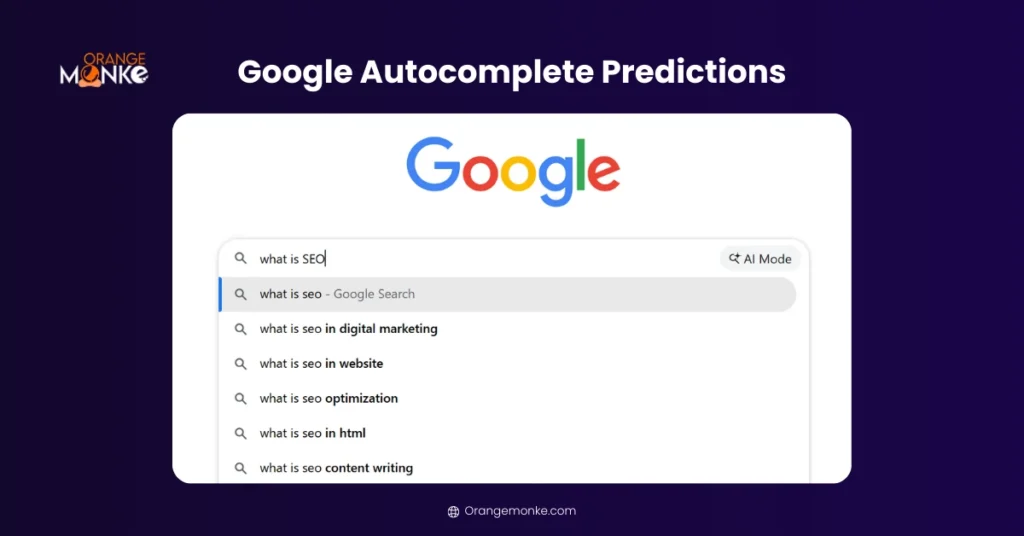
These predictions save time and double as content inspiration: they show real questions and user intent, which helps you understand what your audience actually wants. Type "what is artifi" and Google may suggest "what is artificial intelligence", "what is artificial intelligence used for", and more.
How Does Google Voice Search Work?
Google Voice Search lets you search the web hands-free by speaking instead of typing. Powered by speech recognition and AI, it makes online search faster and more accessible, especially on mobile and smart assistants.
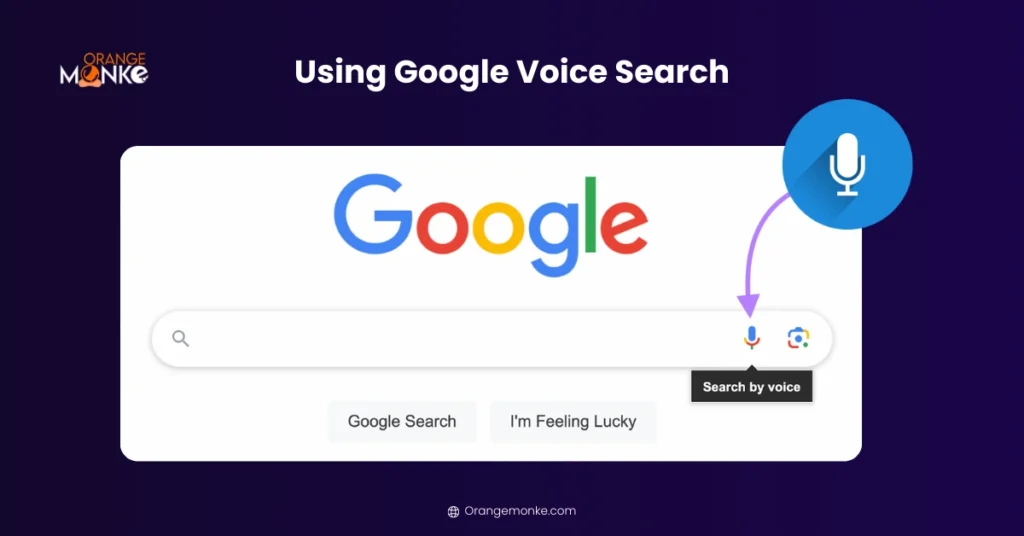
Voice search is ideal when you are multitasking, driving, or unable to type, and it lets you ask full questions like "how do I search a website on Google?" instead of clipped keywords. It also supports users with visual or motor challenges and is quick for local answers like directions and opening hours.
Sharpen any Google search with these operators. Quotation marks " " match an exact phrase. site: searches within one domain. intitle: finds pages with a keyword in the title. inurl: finds a keyword in the page URL. filetype: locates PDFs, DOCX, or PPT files. Minus - excludes a term. OR searches multiple terms at once. Combining them, like site:.gov filetype:pdf, returns far more targeted results than a plain query.
Final Thoughts
The Search Google or Type a URL feature turns one line in the omnibox into a faster, smarter way to browse. Knowing when to search Google and when to type a URL directly helps you reach content quickly, safely, and with fewer wrong turns.
For businesses the same choice is a growth lever. Search visibility brings organic traffic from people who do not know you yet, while a clear, memorable web address builds the direct traffic that signals brand recall. At Orange MonkE, we help companies win both through SEO, web development, and digital marketing consulting, so users find your site whether they search or type it from memory.
A memorable web address only helps if the site behind it is fast and built to convert.
We design and build sites that load fast, rank well, and earn the direct traffic that comes from real brand recall.
Talk to a strategist →Frequently Asked Questions
Search Google or type a URL means your browser's address bar can do two jobs from one field. Type keywords and it runs a Google search; type a full web address and it opens that site directly.
The browser decides which you want by reading what you type:
- Looks like words or a question goes to your default search engine as a search.
- Looks like a web address such as a domain, a dot extension, or https, loads that site directly.
In simple terms, the Search Google or Type a URL meaning is that the omnibox is both a search box and an address bar. If what you type looks like words, it searches Google; if it looks like a web address, it opens that website directly, so you never need a separate search box.
Typing a URL is faster than searching Google when you already know the address, because it opens the site directly with no results page in between. Searching Google is slightly slower since you scan results and pick a link, but it is the better choice when you do not know the exact web address.
Your browser decides between a search and a URL by checking your text against the pattern of a real web address before it does anything. It runs three quick checks:
- URL pattern. A domain name, a dot extension, or https tells it to treat the text as a web address.
- DNS lookup. For a valid address it finds the server and loads the page directly, with no search engine involved.
- Search fallback. Anything that reads like words or a question goes to your default search engine as a query.
You change your default search engine from your browser's settings, and the steps are similar across browsers.
- Chrome and Microsoft Edge: open Settings, go to Search engine, then Manage search engines, and set your preferred engine.
- Mozilla Firefox: open Settings, select Search, and choose your default engine.
- Safari: open Settings, go to Search, and pick your engine.
Typing a URL is generally safer for sensitive sites because it avoids the fake and phishing pages that imitate real brands in search results. For banking and login pages, entering the correct web address yourself helps ensure you reach the genuine site. Searching is fine for discovery, but verify the result and check for https before entering any details.
The URL for a Google search is the web address Google builds from your query, in the form https://www.google.com/search?q=your+terms. Its parts are:
- Protocol. https, the secure connection.
- Domain and path. google.com/search, where the search runs.
- Query parameter. ?q= holds your words, with spaces shown as plus signs or %20.
Yes, you can change a Google search by editing the URL directly. Because your search terms sit after ?q= in the web address, you can swap the words there and press Enter to run a new search, using plus signs in place of spaces. It is a quick way to tweak a query without retyping it.
The difference between Search Google and Type a URL is discovery versus direct access. Searching Google finds and ranks pages so you can explore options, which is the search query vs URL distinction. Typing a URL skips the search engine and loads one specific site you already know, making it faster and more direct.
Yes, the omnibox works the same way in Google Chrome, Microsoft Edge, Mozilla Firefox, and the Safari browser. In every one, the single address bar accepts both a web address and a search query, detects which you typed, and either loads the site or runs a search through your default search engine.
Search Google or type a URL became a meme because people sometimes type the whole prompt into the bar instead of reading it as an instruction. It resonates because almost everyone sees the phrase daily, and it gently highlights a gap in digital literacy, since many people use browsers without understanding how search and web navigation actually work.
Typing a URL generates direct traffic, while searching Google drives organic traffic, and both matter for a business.
- Direct traffic signals brand recall and loyalty from people who already know you.
- Organic search traffic shows discoverability and SEO performance among people who do not.
Optimizing for both a memorable web address and strong SEO captures visitors in either scenario.
The omnibox in Chrome combines the address bar and search bar so one field handles both navigation and search. Its main uses are:
- Search Google by typing keywords or a question.
- Open a website by typing its URL for direct access.
- Get suggestions like autocomplete, browser history, and typo correction.
- Run shortcuts such as site: searches, calculations, and unit conversions.