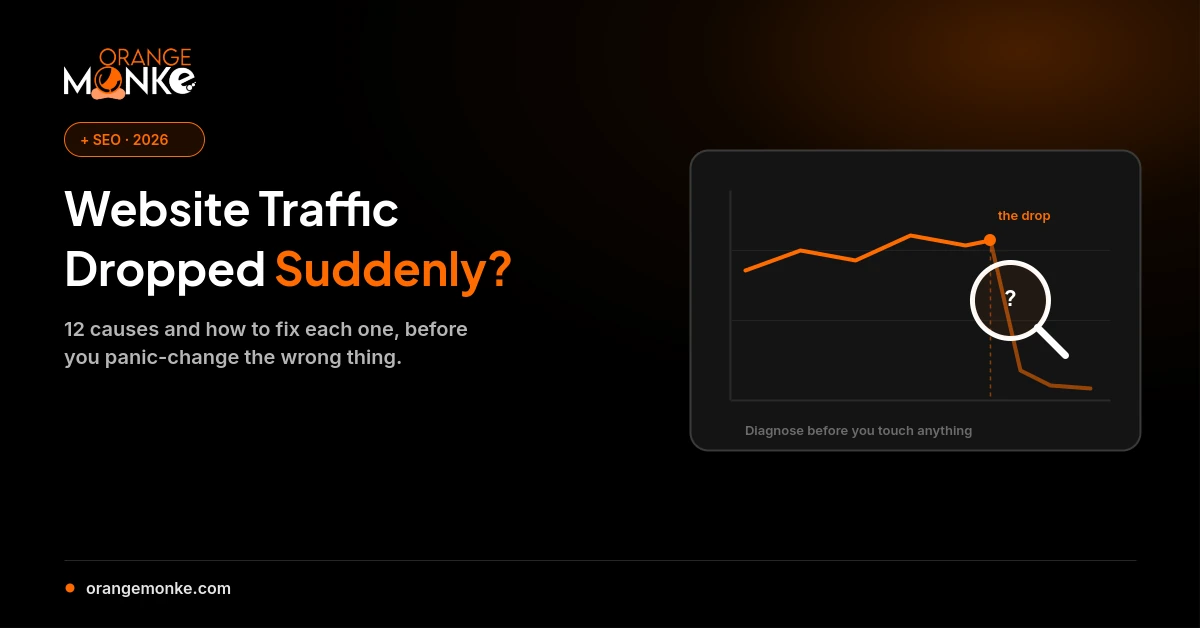
A sudden drop in website traffic almost always traces back to one of twelve causes: an analytics tracking fault, a Google algorithm update, a technical or indexing issue, lost rankings, a broken redirect, keyword cannibalization, seasonality, a stronger competitor, lost backlinks, a change in another channel, falling search demand, or a SERP shift like AI Overviews taking the click. Before you change anything, diagnose which one it is. Most are fixable once you can name the cause.
Don't Panic: First, Confirm the Drop Is Real
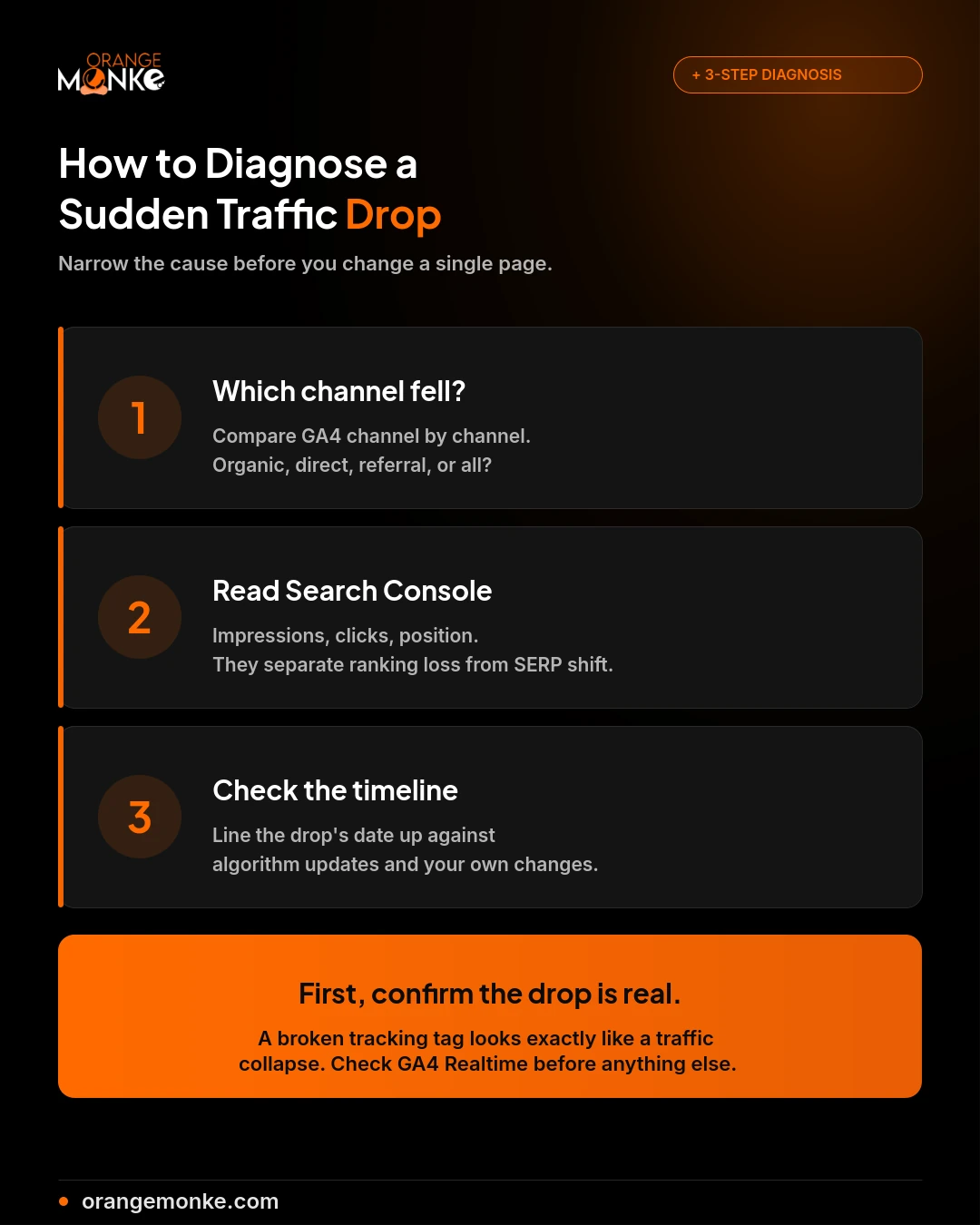
Before assuming your rankings collapsed, spend 5 minutes confirming the traffic loss is genuine and not a measurement error, because a surprising share of "traffic drops" are actually broken tracking. A single deployment, theme change, or tag-manager edit can stop your analytics from recording visits that are still happening.
The fastest way to rule this out is to open your GA4 Realtime report and load a page of your own site. If your visit appears within seconds, the tag is firing and the drop is real. If it doesn't, you have a tracking problem, not a traffic problem, and the fix is completely different. It's worth doing this five-minute check before anything else, because everything downstream depends on whether the numbers you're panicking about are even accurate. If you're not sure your analytics is set up cleanly to begin with, our Google Analytics for SEO walkthrough covers a correct GA4 configuration step by step.
How to Diagnose a Sudden Traffic Drop
Diagnose a traffic drop in three steps: identify which channel fell, check Google Search Console for the ranking and impression picture, then line the drop's date up against known events. This narrows the cause before you touch a single page.
Step 1: Identify Which Traffic Source Dropped
Open GA4 and compare the affected period against the previous one, channel by channel. The channel that fell tells you where to look (our full guide on how to check website traffic covers the exact reports to open):
- Organic search down: likely an algorithm update, a technical issue, or lost rankings.
- Direct traffic down: usually a tracking problem or a brand-level shift.
- Referral traffic down: a lost backlink or a change on a site that used to link to you.
- All channels down together: a site-wide problem like server downtime or a broken tag.
Step 2: Check Google Search Console
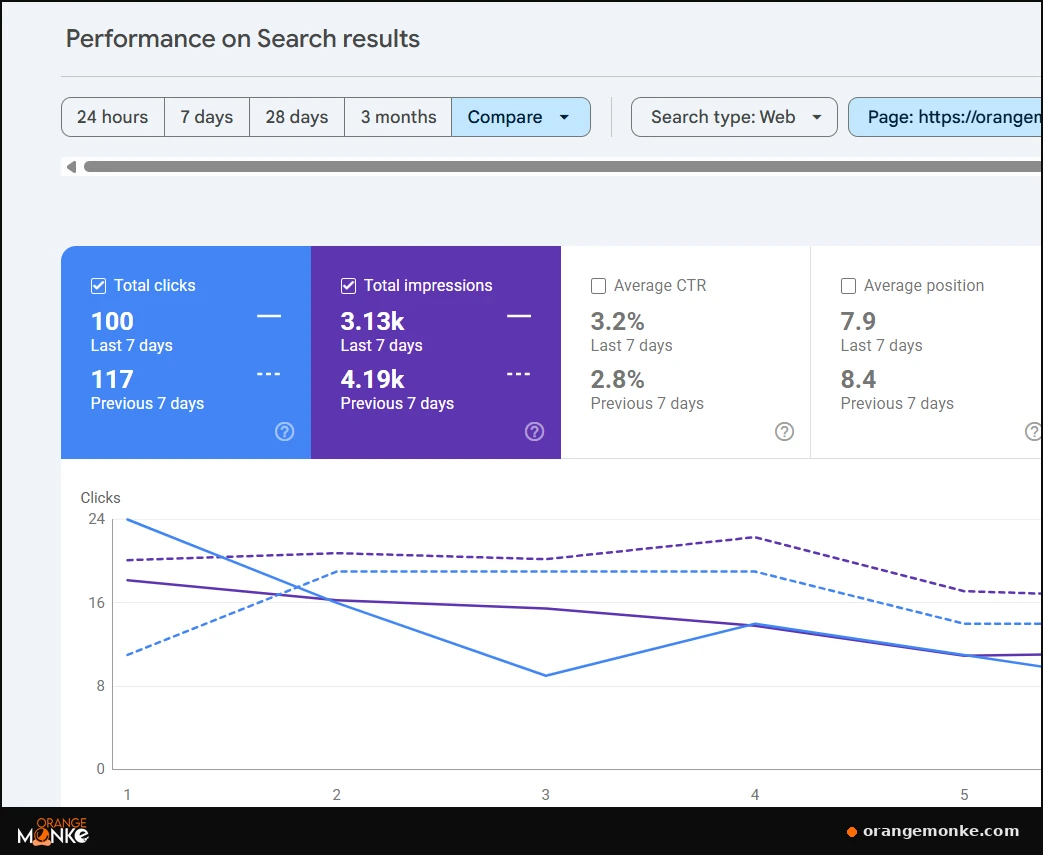
In the Performance report, read three numbers together. If impressions fell, Google is showing you less. If clicks fell but impressions held, your click-through rate dropped, often a SERP change. If average position fell, you've genuinely lost rankings.
Step 3: Check the Timeline
Note the exact day the drop began and cross-reference it with Google's Search Status Dashboard for confirmed algorithm updates, your own deployment history for code changes, and any server or hosting logs for downtime.
The 12 Most Common Causes of a Sudden Drop
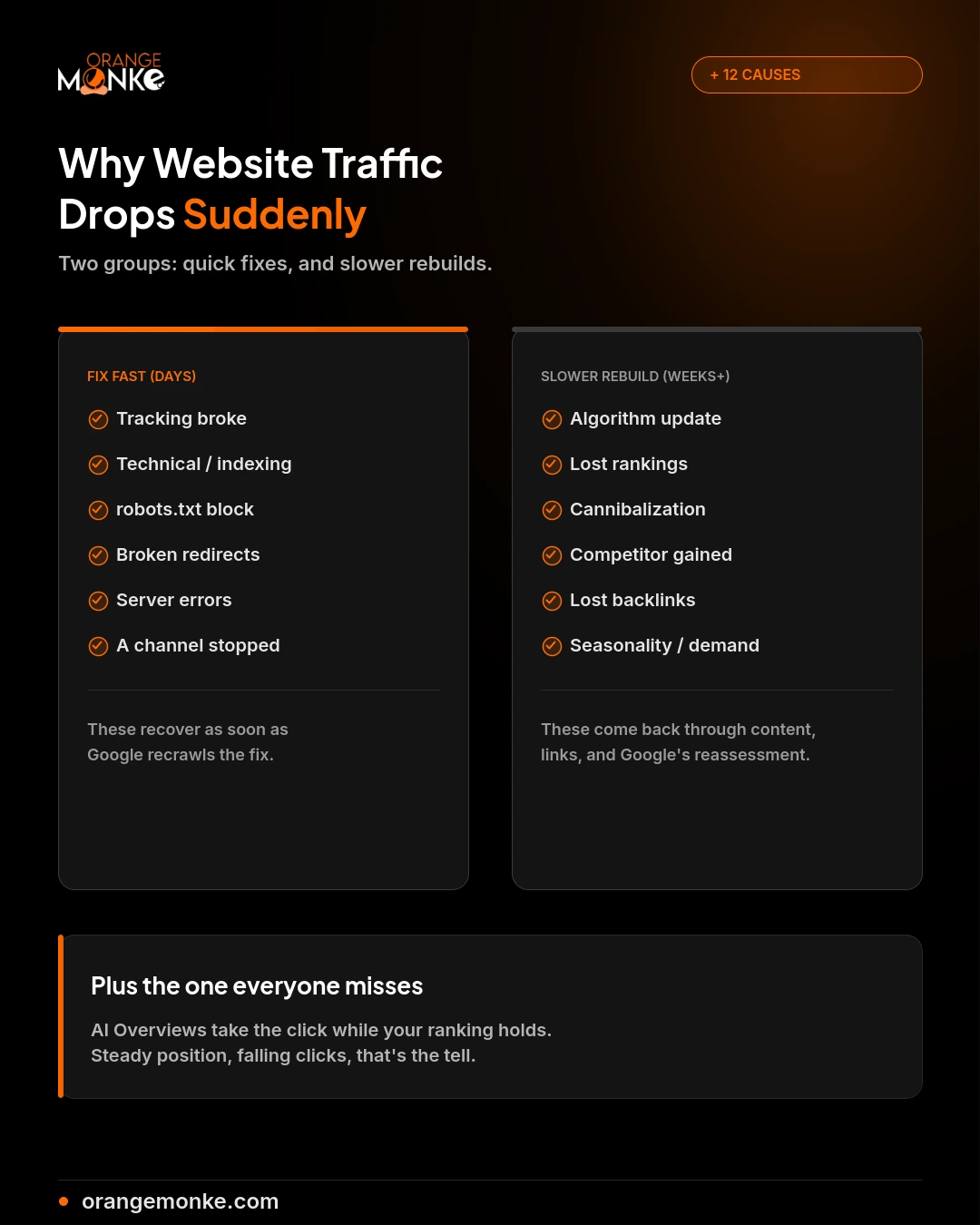
The twelve causes below account for nearly every sudden traffic drop, and they split into two groups: measurement or technical faults you can fix fast, and ranking or demand shifts that take longer to recover. Work through them roughly in order, since the early ones are the quickest to rule in or out.
1. Your Analytics Tracking Broke
Broken analytics tracking makes a healthy site look like it lost 50% of its traffic overnight, when in reality visitors are still arriving and simply not being counted.
Symptoms: Traffic drops to near-zero or falls sharply overnight, but the site itself works fine and conversions still come in.
How to verify: Open GA4 Realtime and load a page of your own site; if your visit doesn't appear within seconds, the tag isn't firing. Confirm with Google Tag Assistant, and compare GA4 against Search Console clicks.
Recovery plan:
- Reinstall or fix the GA4 tag, usually broken by a recent deployment, theme change, or consent-banner update.
- Check whether a Google Tag Manager change removed or misfired the tag.
- Remember this is a measurement problem, not a traffic problem, so no SEO work is needed.
2. A Google Algorithm Update Shifted Your Rankings
A Google core update can cut organic traffic 20 to 60% within days by reassessing your whole site at once, and it is a recalibration rather than a penalty with a single fix.
Symptoms: Organic traffic falls sharply across many pages at the same time, lining up with a confirmed update date.
How to verify: Check Google's Search Status Dashboard for confirmed rollouts and cross-reference the dates against your drop. Volatility trackers like Mozcast or the Semrush Sensor give a second opinion.
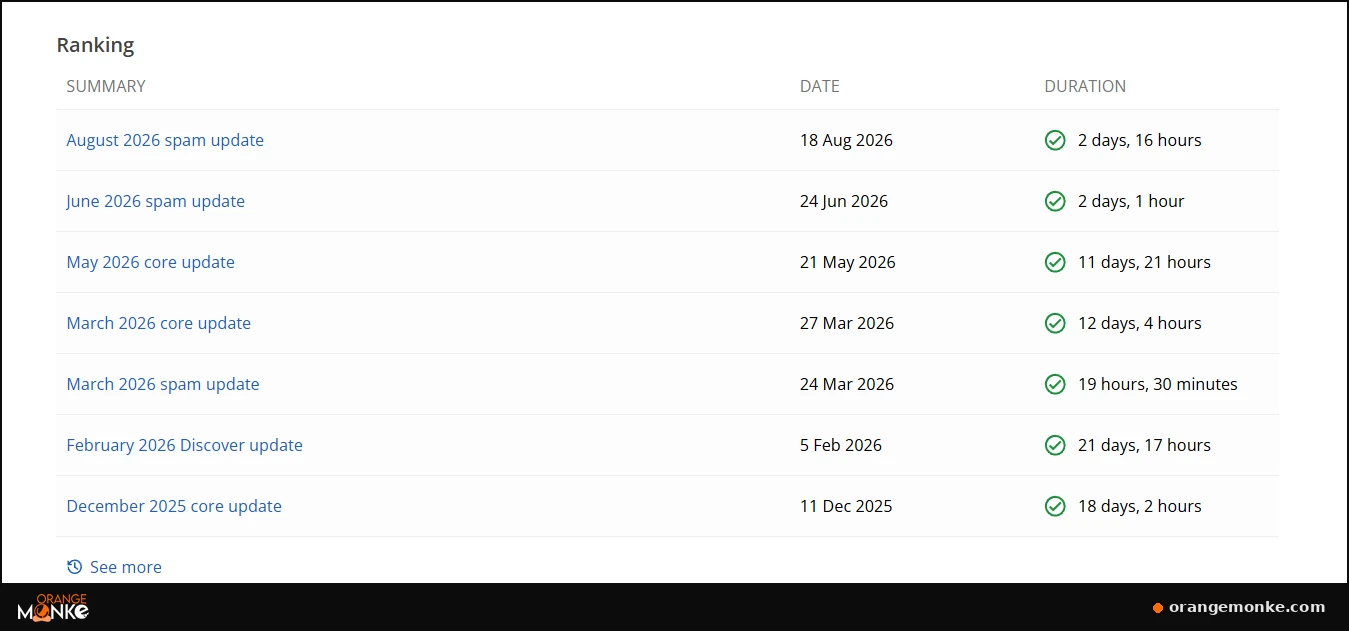
Recovery plan:
- Audit content quality on the affected pages and improve E-E-A-T signals: expertise, experience, authoritativeness, trustworthiness.
- Don't make panic changes; wait for the rollout to finish before judging the damage.
- Study what competitors who gained rankings are doing differently.
Our Google core update recovery guide walks through exactly how to read the damage in Search Console and rebuild after one.
3. A Technical or Indexing Issue
A single technical fault, an accidental noindex tag, a blocking robots.txt rule, an expired SSL certificate, or a bad canonical, can pull important pages out of the index within a day.
Symptoms: Specific pages or whole sections disappear from search while the rest of the site holds steady.
How to verify: Open Search Console's Page indexing report and look for pages newly marked "Not indexed" with an error. Run a crawl with Screaming Frog to spot noindex tags and blocked URLs at scale.
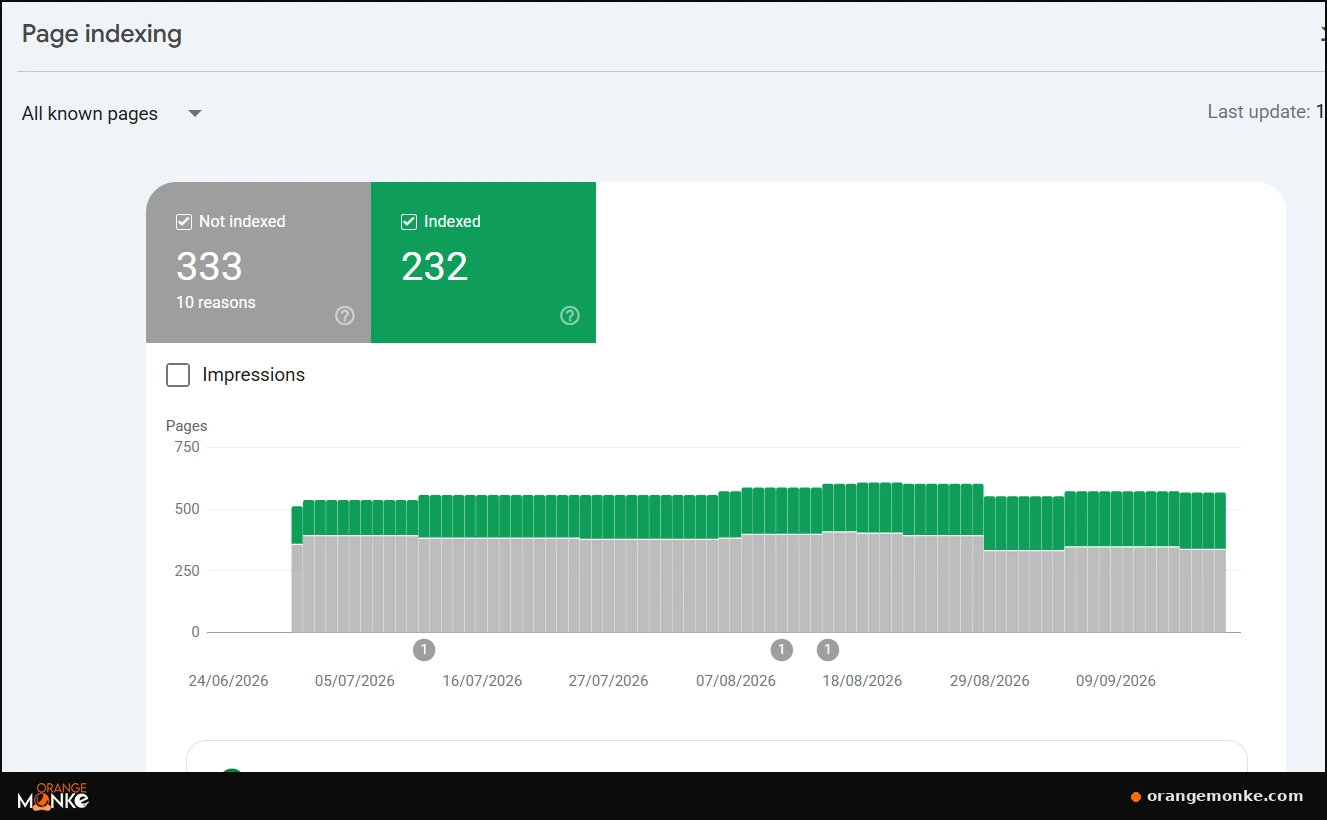
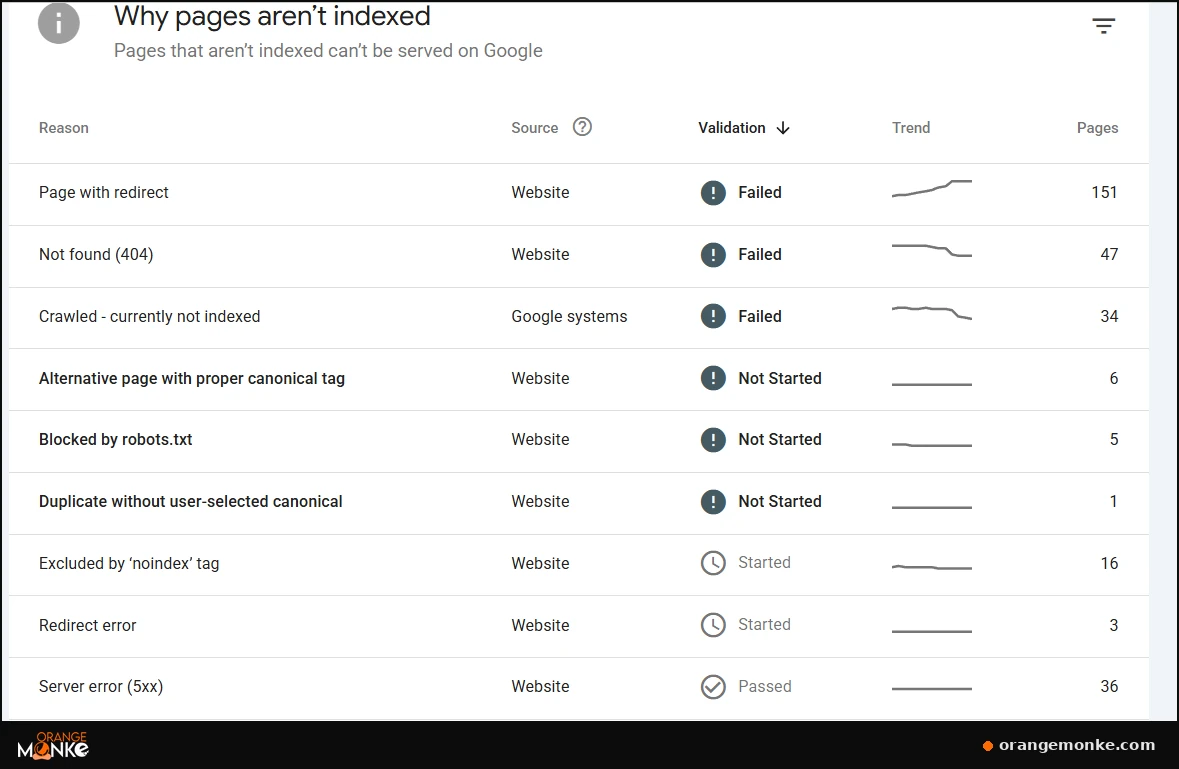
Recovery plan:
- Fix the root cause by error type rather than page by page, since one cause usually explains a whole group.
- Request reindexing through Search Console's URL Inspection tool.
- Use the report's "Validate Fix" button so Google rechecks the affected URLs.
Technical faults like these are exactly what a pre-publish review is meant to catch before they ever reach production. Our on-page SEO checklist covers the indexing, canonical, and meta checks that keep pages out of this report in the first place, and if the plumbing itself is the weak spot, that's the job of proper technical SEO.
4. A Misconfigured robots.txt File
A single stray robots.txt rule can block search engines from your entire site, usually when a staging site is pushed live with its Disallow: / directive still intact.
Symptoms: Whole directories or the entire site vanish from search shortly after a deployment or migration.
How to verify: Visit yourdomain.com/robots.txt directly and look for a blanket Disallow: /. Check Search Console's robots.txt report for the version Google last fetched.
# The rule that quietly kills your traffic:
User-agent: *
Disallow: /   ← blocks every crawler from the whole site
Recovery plan:
- Remove the blanket disallow and keep only the rules you actually intend.
- Request a recrawl so Google picks up the fix as soon as possible.
- Add a robots.txt check to your deployment checklist to prevent a repeat.
5. Broken or Wrong Redirects
Broken redirects leak traffic and ranking signals, and four faults cause most of the damage: a 302 used where a 301 was meant, redirect chains, redirects pointing at a 404, and redirect loops.
Symptoms: Traffic leaks away after a URL change, migration, or plugin update, often on specific pages rather than sitewide.
How to verify: Run your redirect list through a crawler like Screaming Frog in list mode and read the response code and final destination of every URL.
Recovery plan:
- Swap any temporary 302s for permanent 301s where the move is permanent.
- Collapse redirect chains so each old URL points directly at its final destination.
- Fix redirects that land on a 404 and break any redirect loops.
6. You Lost Rankings
A fall in organic position is one of the most common traffic-drop causes, and the queries that slipped the most are almost always where the traffic went.
Symptoms: Specific queries slide down the SERP while impressions stay roughly stable, and clicks follow the ranking down.
How to verify: Export your ranking keywords from before and after the drop, put them side by side in a spreadsheet, and compare position query by query.
| Keyword | Position before | Position after |
|---|---|---|
| Keyword 1 | 3 | 12 |
| Keyword 2 | 5 | 9 |
| Keyword 3 | 2 | 18 |
| Keyword 4 | 7 | 8 |
| Keyword 5 | 4 | 24 |
Keywords 1, 3, and 5 fell the hardest, so that's almost certainly where the traffic went, and those are the terms to win back first.
Recovery plan:
- Prioritise the highest-traffic terms that lost the most position.
- Win them back with fresh keyword research, better on-page work, and stronger internal links.
- Study the pages now outranking you and close the gap in depth and relevance.
The fastest wins here are usually the pages sitting just off page one. Articles ranking in positions 4 to 15 often climb into the top three from a focused refresh alone, updated stats, a sharper title, and a few internal links, far quicker than writing something new. It's the same "almost-ranking refresh" tactic our guide on driving traffic to your website walks through in detail.
7. Keyword Cannibalization
Keyword cannibalization happens when several of your own pages compete for one term, and Google responds by ranking none of them well rather than choosing between them.
Symptoms: More than one URL from your site ranks for the same query, and none of them holds a strong position.
How to verify: In Search Console's Performance report, filter to a query and open the Pages tab. Multiple URLs from your site for one term is the warning sign.
Recovery plan:
- Pick the single strongest page to own the term.
- Fold the useful content from the competing pages into it.
- Redirect the weaker URLs to the page you kept.
8. Seasonality or Falling Search Demand
Sometimes traffic falls simply because fewer people are searching, and one year-over-year comparison reveals whether the dip is a real problem or a predictable seasonal pattern.
Symptoms: The same dip appears at the same time as previous years, and impressions fall across your whole industry, not just your site.
How to verify: Compare the same period year over year in GA4 rather than day to day, and check Google Trends for your main keywords.
Recovery plan:
- If the pattern matches last year, there may be nothing to fix; plan content around the seasonal cycle instead.
- Diversify into evergreen and emerging topics to soften seasonal swings.
- Use off-peak periods to improve content before demand returns.
9. A Competitor Outranked You
SEO is a zero-sum race, so your site can stay technically healthy and still drop 3 to 10 positions because a competitor published something stronger or earned better links.
Symptoms: Rankings drop 3 to 10 positions on specific keywords, and the pages now above you are visibly newer or more thorough.
How to verify: Search your highest-loss keywords and study the pages now ranking above you. Ask what changed: depth, freshness, links, or first-hand experience.
Recovery plan:
- Rebuild the affected page to be genuinely more useful, not just longer.
- Add fresh data, examples, and stronger internal and external links.
- Track competitor movement so you spot the next gain before it costs you rankings.
Watching rivals shouldn't be a once-a-quarter panic; it's an ongoing discipline. The right tooling makes it routine, our comparison of Ahrefs vs SpyFu vs Semrush breaks down which platform surfaces competitor gains fastest.
10. You Lost Backlinks
Losing even one high-value backlink can drag down both referral and organic traffic, and the decline usually shows up gradually on the specific pages that link pointed to.
Symptoms: A steady, page-specific decline in rankings and referral visits over weeks rather than a single overnight cliff.
How to verify: Compare your backlink profile in Ahrefs or Semrush against a previous period and identify which high-authority links disappeared.
Recovery plan:
- Reach out to the linking site to restore the link where possible.
- Build new high-quality links to the affected pages through digital PR and outreach.
- Strengthen internal links to those pages to shore up their authority in the meantime.
You can only recover a link you know you've lost, so a monitored backlink profile is half the battle. A dedicated backlink checker tool flags disappeared links early, and rebuilding lost authority is exactly what off-page SEO is built to do through digital PR and outreach.
11. A Referral, Social, or Paid Channel Stopped Sending Visitors
Not every traffic drop is organic, and segmenting your traffic often reveals that a single referral, social, or paid channel fell while search held perfectly steady.
Symptoms: Only one non-organic channel declines, while organic search impressions and clicks stay flat.
How to verify: Segment GA4 by channel, organic, direct, referral, social, paid, email, and check each separately against the previous period.
Recovery plan:
- For referral drops, contact the site that removed or changed your link.
- For paid drops, check whether a campaign ended, a budget changed, or bids shifted.
- Don't run an SEO overhaul to fix a problem that lives in another channel.
12. SERP Changes and AI Overviews
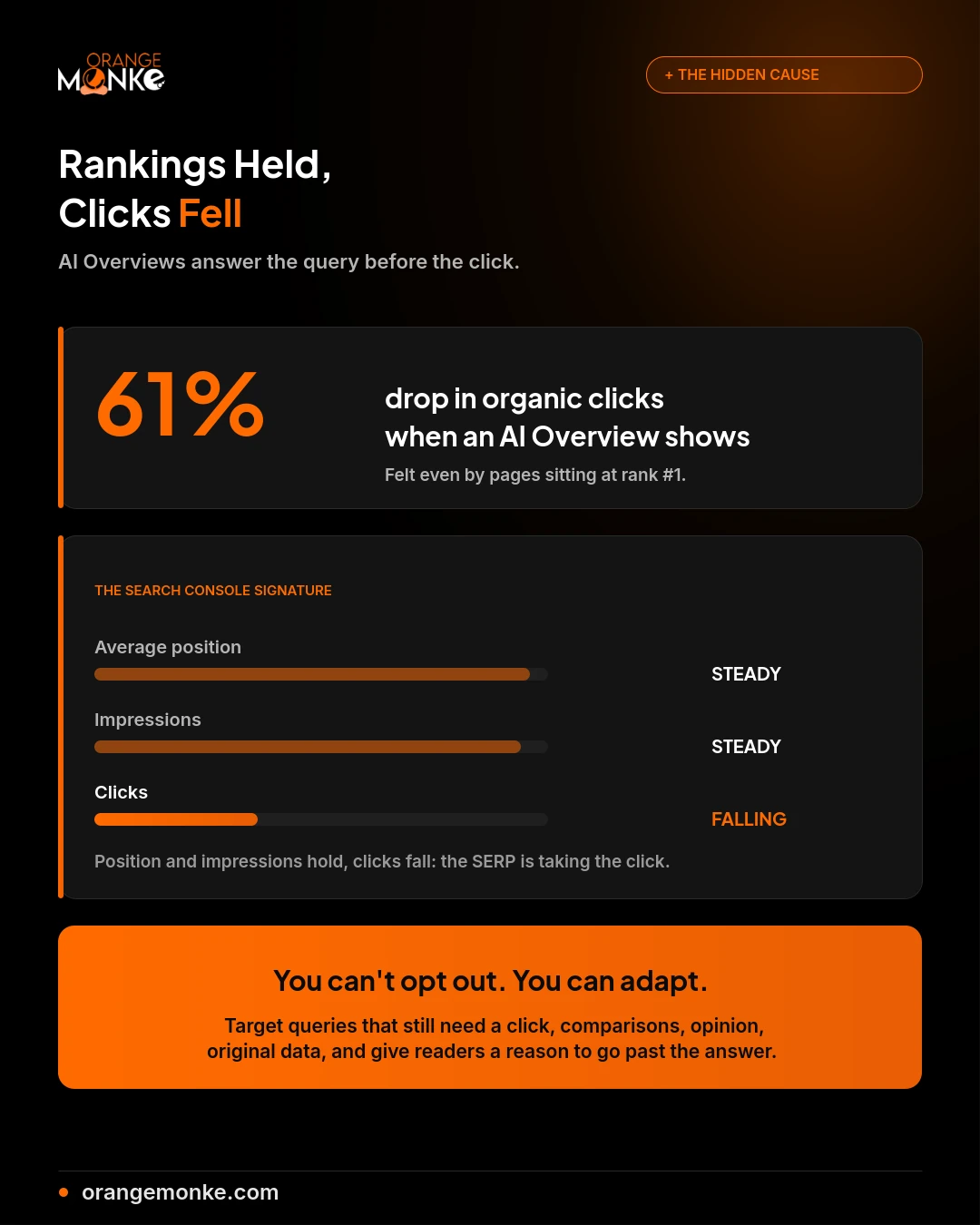
AI Overviews can cut organic click-through by roughly 61% while your ranking holds perfectly steady, because the results page now answers the query before the searcher ever needs to click.
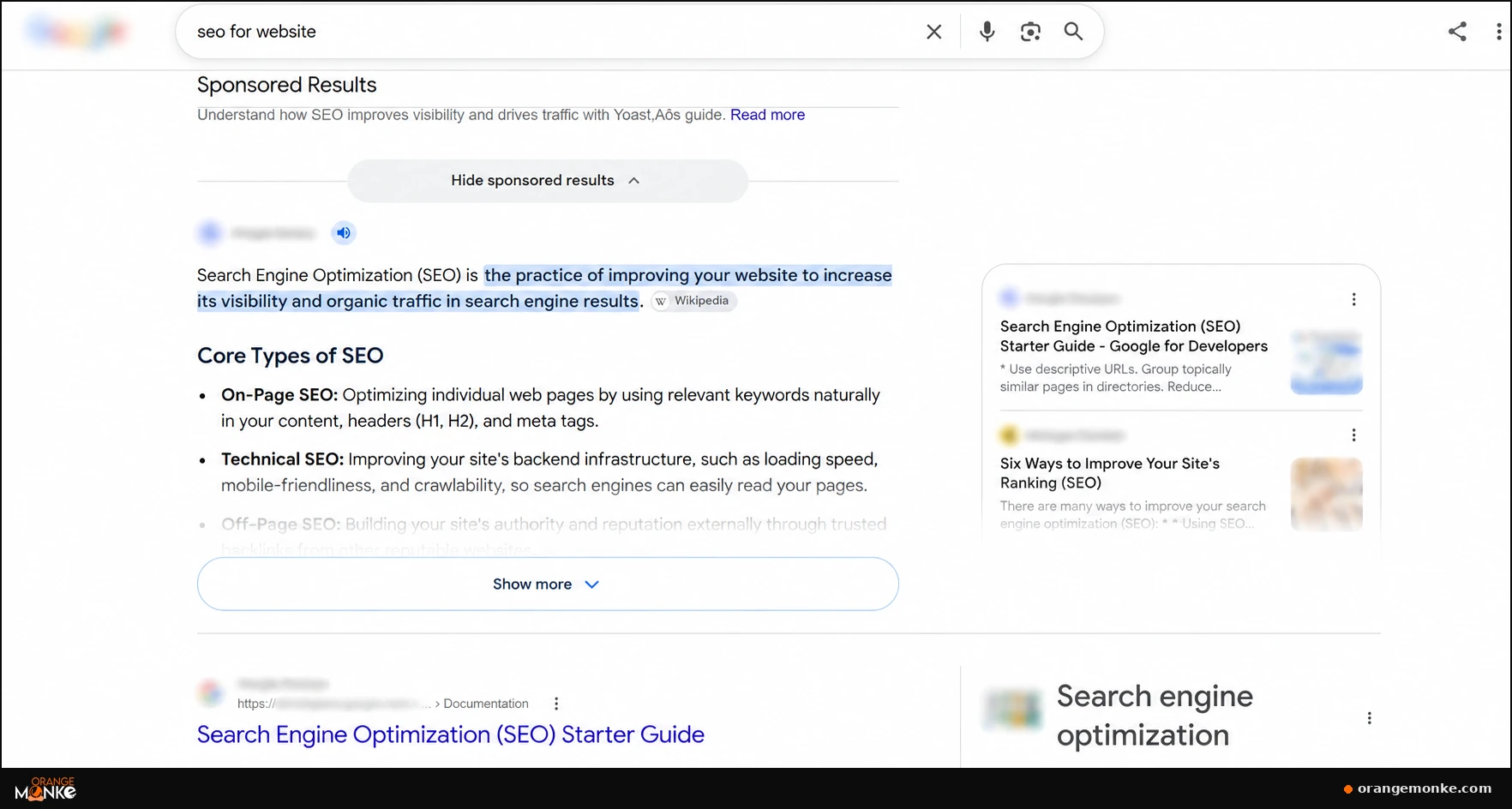
Symptoms: Average position and impressions stay steady in Search Console, but clicks fall, hardest on informational "what is" and "how to" queries.
How to verify: In Search Console, compare clicks against impressions and average position over the drop. Steady position and impressions with falling clicks points straight at the SERP.
Recovery plan:
- Lean toward queries that still need a real click: comparisons, opinion, original data, anything transactional.
- Write pages thorough enough that the AI answer leaves a reason to read on.
- Sharpen titles and descriptions to win the clicks that are still available.
This is the same shift covered in our guide on AEO vs SEO, where being cited by the AI answer matters as much as ranking beneath it.
The 12 Causes at a Glance
This table matches each of the 12 causes to its tell-tale symptom and recovery speed, so you know whether you're looking at a same-day fix or a multi-week rebuild.
| Cause | Tell-tale symptom | Fix speed |
|---|---|---|
| Tracking broke | Traffic drops to near-zero overnight, site works fine | Same day |
| Algorithm update | Organic down 20-60%, many pages at once | Weeks to months |
| Technical / indexing | Specific pages fall out of the index | Days |
| robots.txt block | Whole directories vanish from search | Days |
| Broken redirects | Traffic leaks after a URL change | Days |
| Lost rankings | Specific queries slide down the SERP | Weeks |
| Cannibalization | Multiple of your URLs rank for one term | Weeks |
| Seasonality / demand | Same dip as last year, industry-wide | No fix needed |
| Competitor outranked you | Rankings drop 3-10 spots, rivals improved | Weeks |
| Lost backlinks | Gradual decline on specific pages | Weeks |
| Another channel fell | Only referral, social, or paid dropped | Varies |
| SERP / AI Overviews | Position steady, clicks fall | Ongoing adaptation |
We diagnose the cause before touching a thing.
A free recovery audit pinpoints exactly what pulled your traffic down, and what it takes to get it back, no guesswork, no panic changes.
Get a free recovery audit →How to Recover Lost Website Traffic
Recover in 3 priority tiers: technical and tracking faults first because they resolve in days, then ranking and content work over weeks, then the slow rebuild after an algorithm update. Don't change a dozen things at once, or you'll never know which fix worked.
- Quick wins, 24 to 48 hours: broken tracking, a stray noindex, a bad robots.txt rule, server errors, broken redirects. These recover as soon as Google recrawls.
- Medium-term, 1 to 4 weeks: content refreshes, internal-linking fixes, consolidating cannibalized pages, backlink-recovery outreach.
- Long-term, 1 to 3 months: recovering from a core update, which comes from improving the site as a whole, not a single change, and can take until Google's next reassessment.
Whatever the cause, fix one major issue at a time and watch the affected metric before moving on. If you'd rather hand the diagnosis and recovery to a team that does this daily, our SEO services start with a full audit of exactly where and why your traffic slipped.
The hardest part of recovery isn't the fix, it's resisting the urge to keep changing things while you wait. After a core update especially, Google reassesses on its own schedule, and stacking five more changes on top of a page mid-recovery only muddies the signal. Make the fix, document it, and give it time to land before you touch it again.
One more thing worth internalising: recovery and prevention are the same work seen from two angles. Every fix you make after a drop, cleaner indexing, tighter redirects, stronger content, is also the thing that stops the next drop. Sites that treat SEO as a standing discipline rather than an emergency response spend far less time in this guide, because the problems surface as small alerts instead of month-late cliffs. That's the whole argument for treating SEO as an ongoing investment rather than a one-off project.
How to Prevent the Next Traffic Drop
Prevent future drops with 3 habits: set up monitoring alerts, keep a change log, and audit regularly, so the next decline is a same-day notification rather than a month-late surprise. Most traffic disasters are small problems that went unnoticed.
- Set GA4 alerts for significant changes in organic traffic, clicks, and conversions.
- Keep a change log of migrations, redesigns, content deletions, redirect changes, and campaign launches, so you can connect any future drop to a specific event.
- Run regular audits, monthly for technical health and quarterly for content, so problems surface before they cost you rankings.
- Diversify your traffic so no single channel or keyword can sink your numbers on its own.
The through-line in all four habits is early warning. A drop you catch on day one is usually a five-minute fix; the same drop caught six weeks later has compounded into lost rankings, lost revenue, and a much longer climb back. Monitoring turns a potential disaster into a routine notification, which is why every well-run site has it and every panicked one wishes it did. And because AI Overviews now sit on the same crawling and indexing foundations as classic search, the technical health you monitor for traditional SEO is the same health that decides whether AI can cite you at all, a point our take on whether SEO is dead in 2026 unpacks in full.
Common Mistakes to Avoid After a Traffic Drop
The single most damaging mistake after a traffic drop is panicking into big changes before you've diagnosed the cause, because the wrong fix can bury you deeper than the original problem. A drop is a diagnostic puzzle, not an emergency that rewards speed over accuracy.
- Don't rebuild or redesign the site before you know whether the problem is tracking, indexing, rankings, or demand. A redesign fixes none of those and can introduce new ones.
- Don't delete pages on instinct. A page that lost traffic may still hold backlinks and rankings worth keeping; diagnose before you prune.
- Don't change every URL at once. Mass URL changes create redirect and indexing problems on top of whatever you started with.
- Don't assume an algorithm update means a penalty. They're different problems with different fixes, and true penalties are rare and always flagged in Search Console.
- Don't fix ten things at once. Change one variable, watch the result, then move on, or you'll never know which fix actually worked.
Conclusion: A Traffic Drop Is a Puzzle, Not a Verdict
Almost every sudden traffic drop has a single traceable cause, and once you can name it, you can build a recovery plan around it, so the real skill is disciplined diagnosis rather than fast reaction. The twelve causes in this guide cover nearly everything that pulls a site's numbers down, from a broken tracking tag you can fix in minutes to a core update that takes months to climb back from.
The order matters more than the panic. Confirm the drop is real, work out which channel fell, read the story in Search Console, and line the date up against what changed, both on your site and on Google's end. Do that first, and the cause usually names itself. Skip it, and you risk rebuilding content when the real problem was a stray noindex tag, or chasing an algorithm ghost when a referral partner simply dropped your link.
And keep the newest cause front of mind: in 2026, your rankings can hold perfectly steady while AI Overviews quietly take the click. If your position and impressions are flat but clicks have fallen, the results page changed, not your site, and the answer is to earn the clicks that are still there and give readers a reason to go past the AI summary.
At Orange MonkE, this exact diagnose-then-fix process is how we recover client traffic every week, no guesswork, no panic changes, just naming the cause and building the plan around it. If your traffic has slipped and you'd rather not troubleshoot it alone, our SEO services begin with a full recovery audit that pinpoints the cause in the first report.
Get an honest recommendation, not a sales pitch.
A free audit tells you whether your project needs an agency, a freelancer, or something in between, before you spend a rupee.
Explore our SEO services →Frequently Asked Questions
A sudden drop usually traces to one of a handful of causes: a tracking fault, a Google algorithm update, a technical or indexing issue, lost rankings, or a SERP change like AI Overviews taking the click.
- Rule out measurement first: confirm your analytics tag is actually firing.
- Then check Search Console: impressions, clicks, and average position tell you whether it's a ranking loss or a SERP shift.
- Cross-reference the date: line the drop up against known algorithm updates and your own site changes.
Work through the twelve causes in order and the reason usually surfaces quickly.
Yes: AI Overviews and other SERP features answer the query on the results page, so you can hold your #1 position and still lose the click, a pattern that now affects a large share of informational searches.
- The signature: steady average position and impressions, but falling clicks in Search Console.
- Most affected: informational, "what is" and "how to" style queries.
- The adaptation: target queries that still require a click and give the reader a reason to go beyond the AI answer.
If position is stable but clicks fell, look at the results page, not your ranking.
Usually not: true penalties are manual actions, they cause fewer than 1 in 20 traffic drops, and they always appear in Search Console's Manual Actions report.
- Check first: Search Console under Security and Manual Actions.
- If it says "No issues detected": it's algorithmic or technical, not a penalty.
- If there's an action: the report names exactly what to fix before you submit a reconsideration request.
The vast majority of drops are algorithmic or technical rather than penalties.
Recovery time depends on the cause: a technical or tracking fix recovers in 1 to a few days once Google recrawls, while a core-update recovery can take weeks to months.
- Fast (days): tracking fixes, stray noindex tags, robots.txt corrections, redirect fixes.
- Medium (weeks): content and ranking recovery after search engines reassess updated pages.
- Slow (months): core-update recovery, which comes from improving the whole site rather than one fix.
Patience matters most with algorithmic drops; technical faults are the fast wins.
No, not automatically: a single page that lost traffic may still hold valuable backlinks, historical rankings, and topical relevance, so diagnose why it declined before removing it.
- Often better: update the content, realign it to search intent, or strengthen its internal links.
- When to consolidate: if two pages compete for the same term, merge them and redirect the weaker one.
- Only delete or redirect: when there's a clear strategic reason, and never send every removed page to the homepage.
Deletion is a last resort, not a first response to a dip.
Start with 3 checks in order: confirm your analytics tag is firing, then compare Search Console clicks, impressions, and average position from before and after the drop.
- First: verify tracking in GA4 Realtime, so you know the drop is real.
- Second: read Search Console to separate a ranking loss from a SERP or demand shift.
- Third: check indexing status and recent site changes before assuming an algorithm update.
This order prevents you from rebuilding content when the real problem was a broken tag.
Yes, easily: core updates reassess a site as a whole rather than page by page, so a 50% or larger drop can arrive all at once rather than as a small percentage.
- Hit hardest: thin content and weak link profiles.
- Not a penalty: a core update is a recalibration, with no single thing to "fix."
- Recovery path: improve the site's overall quality and wait for Google's next reassessment.
A steep, sitewide organic drop that lines up with a confirmed core update date is the classic signature.
When impressions hold but clicks fall, your click-through rate dropped, one clear signal of a SERP change like an AI Overview or featured snippet answering the query above your result.
- Check the SERP: search your affected keywords and look at what now sits above the first organic result.
- Common culprits: AI Overviews, expanded ad blocks, and rich features pushing you down.
- The fix: sharpen titles and descriptions for CTR, and target queries that still require a click.
Steady impressions with falling clicks is almost never a ranking loss; it's the results page changing.