Alternative app stores let you install apps that Google Play and the Apple App Store do not carry, including modded apps, beta builds, region-locked titles, and open-source software. This guide profiles more than 25 of them across Android, iOS, and cross-platform use, rates each one for safety, and shows you how to install and choose between them in 2026.
Whether you want a privacy-first Play Store replacement, a no-jailbreak way to sideload apps on iPhone, or a store that carries older app versions, there is a safer option than downloading random APKs from a search result. The trick is knowing which stores verify what they publish and which ones to avoid.
In this guide, you will find:
- 25+ stores compared: the best 3rd party app stores for Android, iOS, and cross-platform, each rated for safety.
- Safety first: how to use alternative app stores safely and spot malware, spyware, and pirated apps.
- Step-by-step installs: how to install and sideload apps on both Android and iPhone.
- The right pick for you: a quick-pick table matching each store to a specific goal.
For most Android users, APKMirror and Aurora Store are the safest alternatives, and Aptoide is best for modded apps. For iPhone, AltStore lets you sideload apps without jailbreaking. F-Droid is the top choice for open-source, tracker-free apps. All of these are covered in detail below.
Why Use an Alternative App Store?
You use an alternative app store to reach apps the official stores block, delay, or never carry, and to keep control over versions, pricing, and privacy. The Play Store and App Store dominate distribution, but their rules leave real gaps that third-party stores fill.
The demand is not niche. The same appetite that drives people toward alternatives to dominant platforms shows up in app distribution, where millions of users install a second store to get what the defaults will not give them.
Overcoming Geographic Restrictions
Alternative app stores overcome geographic restrictions by hosting global builds and older APK or IPA files that install anywhere, bypassing the region locks on official stores. Many apps are limited to certain countries because of licensing, compliance, or marketing, so a third-party store is often the only way to reach them.
- Access blocked apps. Download apps or games that are not available in your country, much like the way people reach region-blocked video.
- Beat the launch queue. Install apps before they officially roll out in your region.
- Keep apps while traveling. Continue using region-specific apps even when you leave the country.
Access to Modded or Beta Apps
Alternative stores give you modded and beta apps that official stores rarely allow, including tweaked builds, unlocked premium features, and early test releases. Google and Apple tightly regulate what they host, so enhanced or pre-release versions usually live outside their walls.
- Tweaked apps. Enhanced features, unlocked premium content, or ad-free versions.
- Beta versions. Test new features before they reach the public release.
- Older versions. Roll back to a build that still has a feature a later update removed, which appeals to gamers, tech enthusiasts, and app testers who want control.
Cost Benefits and Free Access
Alternative app stores cut your costs by offering paid apps, in-app purchases, and subscriptions at discounted or free rates, sometimes through daily "free app of the day" promotions. That makes them a low-risk way to try premium software before you commit to buying it.
- Save on premium apps. Get paid apps or subscriptions at no cost or a lower price.
- Try before you buy. Test an app fully before paying for it officially.
- Unlock exclusives. Reach apps that would be costly or unavailable on Google Play or the App Store.
Developer-Friendly Platforms
Alternative app stores are developer-friendly because they drop the strict approval processes and fees of official stores, which is how niche, hobbyist, and indie apps reach users first. That openness gives users unique tools and gives small teams a launchpad, the same way a solid app development and release plan does.
- Lower barriers to entry. New developers can publish without a heavy approval gate.
- Flexible guidelines. Niche apps that fail strict official standards still find a home.
- Direct community feedback. Ratings and reviews help developers improve and engage users.
Best Alternative App Store for Every Need
The best app store alternative depends on what you are trying to do, not a single winner. Match your goal to the store below, then read its full profile in the sections that follow.
| Your goal | Best store | Platform |
|---|---|---|
| Safe, verified APKs | APKMirror | Android |
| Modded & tweaked apps | Aptoide / HappyMod | Android |
| Open-source, no tracking | F-Droid | Android |
| Play Store apps without a Google account | Aurora Store | Android |
| Older app versions / rollbacks | Uptodown / APKMirror | Android |
| Sideload on iPhone without jailbreak | AltStore | iOS |
| Emulators & beta apps on iOS | BuildStore | iOS |
| Indie games & creative software | Itch.io | Cross-platform |
| Reach users as a developer | Amazon Appstore / Aptoide | Android |
Pick by intent first, then by platform. The safest stores appear more than once because they cover several needs at once, and Aptoide doubles as the go-to modded app store.
Best Alternative App Stores for Android
Android is open enough to run full third-party app stores, which is why the best alternatives live here. The stores below cover verified APKs, modded apps, open-source software, and privacy-first Play Store access. These are the best 3rd party app stores for Android, from verified APK repositories to modded-app hubs.
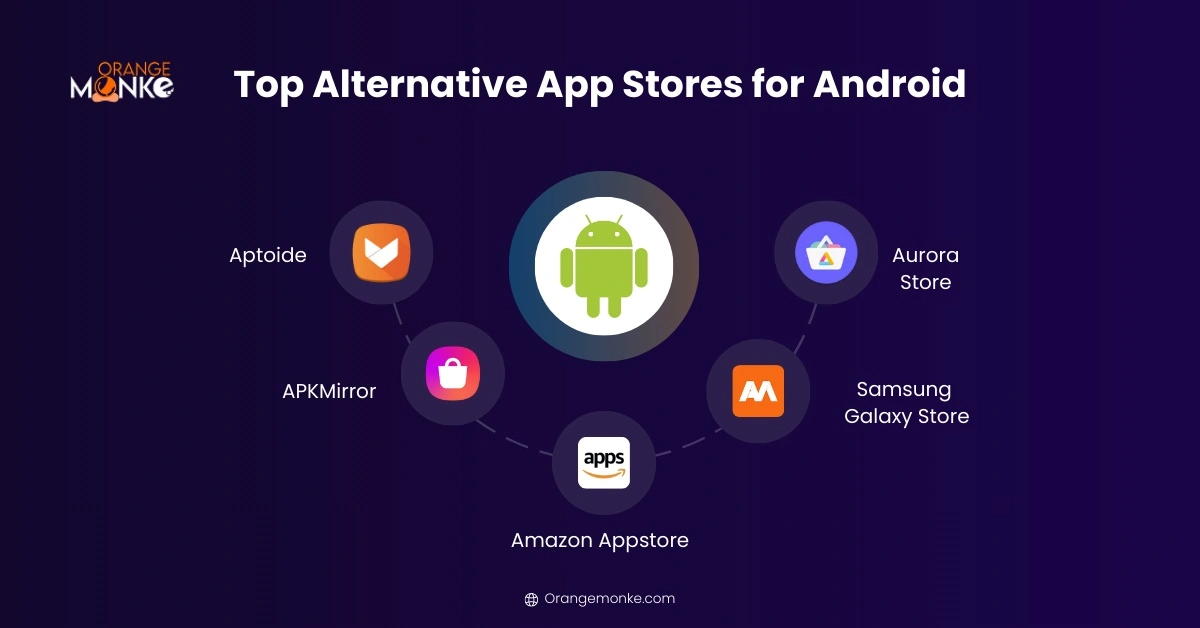
1. Aptoide
Aptoide is the largest independent Android store and the go-to source for modded and region-restricted apps. Its community model lets anyone run a sub-store, and Trusted badges plus user ratings flag risky uploads. No account is required to browse or install.
Key Features:
- Huge App Library: Thousands of apps, including region-restricted and niche apps.
- Community Ratings: User ratings help identify trustworthy apps and flag malicious content.
- Modded and Tweaked Apps: Many apps with enhanced features or unlocked premium content.
- No Account Required: Users can browse and download apps without signing in.
2. APKMirror
APKMirror is the safest place to download raw APKs, because every file is checked against the developer's cryptographic signature before it is published. It hosts older versions, beta releases, and apps pulled from Google Play, but it carries no modded apps by design.
Key Features:
- Verified APKs: All apps are signed and verified to ensure safety.
- Older Versions: Download previous versions when updates are buggy or remove features.
- Free Access: No subscription or account needed.
- Fast Updates: Beta and updated versions often arrive faster than Google Play.
3. APKPure
APKPure is a widely used store that supports APK and XAPK files with automatic updates and older-version downloads. It scans apps for malware and installs without Google Play access, which makes it a common pick for de-Googled phones. Verify each listing, since it also hosts some modded content.
Key Features:
- APK and XAPK Support: Handles both formats with automatic updates.
- Malware Scanning: Scans apps for malware before you install.
- Older Versions: Keeps previous releases available for compatibility.
- No Google Play Needed: Installs on de-Googled phones without Play Services.
4. F-Droid
F-Droid only lists free and open-source (FOSS) apps, all built from source and free of ads and trackers. Strict inclusion rules and public build logs make it the most transparent store on Android. It is the right choice when privacy and auditability matter more than app selection.
Key Features:
- Open Source Only: Every app is free and open-source (FOSS).
- No Ads or Trackers: Apps are built from source with no hidden tracking.
- Public Build Logs: Full transparency on how each app is compiled.
- Version Rollback: Install older versions and manage updates yourself.
5. Aurora Store
Aurora Store is an open-source Google Play client that downloads Play Store apps anonymously, with no Google account attached. It shows per-app tracker and permission details, supports region bypass, and lets you block or downgrade updates, which suits privacy-focused users.
Key Features:
- Anonymous Access: Download Play Store apps without linking a Google account.
- Open Source: Transparent code with frequent updates.
- Region Bypass: Access apps restricted to certain countries.
- Tracker Visibility: See per-app trackers and permissions before installing.
6. Uptodown
Uptodown is one of the most-downloaded independent stores worldwide and runs a VirusTotal scan on every app. It shows full changelogs and technical details, supports offline APK installs, and keeps older releases available for rollback.
Key Features:
- VirusTotal Scans: Every app is scanned for safety before listing.
- Full Changelogs: Technical details and version history for each app.
- Offline Installs: Install pre-downloaded APKs without an internet connection.
- XAPK Support: Handles split APKs and app backups.
7. Amazon Appstore
Amazon Appstore is a semi-official store with curated apps, exclusive titles, and a daily free paid app. It runs without Google Play Services, integrates Amazon Coins for discounts, and includes parental controls, though its library is smaller than Google Play.
Key Features:
- Daily Free Apps: The App of the Day offers one free paid app daily.
- Exclusive Apps & Games: Some titles are only available on Amazon Appstore.
- Parental Controls: Built-in tools for families to manage app access.
- Integrated Payments: Supports Amazon Coins and seamless purchases.
8. Samsung Galaxy Store
Samsung Galaxy Store comes pre-installed on Galaxy devices and carries apps, themes, and watch faces tuned for Samsung hardware. Every app is vetted by Samsung, and updates track One UI so compatibility stays clean on Galaxy phones, tablets, and wearables.
Key Features:
- Device-Specific Apps: Apps tailored for Galaxy phones, tablets, and Galaxy Watch.
- Exclusive Promotions: Discounts and rewards for Samsung users.
- Regular Updates: Apps track One UI so compatibility stays clean.
- Secure Platform: Samsung vets all apps to prevent malware.
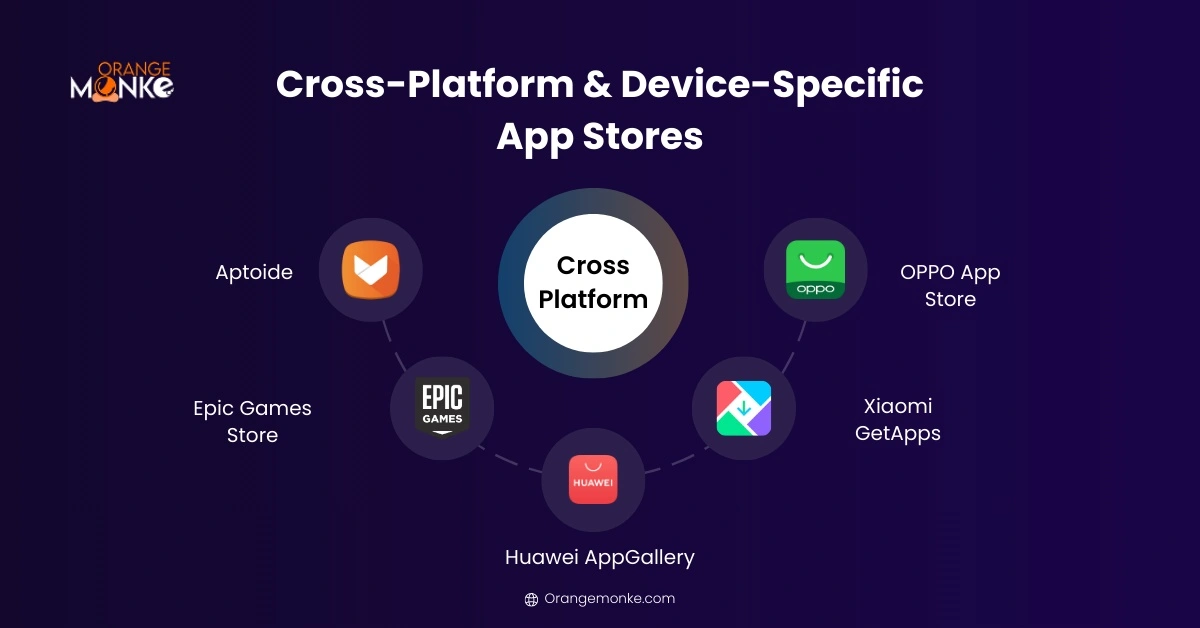
9. Huawei AppGallery
Huawei AppGallery is Huawei's official store and the default on Huawei and Honor devices, built on Huawei Mobile Services instead of Google. Apps are security-scanned before release, and the catalog has grown quickly since Google services were removed from Huawei phones.
Key Features:
- Official Huawei Apps: Apps optimized for Huawei and Honor devices.
- App Security: Every app is verified and scanned for malware.
- Promotions & Rewards: Users earn rewards, discounts, and exclusive deals.
- Regional Adaptation: Apps tailored to different regions and partnerships.
10. Xiaomi GetApps
Xiaomi GetApps ships pre-installed on Xiaomi and Redmi devices running MIUI or HyperOS. It offers device-optimized apps, personalized recommendations, and regional titles alongside the Play Store, plus rewards and promotions for downloads.
Key Features:
- Device Optimization: Apps tuned for Xiaomi and Redmi on MIUI or HyperOS.
- Curated Selection: Popular apps and games tailored to Xiaomi users.
- Regular Updates: Kept compatible with MIUI and HyperOS updates.
- Promotions & Rewards: Deals and discounts on app downloads.
11. OPPO App Store and Vivo V-AppStore
OPPO App Store and Vivo's V-AppStore (iManager) round out the manufacturer stores, each pre-installed on its own devices and tuned for ColorOS and Funtouch OS respectively. Both vet apps for security, push device-specific optimizations, and run their own promotions, though their catalogs are aimed at their own hardware.
Key Features:
- Device-Specific Apps: Optimized for ColorOS and Funtouch OS respectively.
- Verified and Secure: Apps are scanned for security before release.
- Exclusive Content: App discounts, exclusive games, and rewards.
- Regular Updates: Kept compatible with each brand's Android skin.
12. GetJar
GetJar is one of the oldest Android stores and still hosts thousands of tagged, categorized apps with no sign-up required. It offers direct downloads and app suggestions based on your history, with lighter publishing rules for developers.
Key Features:
- Large Catalog: Thousands of tagged, categorized apps across device types.
- No Sign-Up: Direct downloads with no login required.
- Smart Suggestions: App recommendations based on your history.
- Developer-Friendly: Lighter publishing rules for submitting apps.
13. SlideME
SlideME lists quality-tested apps that pass a manual approval process before going live. It supports paid apps with its own billing and DRM, needs no Google certificate, and is a solid outlet for independent developers reaching a global audience.
Key Features:
- Manual Approval: Apps are quality-tested before going live.
- Paid App Support: Its own billing and DRM for paid apps.
- No Google Certificate: Runs without Google services or certification.
- Global Reach: A publishing route for independent developers worldwide.
14. HappyMod
HappyMod specializes in modded APKs with unlocked or enhanced features, sourced and rated by its community. Treat it as a modded-app hub rather than a safety-first store: check ratings, verify permissions, and avoid pirated paid apps.
Key Features:
- Modded APKs: Unlocked or enhanced versions of popular apps.
- Community Sourced: Mods are uploaded and rated by the community.
- Version Choice: Multiple mod versions per app to pick from.
- Verify Before Install: Check ratings and permissions to stay safe.
15. QooApp
QooApp is a niche Android store built around anime, manga, and Asian mobile games that are often region-locked on Google Play. It focuses on that gaming culture, with early access to regional titles and community reviews, which makes it a favorite for fans chasing games unavailable in their country.
Key Features:
- Anime & Manga Games: Focused on Asian mobile games and gaming culture.
- Region-Locked Titles: Access games unavailable on Google Play in your country.
- Early Access: Get regional releases and pre-registrations early.
- Community Reviews: Ratings and feedback from a fan-driven community.
| Store | Best for | Safety | Account needed |
|---|---|---|---|
| APKMirror | Verified APKs, older versions | Very high | No |
| Aurora Store | Anonymous Play Store access | High | No |
| F-Droid | Open-source, no trackers | Very high | No |
| Uptodown | Scanned APKs, rollbacks | High | No |
| Aptoide | Modded & niche apps | Moderate | No |
| HappyMod | Modded APKs | Use with caution | No |
For everyday safety, start with APKMirror, Aurora Store, or F-Droid. Reserve Aptoide and HappyMod for modded apps you can verify.
Best Alternative App Stores for iOS
iOS is a closed system, so most alternative stores rely on sideloading, a trust profile, or (rarely) a jailbreak. They are safe when used correctly, but they take more setup than an Android store, and app certificates can expire and need refreshing.
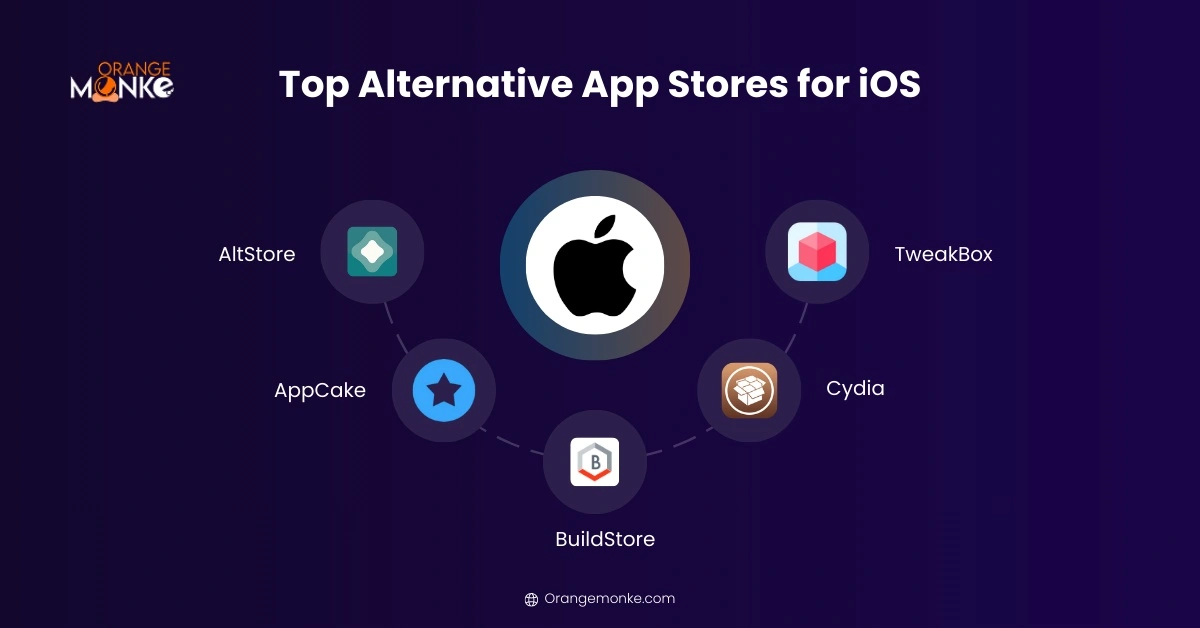
1. AltStore
AltStore is the most trusted way to sideload iOS apps without a jailbreak, using your Apple ID and a helper called AltServer on your computer. It is open-source, refreshes apps every seven days to prevent expiry, and supports popular titles like the Delta emulator.
Key Features:
- Sideload Without Jailbreak: Install apps without compromising device security.
- Frequent Updates: Apps refresh every 7 days to avoid expiration.
- Open Source: Transparent and trusted by the iOS community.
- Custom Apps: Install apps that are not on the App Store.
2. AppCake
AppCake installs IPA files directly on iOS, including paid apps for free and tweaked builds. It runs a built-in web server for browser-based installs and can handle unsigned IPAs, so verify sources carefully and avoid pirated apps.
Key Features:
- Access Paid Apps: Download apps that usually require payment.
- Tweaked Apps: Apps with extra features or removed restrictions.
- Unsigned IPAs: Can install unsigned and jailbroken IPA files.
- Browser Installs: Built-in web server sends files to your phone.
3. AppValley
AppValley provides unlocked IPA files with ad-free and VIP features, installable without a jailbreak. It updates apps regularly and issues fresh certificates to reduce revokes, with a premium tier for an ad-free experience.
Key Features:
- Unlocked IPAs: Apps with ad-free and VIP features.
- No Jailbreak: Installs without compromising your device.
- Fresh Certificates: New certificates reduce app revokes.
- Premium Tier: Optional plan for an ad-free experience.
4. TutuApp
TutuApp offers free apps, tweaks, and games with extra coins or removed ads, without requiring an Apple ID login. It works without a jailbreak or computer client and organizes apps with tags and a What's New feed.
Key Features:
- Free Apps & Tweaks: Apps and games without an Apple ID login.
- Extra Game Content: Games with extra coins or removed ads.
- No Computer Needed: Works without a jailbreak or PC client.
- Organized Library: Tags and a What's New feed for browsing.
5. Panda Helper
Panda Helper carries a large catalog of modded and region-blocked apps, plus hacked games with a built-in cheat engine. It can clone apps and save app data for easier reinstalls, which appeals to power users.
Key Features:
- Modded & Region-Blocked Apps: A large catalog of tweaked and blocked apps.
- Built-in Cheat Engine: Modify in-game values on hacked games.
- App Cloning: Create multiple clones of a single app.
- Data Saving: Save app data for easier reinstalls.
6. BuildStore
BuildStore is a subscription store that gives non-jailbroken devices stable access to emulators, beta apps, and titles missing from the App Store. The paid model buys signing reliability, so apps do not revoke as often, and one subscription covers multiple devices.
Key Features:
- Subscription Model: A curated library of apps for a fixed fee.
- Exclusive Apps: Emulators and niche apps unavailable officially.
- Signing Reliability: Apps revoke far less often than free stores.
- Multi-Device Support: Install across multiple iOS devices with one plan.
7. TweakBox
TweakBox focuses on modded and patched apps, including premium unlocks and emulators, installed from the browser on non-jailbroken devices. It uses enterprise certificates to reduce bans and requires a trust profile to run.
Key Features:
- Tweaked Apps: Modded and patched apps, including premium unlocks.
- Emulators: Play classic console games on iOS.
- No Jailbreak Needed: Installs from the browser on stock devices.
- Enterprise Certificates: Reduce bans with extended certificate validity.
8. iOSGods
iOSGods hosts hard-to-find apps and modded games with cloud backups and custom tweak requests. It sideloads without an Apple Developer account and supports installs on Mac and Apple TV as well as iPhone.
Key Features:
- Hard-to-Find Apps: Modded games and apps that are tough to source.
- Cloud Backups: Back up and restore your app data.
- Custom Tweak Requests: Request tweaks for your favorite apps.
- Mac & Apple TV: Install beyond iPhone, including Apple TV.
9. CokerNutX
CokerNutX offers thousands of apps, emulators, and developer tools, installable on modern iOS without a jailbreak. It uses SSL encryption for safer downloads and, unlike many rivals, has no premium paywall.
Key Features:
- Thousands of Apps: Emulators, developer tools, and modded apps.
- No Jailbreak: Runs on modern iOS without jailbreaking.
- SSL Encryption: Adds a layer of download safety.
- No Paywall: Install every app without paying.
10. Cydia
Cydia is the original store for jailbroken iPhones and the home of deep system tweaks, themes, and root-level customization. It works through developer repositories and pairs with modern package managers like Sileo, but it requires a jailbreak and suits advanced users only.
Key Features:
- Jailbreak-Only Apps: Install tweaks and apps that require root access.
- Deep Customization: Change themes, UI, and system behavior.
- Repository System: Add developer repos for new content.
- Package Managers: Works alongside Sileo and Zebra.
| Store | Best for | Jailbreak? | Safety |
|---|---|---|---|
| AltStore | No-jailbreak sideloading | No | High |
| BuildStore | Emulators & beta apps | No | High |
| TweakBox | Tweaked apps & games | No | Moderate |
| AppCake | Paid apps free | No | Use with caution |
| Cydia | System-level tweaks | Yes | Advanced only |
Start with AltStore or BuildStore for the safest iOS experience. Anything that ships cracked paid apps carries real risk.
Cross-Platform App Store Options
A few stores serve more than one platform or specialize in software the mobile stores ignore, like indie games and open-source builds. These are useful additions rather than full Play Store replacements. If you like finding software the mainstream stores ignore, they belong on the same list as the most interesting websites on the internet.
1. GitHub Releases
GitHub Releases is where open-source developers publish compiled builds, changelogs, and installers for every operating system. It has no ads or tracking, verifies files with checksums or signatures, and lets you report issues directly, making it a trusted source for open-source apps.
Key Features:
- Open-Source Builds: Compiled software for every operating system.
- No Ads or Tracking: Clean downloads with no hidden code.
- File Verification: Checksums and signatures confirm integrity.
- Public Version History: Changelogs and issue trackers for every release.
2. Itch.io
Itch.io is the leading marketplace for indie games and creative software, with DRM-free downloads across desktop and Android. Its developer-first model and flexible pricing make it a favorite for game jams and independent creators.
Key Features:
- Indie Games: A huge library of independent games and tools.
- DRM-Free Downloads: Download and keep files with no DRM.
- Creator-First Pricing: Flexible, pay-what-you-want pricing.
- Cross-Platform: Works across desktop and Android.
3. Epic Games Store
Epic Games Store distributes games and apps across PC and Android, with exclusive titles and regular free-game giveaways. Cloud saves sync progress across platforms, which is why it stands out among cross-platform options for gamers.
Key Features:
- Exclusive Games: Titles unavailable on Google Play or the App Store.
- Cross-Platform Play: Play on Android and PC with one account.
- Free Games: Regular free-game giveaways and discounts.
- Cloud Saves: Game progress syncs across platforms.
4. Mobilism and MyAppFree
Mobilism and MyAppFree serve two different cross-platform needs. Mobilism is a long-running, forum-based community where members share and verify app listings across iOS and Android, while MyAppFree surfaces daily deals and limited-time free versions of paid apps. Treat community-shared listings with the same caution as any third-party download.
Key Features:
- Community Listings: Mobilism members share and verify app listings.
- Daily Deals: MyAppFree surfaces free paid apps each day.
- Cross-Platform: Content spans both iOS and Android.
- Verify First: Treat community uploads with normal caution.
Best Chinese App Store Alternatives
Chinese app stores are the safest way to reach apps and games that never appear on Google Play due to regional restrictions. They are large, actively maintained, and run their own security checks. Because these apps are blocked by region rather than banned, they are safe to reach through the stores below.
1. Tencent MyApp
Tencent MyApp is one of China's largest app stores, backed by the company behind WeChat and QQ. It offers millions of apps and games for Android with regular updates and security checks.
Key Features:
- Extensive Library: Millions of apps and mobile games.
- Security Checks: Regular malware scans and updates.
- Regional Apps: Titles unavailable elsewhere.
- Broad Support: Works on Android and Huawei devices.
2. Baidu Mobile Assistant
Baidu Mobile Assistant is a trusted Chinese store run by the Baidu search company. It offers apps, games, and system tools for Android with malware scanning built in.
Key Features:
- Verified Apps: Malware-scanned downloads.
- Large Library: Chinese apps and utilities.
- Easy Navigation: Clear categories and recommendations.
- Version Rollback: Reinstall earlier app versions.
3. 360 Mobile Assistant
360 Mobile Assistant is a security-first Chinese store from antivirus maker Qihoo 360. It pairs a broad app library with a strong focus on malware-free downloads.
Key Features:
- Malware-Free Focus: Verified, scanned downloads.
- Regional Apps: Chinese apps, tools, and games.
- Rollback Options: Restore earlier versions.
- Android Optimized: Tuned for Android devices.
Xiaomi GetApps and Huawei AppGallery, both covered above, also carry large catalogs of China-exclusive apps for their devices.
Pros and Cons of Alternative App Stores
Every alternative app store trades something for the extra freedom it gives you, so the right pick depends on whether you value safety, price, or customization most. The table below weighs the most popular Android and iOS stores side by side so you can match one to your priorities before you install anything.
| Store | Pros | Cons | Best for |
|---|---|---|---|
| Aptoide | Huge library, modded apps, community ratings | Some unverified apps, slightly confusing UI | Modded & niche Android apps |
| APKMirror | Verified APKs, older versions available | Manual APK installation, no modded apps | Safe APK downloads & previous versions |
| Amazon Appstore | Free apps daily, curated apps, exclusive deals | Smaller library, device compatibility | Verified apps with promotions |
| Samsung Galaxy Store | Optimized for Samsung, verified apps | Only Samsung devices, limited selection | Samsung users |
| Aurora Store | Open-source, privacy-friendly, region bypass | Technical setup, some geo-limitations | Privacy-conscious & geo-restricted apps |
| AltStore | No jailbreak, beta apps, 7-day updates | PC required, limited library | Sideloading apps safely |
| AppCake | Paid apps free, tweaked apps | Risky pirated apps, verify sources | Free premium apps on iOS |
| BuildStore | Curated apps, emulators, regular updates | Paid subscription, limited apps | Developers & advanced users |
| Cydia | Full customization, exclusive apps | Jailbreak required, security risk | Power users & enthusiasts |
| TweakBox | Tweaked apps, no jailbreak, regular updates | Risky pirated apps, trust profile needed | Casual users & gamers |
Bottom line: choose APKMirror, Aurora Store, or F-Droid when safety matters most, and Aptoide, AppCake, or TweakBox when you want modded or tweaked apps, always verifying each download first.
How Do You Choose the Best Alternative App Store?
Choose an alternative app store by matching your device, the app types you need, and your security comfort level, in that order. The right store for a privacy-focused Android user is not the right one for an iOS gamer.
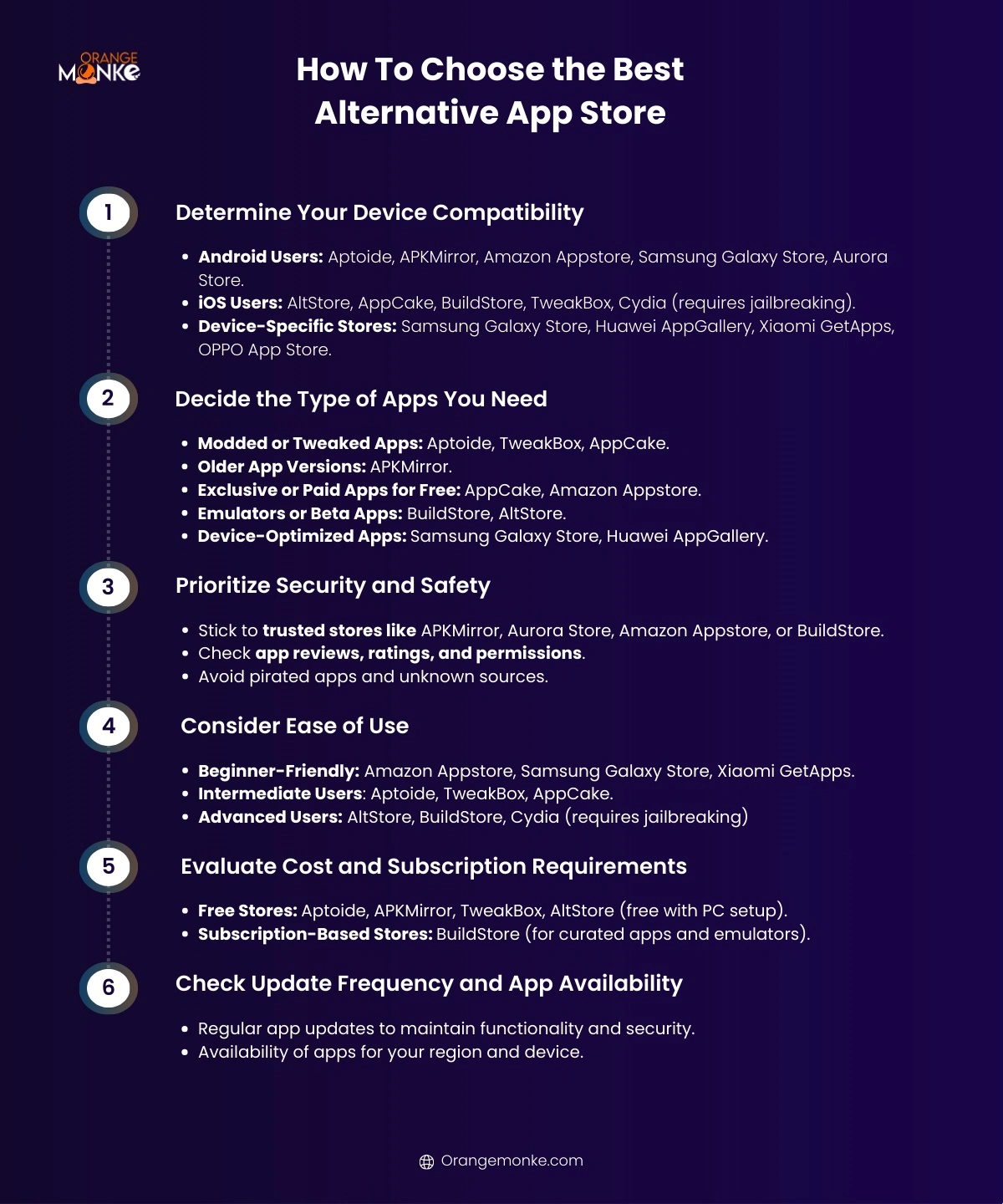
- Check device compatibility firstAndroid users can run Aptoide, APKMirror, Aurora Store, or F-Droid. iOS users are limited to AltStore, BuildStore, TweakBox, or Cydia (jailbroken). Device-specific stores like Galaxy Store and AppGallery only fit their own hardware.
- Decide what apps you actually needModded apps point to Aptoide or HappyMod. Older versions point to APKMirror or Uptodown. Open-source points to F-Droid. Emulators and beta apps point to BuildStore or AltStore, and picking any tool follows the same logic as choosing the right tools for the job.
- Prioritize safety over selectionStick to stores that verify apps, show reviews, and expose permissions. Avoid any store that pushes cracked paid apps, since that is where most malware hides.
- Match the store to your skill levelAmazon Appstore, Galaxy Store, and GetApps are beginner-friendly. Aptoide and TweakBox sit in the middle. AltStore, BuildStore, and Cydia expect more setup.
- Check cost and update frequencyMost stores are free; BuildStore is subscription-based. Favor stores like APKMirror and Aurora Store that update apps quickly and keep older versions available.
How Do You Install Apps from an Alternative App Store on Android?
Installing apps from an alternative store on Android means downloading the store's APK, allowing installs from that source, and then installing apps through it. The exact permission step depends on your Android version.
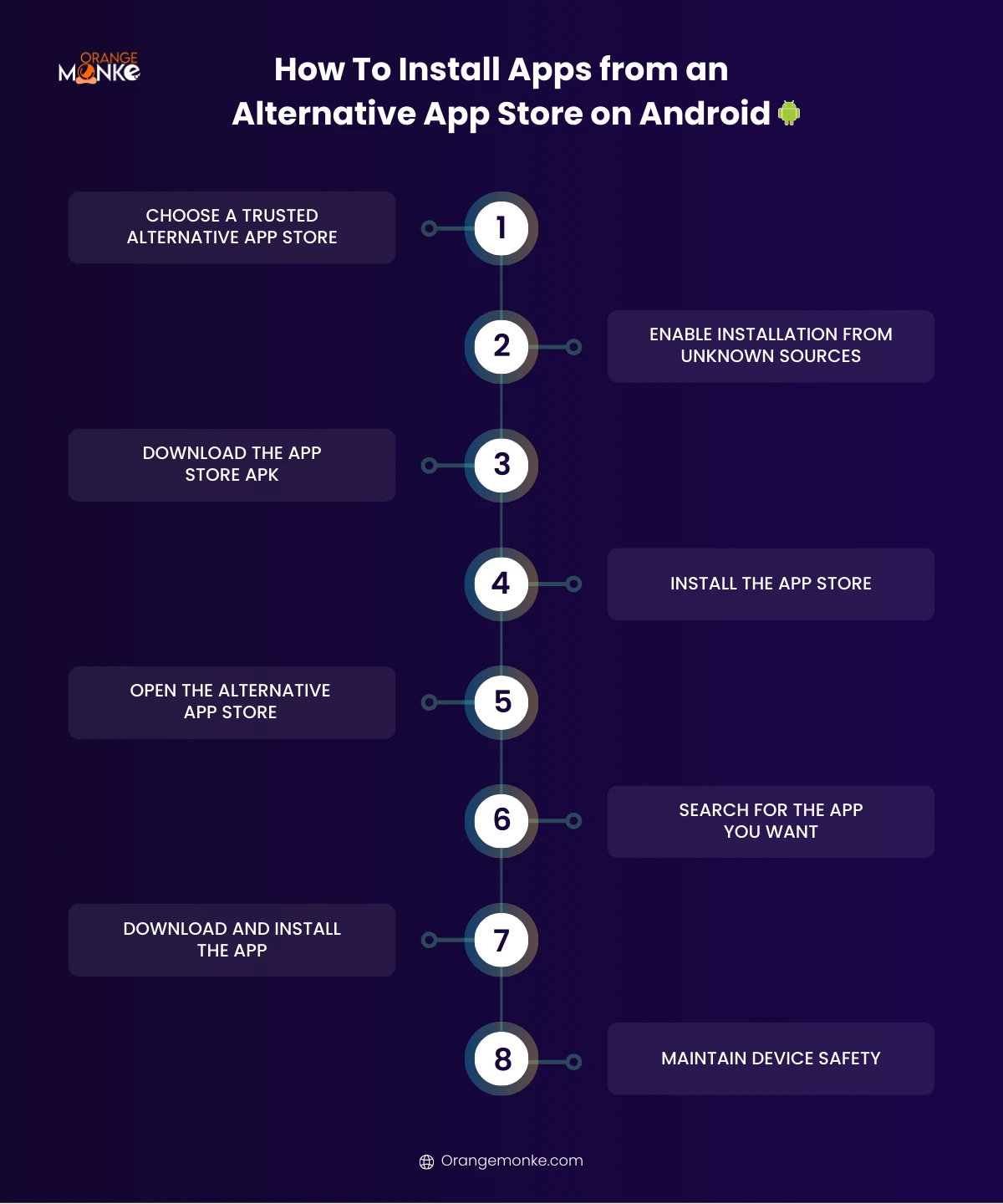
On Android 8.0 Oreo and newer
Newer Android versions grant install permission per app rather than system-wide, which is safer. Download the store's APK from its official site, then when you open it Android will prompt you to allow installs from that specific browser or file manager. Go to Settings > Apps > Special access > Install unknown apps, pick the app you downloaded with, and toggle Allow from this source.
On Android 7.0 Nougat and earlier
Older Android versions use a single system-wide setting instead. Open Settings > Security and enable Unknown sources before installing, then disable it again afterward to keep the device locked down.
Verify the app before you install
Before installing any APK, confirm it is legitimate. Check the developer signature or SHA hash against the official source where the store provides one, read recent reviews, and review the permissions the app requests. Skip anything that asks for access it does not need, such as a wallpaper app requesting your contacts.
How Do You Install Apps from an Alternative App Store on iOS?
Installing apps from an alternative store on iOS usually means sideloading with a helper app or installing a trust profile, since Apple does not allow open installs outside the App Store. The steps vary by store.
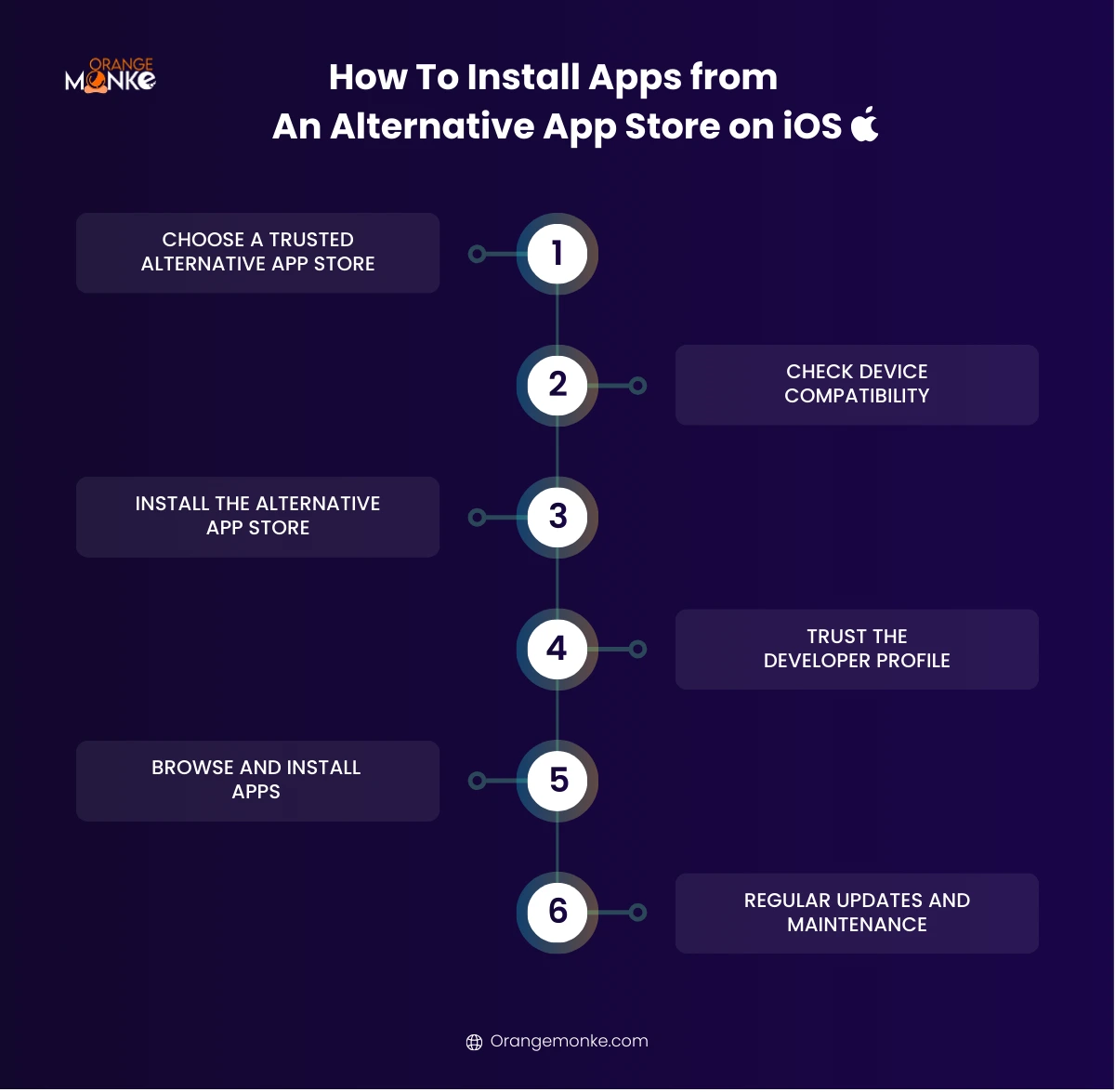
- Choose a trusted storeAltStore and BuildStore are the safest starting points. Cydia requires a jailbreak; TweakBox and AppCake run on non-jailbroken devices with a trust profile.
- Set up the storeFor AltStore, install AltServer on your PC or Mac, connect your iPhone, and install AltStore through it. For TweakBox or AppCake, open the official site in Safari and tap Install Profile.
- Trust the developer profileGo to Settings > General > VPN & Device Management, tap the profile for the store, and tap Trust so iOS will run its apps.
- Install and maintain appsOpen the store, install the app you want, and check permissions. Remember that sideloaded apps (via AltStore) need refreshing every seven days, and keep iOS updated.
Best Alternative App Stores for Developers
For developers, alternative stores are a way to reach niche audiences, build an audience before launch, test beta builds, and earn revenue outside Google and Apple's fees and approval queues. Each store below suits a different goal, and the store profiles above cover their user-facing features.
- Aptoide. Create your own branded mini-store, publish without lengthy approvals, and gather real user feedback outside the Play Store ecosystem. Many users rank it the best modded app store on Android.
- APKMirror. Distribute verified beta releases and multiple versions at once for safe, controlled testing.
- AltStore. Test iOS builds on real devices without App Store review, using its seven-day refresh cycle.
- Amazon Appstore. Reach Fire devices and international users with in-app purchases, Amazon Coins, and App of the Day promotion.
- Samsung Galaxy Store. Optimize and feature apps for millions of Galaxy users, with security scanning built in.
How Do You Monetize Apps on Alternative App Stores?
You monetize apps on alternative stores the same core ways you would anywhere, in-app purchases, paid downloads, subscriptions, and ads, with a few store-specific promotions on top. The right mix depends on your app and audience.
- In-app purchasesSell premium features, virtual goods, or extra content in-app. Many alternative stores support their own purchase frameworks.
- Paid appsCharge once to download. Amazon Appstore and BuildStore both support paid apps and promotion.
- SubscriptionsOffer recurring access to premium content or an ad-free tier for steady, predictable revenue.
- AdvertisingIntegrate ad networks that work with your store, from banners to rewarded ads, and pair them with a solid paid marketing approach to drive installs alongside ad revenue.
- Store promotionsUse features like App of the Day on Amazon Appstore or limited-time deals on Aptoide, backed by a content marketing strategy, to lift downloads and visibility.
Monetization only works if the app itself performs and people can find it, so pair distribution with a plan to drive organic traffic to your app and its store listings.
Great distribution starts with an app that actually works.
We build fast, secure apps with clean payments and a smooth user experience, ready to ship across every store you target.
Get a free build consultation →How Do You Use an Alternative App Store Safely?
You use an alternative app store safely by sticking to trusted, verified stores, checking reviews and permissions, avoiding pirated apps, and keeping your device updated, backed up, and protected. The store you choose matters far more than the fact that it is third-party.
While alternative app stores provide access to apps, modded versions, and exclusive content unavailable on Google Play or the Apple App Store, security risks exist. These include malware, spyware, and apps with excessive permissions. Following safety best practices ensures your device and data remain secure.
The same quality and trust signals that keep a site healthy in Google, which we cover in our breakdown of the June 2026 spam update, apply to app stores too, and the same trust signals (E-E-A-T) separate the safe stores from the dangerous ones. Searches for "hacked app stores" usually point to modded or tweaked apps rather than anything genuinely broken into, so stick to a trusted third-party app store and skip any listing advertised as cracked.
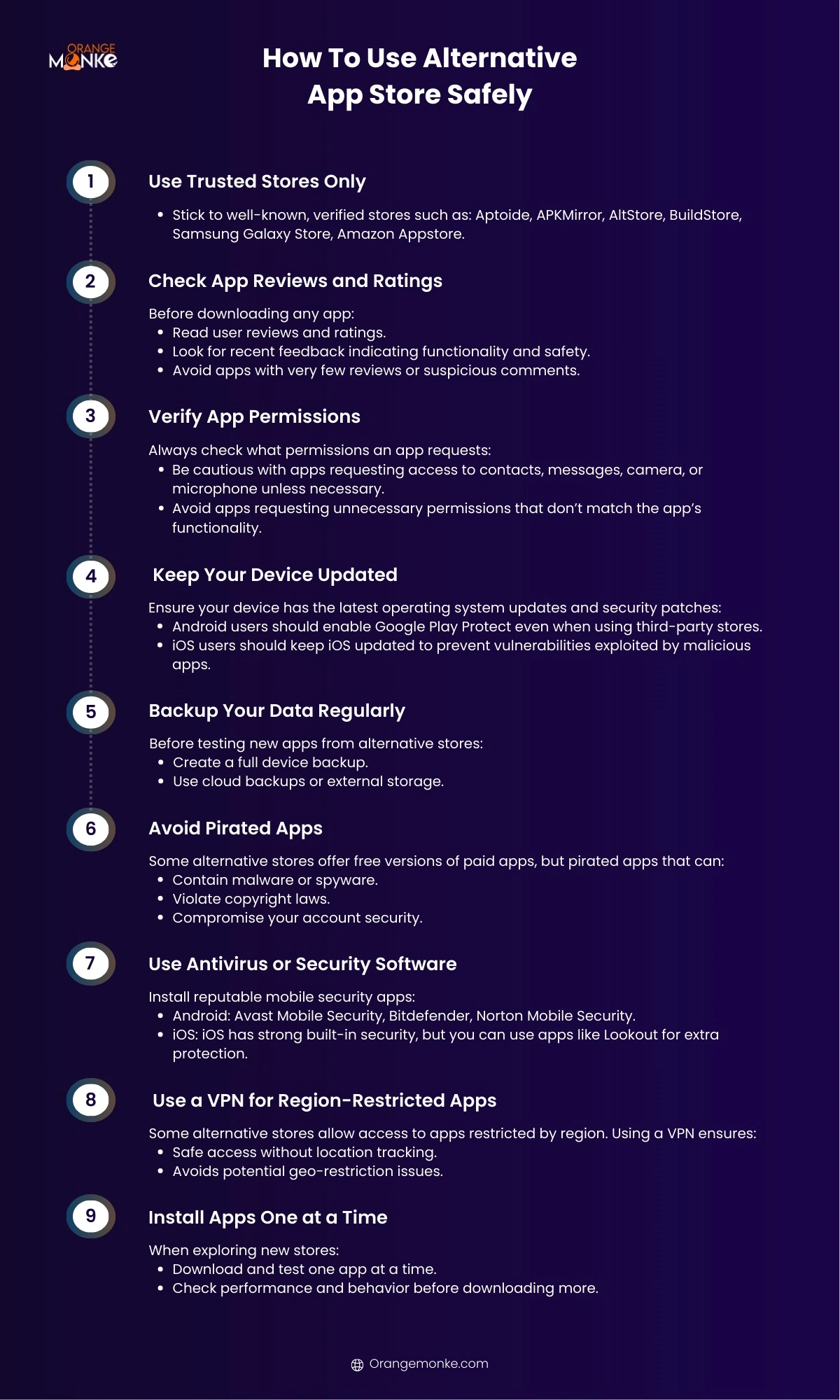
- Use Trusted Stores OnlyStick to well-known, verified stores such as Aptoide, APKMirror, AltStore, BuildStore, Samsung Galaxy Store, and Amazon Appstore. Trusted stores verify apps before publishing, which reduces the risk of malware or malicious apps.
- Check App Reviews and RatingsRead user reviews and recent feedback before downloading, and avoid apps with very few reviews or suspicious comments. Reviews help you identify unsafe or poorly functioning apps before installation.
- Verify App PermissionsCheck what each app requests, and be cautious with access to contacts, messages, camera, or microphone that the app does not need. Minimizing permissions protects your personal data and privacy.
- Keep Your Device UpdatedInstall the latest operating system updates and security patches. Android users should enable Google Play Protect even when using third-party stores, and iOS users should keep iOS updated to close vulnerabilities.
- Back Up Your Data RegularlyCreate a full device backup using cloud backups or external storage before testing new apps. If an app causes issues or corrupts data, you can restore your device without losing important information.
- Avoid Pirated AppsFree versions of paid apps can contain malware or spyware, violate copyright laws, and compromise your account security. Stick to verified apps and trusted stores to avoid legal or security issues.
- Use Antivirus or Security SoftwareInstall a reputable mobile security app: Avast Mobile Security, Bitdefender, or Norton Mobile Security on Android, and Lookout for extra protection on iOS. Security apps detect malware, phishing, and unsafe downloads in real time.
- Use a VPN for Region-Restricted AppsA VPN gives you safe access to region-restricted apps without location tracking and avoids geo-restriction issues, protecting your privacy while you download global apps.
- Install Apps One at a TimeDownload and test one app at a time, checking its performance and behavior before adding more. This makes it easy to spot a malicious app before it affects your device.
Are third-party app stores safe?
Third-party app stores are safe when you use verified stores and skip cracked apps, but they carry more risk than Google Play or the App Store because vetting varies from one third party app store to the next. Choose a store from the trusted list above and the risk drops sharply.
Is APKPure safe?
APKPure is generally safe for verified apps, because it scans uploads for malware and signs official APKs. The caution is that it also hosts modded content, so confirm you are downloading the official version of an app, check the developer name, and avoid any cracked paid listing.
What is the safest alternative app store?
The safest alternative app stores are APKMirror and F-Droid on Android and AltStore on iOS. APKMirror verifies every APK against the developer signature, F-Droid builds open-source apps from source with no trackers, and AltStore sideloads using your own Apple ID without a jailbreak.
Does Apple Allow Alternative App Stores in the EU?
Apple now allows alternative app stores on iPhone in the European Union, a change driven by the EU's Digital Markets Act, though the same freedom does not yet apply worldwide. This is the biggest shift in the alternative-store landscape in years.
Under the DMA, developers in the EU can distribute iOS apps through approved third-party marketplaces rather than only the App Store. AltStore PAL and the Epic Games Store on iOS are among the first sanctioned marketplaces, offering a fully legitimate route that does not depend on sideloading tricks or a jailbreak.
Outside the EU, Apple still restricts iPhone app distribution to the App Store, so users elsewhere continue to rely on the sideloading methods covered above. Regulators in other regions are watching the EU rollout closely, so the list of countries with official alternative stores may grow. For now, where you live determines whether you get an officially sanctioned store or a sideloaded one.
Conclusion
Alternative app stores open up modded apps, beta builds, region-locked titles, and open-source software that the official stores will never carry. The key is choosing verified stores like APKMirror, Aurora Store, F-Droid, or AltStore and steering clear of anything pushing cracked paid apps.
If you are a developer or business looking to distribute and monetize an app across these platforms, Orange MonkE builds fast, secure apps and the data-driven strategy to grow them. Start with an app that works, then put it everywhere your users are and keep pace with the latest search and AI trends.
One app, every marketplace. Let's build it right.
From secure payments to store-ready builds, we develop apps designed to launch and scale across Android, iOS, and alternative stores.
Talk to a developer →Frequently Asked Questions
The best alternative app store depends on your goal, not a single winner.
- Aptoide is best for modded and region-restricted apps.
- APKMirror is best for safe, signature-verified APKs.
- F-Droid is best for open-source, tracker-free apps.
- AltStore is the best no-jailbreak option on iPhone.
If you are building an app to distribute across these stores, our team can help you ship it right. app development team.
The best app store overall is still Google Play on Android and the Apple App Store on iOS for security and reliability, while alternative stores win on flexibility.
- Safety: Google Play and the App Store vet apps the most strictly.
- Flexibility: Alternative stores add modded, beta, and region-locked apps.
- Best mix: Use an official store for everyday apps and a trusted alternative for the rest.
If you are a developer deciding where to publish rather than a user deciding where to download, our app development team can help you launch across the right stores.
Third-party app stores are safe when you use verified stores and avoid cracked apps, though they carry more risk than the official stores.
- Use trusted stores such as APKMirror, Aurora Store, F-Droid, and AltStore.
- Check permissions and reject apps that request access unrelated to their function.
- Avoid pirated apps which are the most common malware carrier.
The same trust signals that keep a site healthy in Google apply to app stores too. quality and trust signals.
APKPure is generally safe for official apps, because it scans uploads for malware and signs verified APKs.
- Confirm the version you download is the official build, not a modded copy.
- Check the developer name against the app's official source.
- Avoid cracked paid listings which carry the most risk.
Judging a store's trustworthiness comes down to the same experience and authority signals search engines reward. experience and authority signals.
The safest alternative app stores are APKMirror and F-Droid on Android and AltStore on iOS.
- APKMirror verifies every APK against the developer's signature.
- F-Droid builds open-source apps from source with no trackers.
- AltStore sideloads through your own Apple ID without a jailbreak.
If safety and performance both matter for your own app, start with a solid build. solid app build.
The best Play Store alternatives for Android are Aurora Store, APKMirror, and Amazon Appstore.
- Aurora Store gives anonymous access to Play Store apps.
- APKMirror offers verified APKs and older versions.
- Amazon Appstore adds curated apps and daily deals.
Choosing an app platform follows the same logic as choosing a site platform. choosing the right platform.
Apple already allows alternative app stores on iPhone in the European Union, under the Digital Markets Act.
- In the EU marketplaces like AltStore PAL and the Epic Games Store are sanctioned.
- Outside the EU app distribution is still limited to the App Store.
- Elsewhere users rely on sideloading through AltStore or BuildStore.
This kind of platform shake-up mirrors the rise of other challengers to dominant platforms. challengers to dominant platforms.
Yes, you can use other app stores on an iPhone, though how depends on where you live.
- EU users can install sanctioned marketplaces like AltStore PAL.
- Everyone else sideloads apps through AltStore or BuildStore.
- No jailbreak is needed for most of these methods.
If you want a custom app on iPhone without the App Store bottleneck, we can build and ship it. build and ship it.
Nothing fully replaces the Play Store, but strong substitutes cover most needs.
- Aurora Store for anonymous, privacy-first access.
- Amazon Appstore and Galaxy Store for curated, device-tuned apps.
- Huawei AppGallery for devices without Google services.
For selling through your own store instead, compare the leading ecommerce platforms. leading ecommerce platforms.
The best tweaked app stores are Aptoide or HappyMod on Android and TweakBox or AppCake on iOS.
- Android users get modded builds from Aptoide and HappyMod.
- iOS users get tweaked apps from TweakBox and AppCake.
- Always verify each app's safety and permissions first.
Whatever you install, put growth behind it with a plan to drive organic traffic. drive organic traffic.
You can download free apps from Aptoide, APKMirror, Uptodown, F-Droid, and Amazon Appstore.
- Aptoide and APKMirror offer free and verified downloads.
- F-Droid hosts free and open-source apps.
- Amazon Appstore runs a free paid app every day.
If you are launching an app of your own, build traffic to it from day one. build traffic to it.
The main free app stores for Android are Aptoide, APKMirror, APKPure, F-Droid, Aurora Store, and Uptodown.
- All are free to install and use.
- Verified or open-source downloads keep them safe.
- No subscription is required for any of them.
Once installed, promote your app with a repeatable content marketing strategy. content marketing strategy.
The best third-party app store depends on your priority, since each one leads in a different area.
- APKMirror leads on safety and verified APKs.
- Aptoide leads on variety and modded apps.
- Aurora Store leads on privacy and anonymous access.
If you would rather build and own your app than depend on any store, talk to our developers. talk to our developers.