
 Dec 5, 2025
  13 Min Read
When you open Google Chrome, you might notice the message “Search Google or type a URL” inside the omnibox. At first glance, it may seem simple, but this feature represents a powerful upgrade in browsing.
But what exactly do these two options “Search Google or Type a URL” mean? Which one is more efficient in different scenarios? And why does the omnibox inside Chrome show this message in the first place? In this guide, we’ll explain everything, starting from what is omnibox, what is Search Google or Type a URL option, best practices to search, and further help you optimize both your browsing experience (if you are curious to know) and your website traffic (if you are a business owner looking to bring more traffic).
What Is Search Google Or Type a URL?
The Search Google or Type a URLoption in browsers combines web search and direct navigation in one bar. It boosts user experience, site accessibility, and influences direct traffic and search efficiency.
What is Omnibox– Search Google Or Type a URL
It is essential to learn about Omnibox because it’s the foundation for the “Search Google or type a URL” feature, making browsing faster, smarter, and more intuitive.
The omnibox is the core of Chrome’s streamlined browsing experience. Unlike older browsers that had separate bars for search and website entry, the omnibox lets you do both in one place. You can type a keyword to perform a Google search or enter a full URL to go directly to a website.
The omnibox offers several key features that enhance browsing:
- It automatically predicts what you’re typing, whether it’s a search query or a website.
- It gives you Instant Suggestions by displaying trending searches, frequently visited pages, and relevant sites.
- Also, it corrects minor typos automatically for more accurate results.
- Includes integrated shortcut commands like site:example.com, define: keyword, or weather work directly from the omnibox.
Why Does the Omnibox Matter?
The omnibox is more than just a combined address and search bar — it’s the central hub for navigating the web efficiently. It matters due to the following:
- Time-Saving: No need to switch between multiple bars; one bar does it all.
- Enhanced Accuracy: Reduces errors when typing URLs or searching for content.
- SEO Implications: How users interact with the omnibox affects website traffic — organic search traffic comes from typed queries, while direct traffic comes from URLs typed directly.
- User-Friendly Experience: Ideal for beginners and advanced users alike, making Chrome one of the most intuitive browsers.
What Does Search Google Mean?
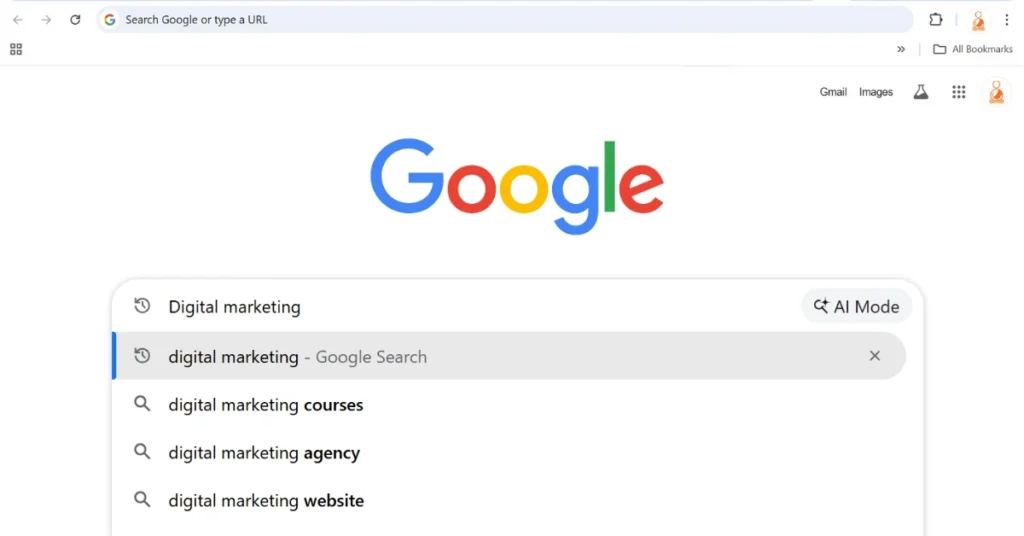
When you type keywords like “digital marketing tips”, “best laptops USA”, “weather today”, or “what does omnibox mean”, Chrome recognizes that this input is not a website URL and automatically performs a Google Search.
Using the search Google function in the omnibox allows you to explore topics, find new websites, and get answers quickly. Google displays relevant results instantly, along with related keywords, suggestions, and autocomplete options. Even if you’re unsure what exactly you are looking for, Google’s search capabilities make the process faster and more precise.
Why use Google Search in the Omnibox?
- When you want instant answers without typing “google.com.”
- When you want to discover new websites, blogs, and resources.
- When you want to take searches quicker using autocomplete predictions
- When you want to correct minor typos.
- When you want to research, explore, or compare.
What Does Type a URL Mean?
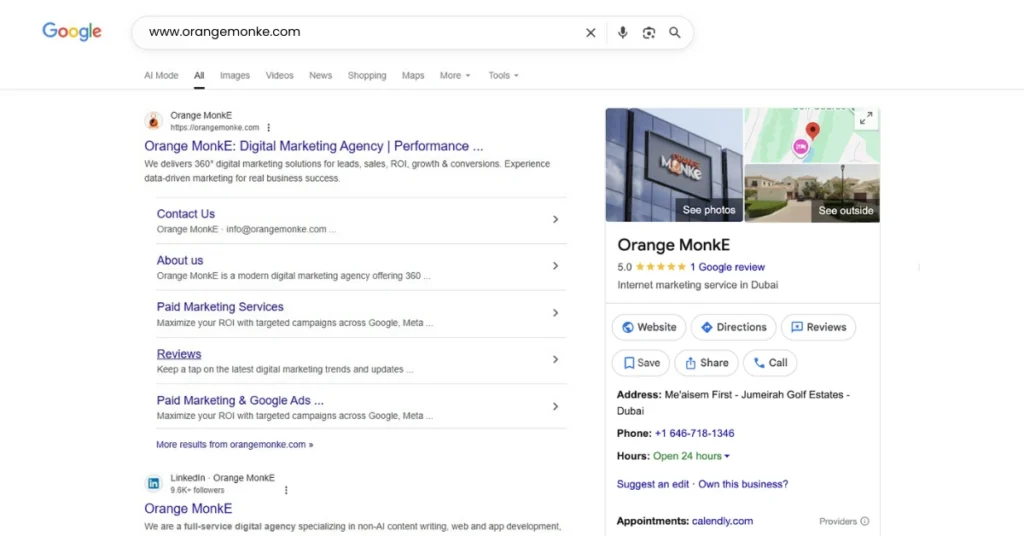
When you want to visit a specific website, the URL is the exact web address that appears in the omnibox (the browser’s combined search and address bar). The ‘Type a URL’ option is ideal when you already know the full website address or can copy it from another source and paste it into the browser.
This method is one of the fastest ways to access any website because it bypasses search engine results entirely. It saves time and effort, especially when you frequently visit certain websites or want a direct, distraction-free browsing experience. Even if you don’t know the full URL, typing a shortened version of the link often works, as many websites automatically redirect to the correct page.
By using the ‘Type a URL’ option, you get quick access, accuracy, and reliability, making it perfect for returning users, brand websites, or when you want to avoid scrolling through multiple search results.
Why Do Users Type URLs Directly Instead of Searching on Google?
- When they already know the site.
- When they frequently visit websites.
- When they don’t get relevant or misleading results.
- When they need protection against phishing or deceptive search ads.
Search Google vs. Type a URL: Which One Should You Use?
Choosing between searching Google and typing a URL depends on your browsing goal. If you are exploring new information, looking for alternatives, or unsure of the exact web address, Google Search offers flexibility, suggestions, and quick access to multiple sources.
On the other hand, if you know the exact website or want direct, distraction-free access, typing a URL is faster, more accurate, and reliable. Both methods are useful, and understanding when to use each can save time, improve efficiency, and enhance your overall online experience.
Let’s make this clearer using the comparison table between Search Google or Type a URL:
| Criteria | Search Google | Type URL |
| Speed | Moderate — requires scanning results | Fast — directly opens the website |
| Accuracy | High for topic-based queries, but may show multiple options | Very high if the URL is typed correctly |
| Flexibility | Very flexible — can discover new sites, alternatives, and related content | Low flexibility — takes you only to the specific site |
| Risk Of Errors | Low — search engine corrects typos and suggests results | High — a single typo can lead to errors or wrong sites |
| Convenience | Helpful for research, comparisons, and content exploration | Convenient for returning users or brand recall |
How to Search Google and Type a URL, optimize Browsing, and Website Traffic?
Using Google Search and typing URLs strategically can improve your online experience while also benefiting your website’s performance.
- Enhancing Browsing Experience
Google Search helps users discover new websites, blogs, and resources quickly, while autocomplete and suggestions reduce typing effort and improve accuracy. Typing a URL provides direct access to frequently visited sites, saving time and avoiding irrelevant search results. Together, these options make browsing faster, more intuitive, and more efficient.
- Boosting Website Traffic
From an SEO perspective, Google Search generates organic traffic, bringing users who may not know your brand directly. Typing a URL produces direct traffic, which indicates brand recall and loyalty. By optimizing your website for both discoverability (through SEO) and a memorable URL, you can capture traffic from users in both scenarios.
Optimize Your Website for Both Search Google and Type a URL Option
To maximize your website’s performance, it’s essential to focus on both discoverability through SEO and a memorable URL. These two strategies work together to ensure users can find your website easily, whether they search on Google or type your URL directly into the omnibox.
SEO for Discoverability
- Add keywords to identify terms your audience uses, on-page SEO, including meta titles, descriptions, and headings, and high-quality content that provides value.
- Take care of the technical SEO aspects like fast loading speeds, mobile responsiveness, secure HTTPS, and proper indexing for discoverability.
- Build authoritative backlinks to improve domain authority and increase the likelihood of ranking higher in search results.
Creating a Memorable URL
- Add a clear, simple URL that encourages users to type it directly, generating direct traffic and reinforcing brand recall.
- Keep URLs short and readable, and include your brand name.
- Avoid special characters, and maintain consistency across marketing channels.
How to Search a Website in Google?
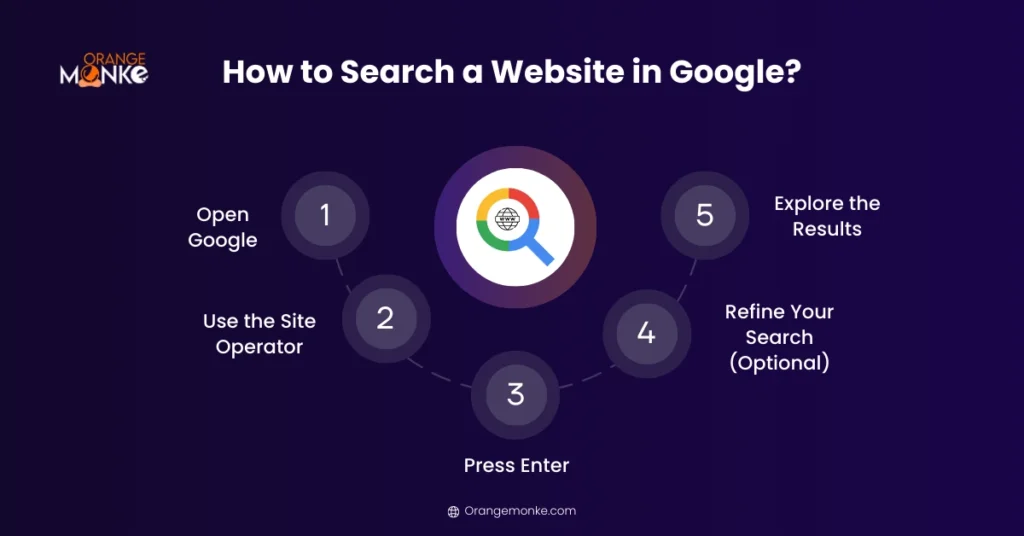
Sometimes you know the website where the information is, but navigating manually to find the exact page can be time-consuming. Here is a step-by-step guide to search a website in Google:
Step 1: Open Google
Go towww.google.com on your browser.
Step 2: Use the Site Operator
Type site: followed by the website URL, and then add your keyword or phrase.
Example:
site:orangemonke.com Top 10 Local Citation Sites To Boost Your Rankings
This command tells Google to search for the keyword Top 10 Local Citation Sites only within orangemonke.com.
Step 3: Press Enter
Google will display all the pages on that website that contain your keyword.
Step 4: Refine Your Search (Optional)
- For an exact phrase, enclose the keyword in quotes.
- For multiple keywords, use AND or OR operators.
Step 5: Explore the Results
Click on any result to navigate directly to the relevant page on the website.
Why Use This Method?
|
How to Search for a Specific Word or Phrase in Google?
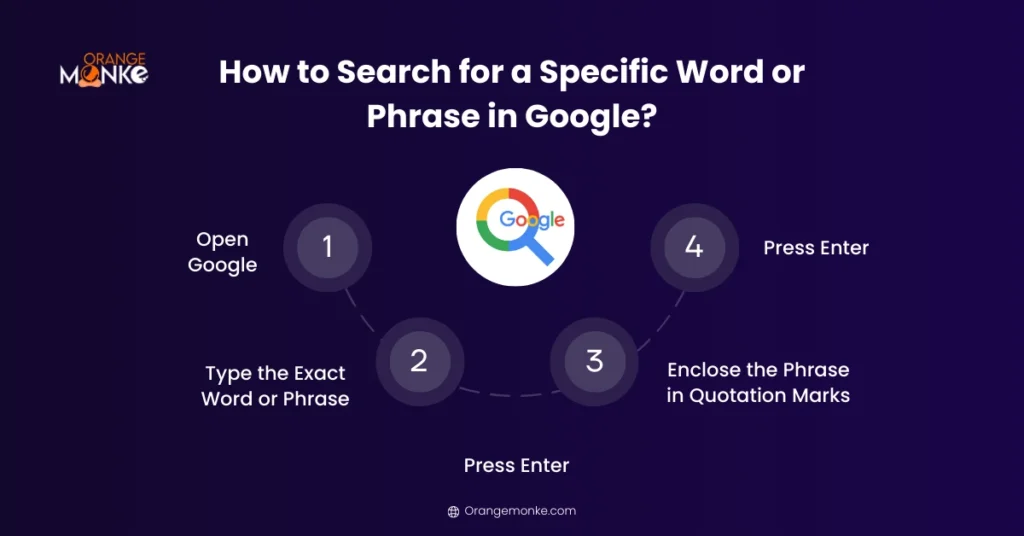
Searching for an exact word or phrase in Google helps you find precise information without sifting through unrelated results. Let’s learn how to do it:
Step 1: Open Google
Go towww.google.com in your web browser.
Step 2: Type the Exact Word or Phrase
Enter the word or phrase you want to search for directly in the search bar. This ensures Google knows exactly what you’re looking for.
Step 3: Enclose the Phrase in Quotation Marks
Adding quotation marks tells Google to search for the exact sequence of words, not just individual keywords.
Example:
- Without quotes, Google may show pages that include Local Citation separately.
- With quotes, results will only show pages where the phrase appears exactly as typed.
Step 4: Press Enter
Hit the Enter key or click the search icon to view the results. Google will now display only pages containing your exact phrase.
Google Autocomplete Predictions
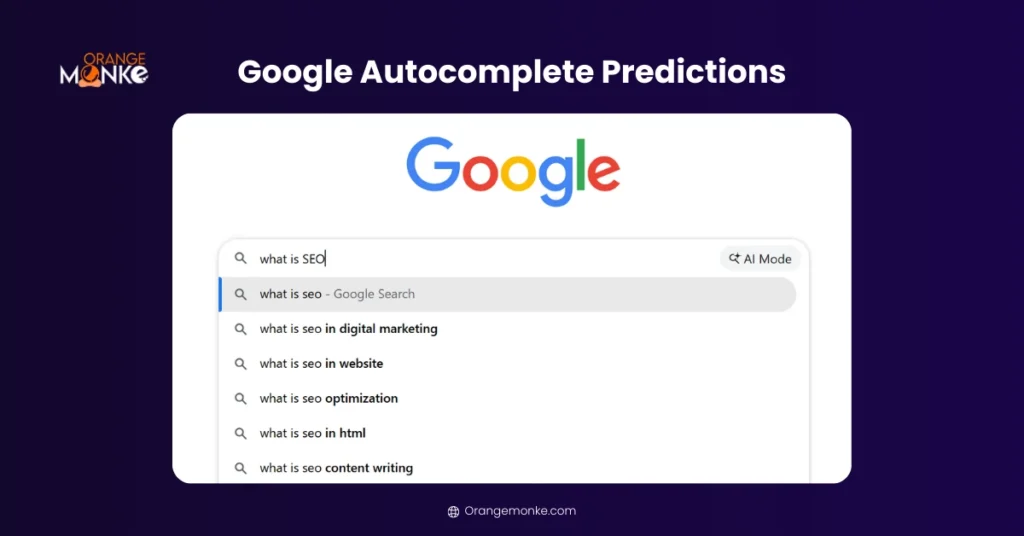
Google Autocomplete is more than just a typing shortcut—it’s a powerful feature that reveals what people are actively searching for in real time. For students, educators, bloggers, and marketers, Google Autocomplete offers valuable insights into popular questions, trending topics, and user intent.
How Google Autocomplete Works
As soon as you begin typing a query into Google’s search bar, the search engine automatically suggests phrases based on:
- Popular searches made by other users
- Trending topics and seasonal interests
- Location-based and language-specific queries
- Past search behavior (if personalization is enabled)
These predictions update dynamically, giving you instant access to what users are most curious about.
Benefits:
- Act as a Content Inspiration where Bloggers, educators, and students can see what people are searching for and generate ideas.
- Quickly find popular searches without typing full questions.
- Understands User Intent and shows what queries are in demand, helping you create content that addresses real user needs.
Example:
If you type “What is artifi” Google’s autocomple predictions may suggest:
- what is artificial intelligence
- what is artificial intelligence used for
- what is artificial intelligence in simple terms
- what is artificial intelligence examples
Using Google Voice Search
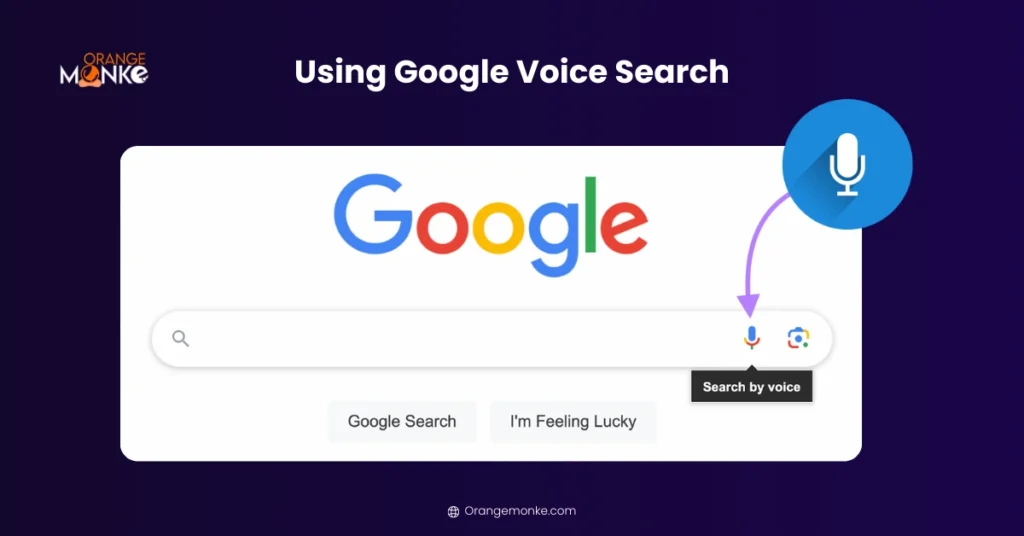
Google Voice Search allows users to search the web hands-free by speaking instead of typing. Powered by advanced speech recognition and AI, this feature makes searching faster, more accessible, and more conversational—especially on mobile devices and smart assistants.
How Google Voice Search Works
Google listens to your spoken query, converts it into text, and delivers the most relevant search results—often prioritizing direct answers, featured snippets, and local information.
Benefits of Using Google Voice Search
- Ideal when you’re multitasking, driving, cooking, or unable to type.
- Speaking a query is often quicker than typing, especially for long or complex questions.
- Users can ask full questions like “How do I search a website on Google?” instead of typing keywords.
- Voice search supports users with visual impairments, motor challenges, or limited typing ability.
- Voice searches frequently return accurate local information such as directions, nearby businesses, and timings.
Steps to Use Google Voice Search
Step 1: Open Google in your browser or mobile app
Step 2: Click or tap the microphone icon in the search bar
Step 3: Speak your query clearly
Step 4:Google instantly displays relevant results
How Can “Search Google or Type a URL” Enhance Your Experience?
The “Search Google or type a URL” feature simplifies browsing by combining search and website navigation into a single, powerful address bar. Users can instantly look up information, access websites, or revisit frequently used pages without switching tools. With smart autocomplete suggestions, faster query processing, and personalized results, it saves time and improves accuracy.
Whether researching topics, finding trusted resources, or opening specific web pages, this feature enhances productivity, reduces typing errors, and delivers a smoother, more efficient online experience for everyday users, students, and professionals alike.
BONUS BOX:Unlock the full potential of Google search with hidden operators and advanced techniques that help you find information faster, more accurately, and efficiently. These “hidden” operations allow you to refine searches, access specific data, and filter results like a pro. Powerful Search Operators:
|
Final Thoughts
The “Search Google or Type a URL” feature in Chrome’s omnibox improves both browsing efficiency and website traffic. Knowing when to search Google versus typing a URL directly helps users access content faster and more accurately.
For businesses, optimizing for SEO boosts organic traffic, while a clear, memorable URL drives direct website access and builds brand recall. At OrangeMonke, we help companies implement these strategies through SEO, web development, and digital marketing consulting, ensuring users find your website effortlessly and conversions increase.
Happy exploring and optimizing!
FAQs
Is Search Google or Type a URL faster?
Typing a URL is faster for direct access because it takes you straight to the website. Searching Google is slightly slower, as you must scan search results, click the right link, and navigate through suggestions.
When should I type a URL instead of a Google search?
Type a URL when you know the exact website address or want quick, direct access. It’s ideal for frequently visited sites, brand pages, or avoiding distractions from ads and unrelated search results.
What happens when you type a partial website name and press Enter in Chrome?
Chrome uses autocomplete and predictive suggestions in the omnibox. Typing a partial URL may redirect to your most visited or previously accessed site, or suggest matching websites, helping you find the correct page quickly.
Does typing URL affect website traffic vs organic search?
Typing a URL generates direct traffic, while searching Google drives organic traffic. Both are valuable; direct visits show brand recall, whereas search traffic indicates discoverability and SEO performance for your website.
What does ‘Search Google or type a URL’ mean?
This Chrome message informs users that the omnibox can perform dual functions: searching Google for keywords or directly accessing websites by typing a URL, making browsing faster, flexible, and user-friendly.
What are the uses of Omnibox in Chrome?
The omnibox allows users to search Google, type URLs, get autocomplete suggestions, correct typos, and access shortcuts like site searches or definitions — streamlining browsing and improving efficiency.


We build the digital growth engine for businesses that don't have the time, team or clarity to do it themselves
Let's Start Your Success Story