
 Dec 19, 2025
  27 Min Read
While the Google Play Store and Apple App Store dominate the app ecosystem, they don’t always cater to every user’s needs. That’s where alternative app stores step in—unlocking more freedom, flexibility, and choice beyond official platforms.
Whether you are a gamer, tech enthusiast, developer, or privacy-conscious user, alternative app stores open doors to region-restricted apps, beta releases, modded versions, and developer-friendly platforms.
From exclusive content and older app versions to apps not yet available in your region, this guide helps you explore the best alternative app stores safely and efficiently.
Why Use An Alternative App Store?
The Google Play Store and Apple App Store dominate the world of app distribution, but even the most popular official stores have their limitations.
This is where alternative app stores come into play, offering flexibility, diversity, and opportunities that official stores may not provide.
Let’s explore the main reasons to consider these alternative platforms.
1. Overcoming Geographic Restrictions
One of the biggest limitations of official app stores is that many apps are region-locked. For example, some streaming services, games, or utility apps may only be available in certain countries due to licensing, compliance, or marketing strategies.
Alternative app stores allow users to bypass these restrictions. They often host the same apps in their global version or provide older APK/IPA files that are accessible anywhere. This means you can:
- Access apps or games not available in your country.
- Download apps before they officially launch in your region.
- Keep using region-specific apps even when traveling.
2. Access to Modded or Beta Apps
Official app stores strictly regulate the apps they host. This means the Modded apps, which may include extra features or unlocked content, are rarely available. Beta apps, or early versions for testing, are often restricted to a small group of users.
Alternative stores fill this gap by offering:
- Tweaked apps with enhanced features, premium content unlocked, or ad-free versions.
- Beta versions of apps, allowing users to test new features before public release.
- Older versions of apps that may have features removed in later updates.
This is particularly appealing for gamers, tech enthusiasts, and app testers who want more control over their app experience.
3. Cost Benefits and Free Access
Many users are drawn to alternative app stores because they provide access to paid apps or in-app purchases at no cost or discounted rates. Some stores even run daily promotions or “free app of the day” programs. Benefits include:
- Save money on premium apps or subscriptions.
- Try apps before deciding to purchase them officially.
- Access exclusive apps that may be costly on Google Play or App Store.
- Developer-Friendly Platforms
Official app stores have strict rules, approval processes, and fees that can limit small developers or independent creators. This benefits users by providing unique, niche, and innovative apps that are often unavailable in mainstream stores. For instance, hobbyist tools, indie games, or region-specific apps often first appear on these alternative platforms.
Alternative app stores often provide:
- Lower barriers to entry, allowing new developers to showcase their apps.
- Flexible guidelines, supporting niche apps that may not meet strict official standards.
- Direct community feedback, helping developers improve apps and engage with users.
Top Alternative App Stores for Android
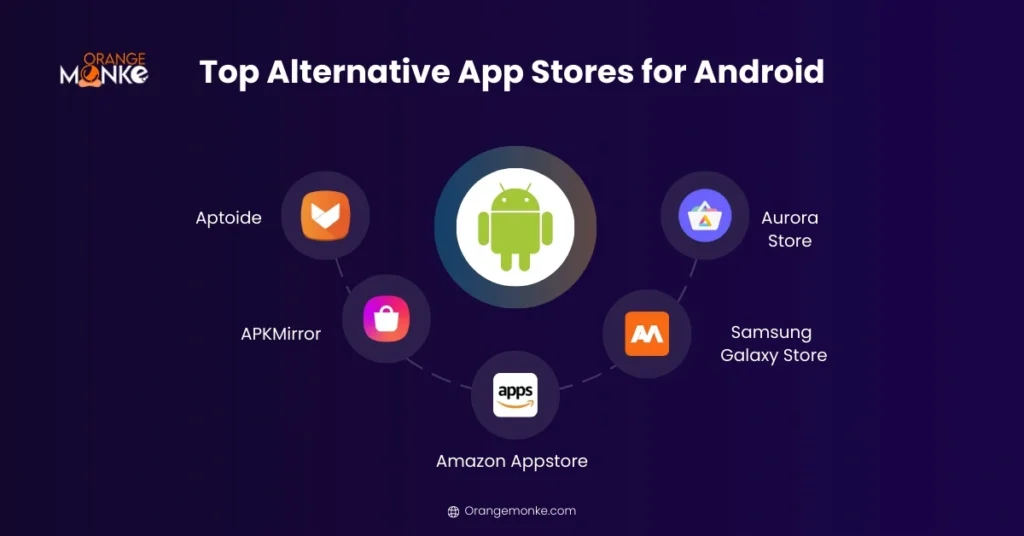
Android’s open-source nature allows for alternative app stores that provide users with unique apps, modded versions, and features unavailable on Google Play. Here’s a detailed look at the most popular third-party app stores Android:
1. Aptoide
Aptoide is one of the largest independent Android app stores, offering millions of apps that might not be available on Google Play. Its community-driven approach allows users to create and manage their own stores within Aptoide.
Key Features:
- Huge App Library: Thousands of apps, including region-restricted and niche apps.
- Community Ratings: User ratings help identify trustworthy apps and flag malicious content.
- Modded and Tweaked Apps: Many apps with enhanced features or unlocked premium content.
- No Account Required: Users can browse and download apps without signing in.
2. APKMirror
APKMirror is a reliable platform for verified Android APK files. It is widely trusted for downloading older versions of apps, apps removed from Google Play, or region-restricted apps.
Key Features:
- Verified APKs: All apps are signed and verified to ensure safety.
- Older Versions: Users can download previous versions if updates are buggy or removed features.
- Free Access: No subscription or account needed.
- Developer Updates: Provides beta or updated versions faster than Google Play in some cases.
3. Amazon Appstore
The Amazon Appstore is a semi-official alternative store, pre-installed on Amazon devices and available for Android smartphones. It’s known for its curated apps, deals, and exclusive content.
Key Features:
- Daily Free Apps: “App of the Day” offers one free paid app daily.
- Exclusive Apps & Games: Some apps and games are only available on Amazon Appstore.
- Parental Controls: Built-in tools for families to manage app access.
- Integrated Payment System: Supports Amazon Coins and seamless payments for apps and in-app purchases.
4. Samsung Galaxy Store
Samsung Galaxy Store is Samsung’s official alternative app store, pre-installed on all Samsung devices. It provides apps specifically optimized for Samsung smartphones, tablets, and wearables.
Key Features:
- Device-Specific Apps: Apps tailored for Samsung devices, including Galaxy Watch and Samsung Smart TVs.
- Exclusive Promotions: Discounts and rewards for Samsung users.
- Regular Updates: Apps receive frequent updates to ensure compatibility and performance.
- Secure Platform: Samsung vets all apps to prevent malware and ensure safety.
5. Aurora Store
Aurora Store is an open-source alternative to Google Play that allows users to download Play Store apps anonymously, without a Google account.
Key Features:
- Anonymous Access: Users can download apps without linking a Google account.
- Open Source: Transparent code with frequent updates.
- Region Bypass: Access apps restricted to certain countries.
- Lightweight and Efficient: Minimal storage and memory usage.
| App Store | Features | Safety | Devices Supported |
| Aptoide | Huge library, modded apps, community-based ratings | High, uses Trusted Badges | Android |
| APKMirror | Verified APK files, no mods, easy updates | Very safe | Android |
| Amazon Appstore | Official apps, daily deals, exclusive games | High | Android |
| Samsung Galaxy Store | Pre-installed on Samsung devices, exclusive apps | Very safe | Samsung devices |
| Aurora Store | Open-source, anonymous access to Play Store apps | Moderate | Android |
Tips for using Android app stores besides Play Store:
|
Top Alternative App Stores for iOS
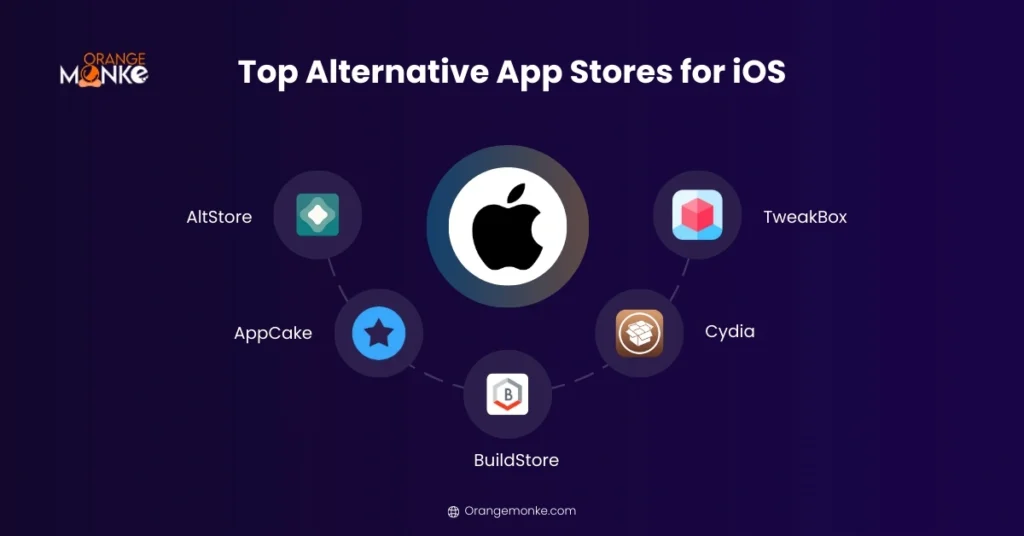
iOS is a more closed ecosystem, which makes third-party app installation slightly more challenging. Many alternative stores require sideloading apps or using a PC for installation, but they are safe if used properly.
1. AltStore
AltStore is a popular iOS alternative store that allows users to sideload apps without jailbreaking their device. It uses a clever method of leveraging your Apple ID to install apps directly.
Key Features:
- Sideload Without Jailbreak: Install apps without compromising device security.
- Frequent Updates: Apps are refreshed every 7 days to avoid expiration.
- Open-Source: Transparent and trusted by the iOS community.
- Support for Custom Apps: Users can install apps not available on the App Store.
2. AppCake
AppCake provides iOS users access to paid apps for free, along with tweaked or modified versions. It’s a well-known option for users looking for apps unavailable in the official store.
Key Features:
- Access Paid Apps: Download apps that usually require payment.
- Tweaked Apps: Provides apps with extra features or removed restrictions.
- Ease of Use: Simple installation process with a trust profile setup.
3. BuildStore
BuildStore is a subscription-based iOS alternative store that provides access to emulators, beta apps, and apps unavailable on the Apple App Store. It is especially popular among advanced users and developers.
Key Features:
- Subscription Model: Access to a curated library of apps for a fixed fee.
- Exclusive Apps: Tweaked apps, emulators, and niche apps unavailable officially.
- Regular Updates: Apps are updated frequently to maintain compatibility.
- Multi-Device Support: Install apps across multiple iOS devices using one subscription.
4. Cydia
Cydia is the original alternative app store for jailbroken iOS devices. It provides apps, tweaks, and customizations that are completely unavailable on the official Apple App Store.
Key Features:
- Jailbreak-Only Apps: Install apps and tweaks requiring root access.
- Custom Themes and Tweaks: Modify iOS UI, add features, or enhance performance.
- Developer Community: Extensive repository of apps created by independent developers.
5. TweakBox
TweakBox is a versatile iOS app store that provides a mix of tweaked apps, games, emulators, and utility apps. It’s compatible with non-jailbroken devices, making it accessible to a wide audience.
Key Features:
- Tweaked Apps: Apps with modified features or removed restrictions.
- Emulators: Play classic console games on iOS devices.
- No Jailbreak Needed: Safe for regular iOS users.
- Regular Updates: Ensures apps work with the latest iOS versions.
| App Store | Features | Safety | Notes |
| AltStore | No jailbreak required, easy sideloading | High | Requires PC setup |
| AppCake | Install paid apps for free | Moderate | Needs Apple ID |
| BuildStore | Tweaked apps, emulators, beta apps | High | Subscription-based |
| Cydia | Jailbreak-only apps | Moderate | Advanced users only |
| TweakBox | Tweaked apps & games | Moderate | Needs trust profile installation |
Tips for iOS Users:
|
Cross-Platform & Device-Specific App Stores
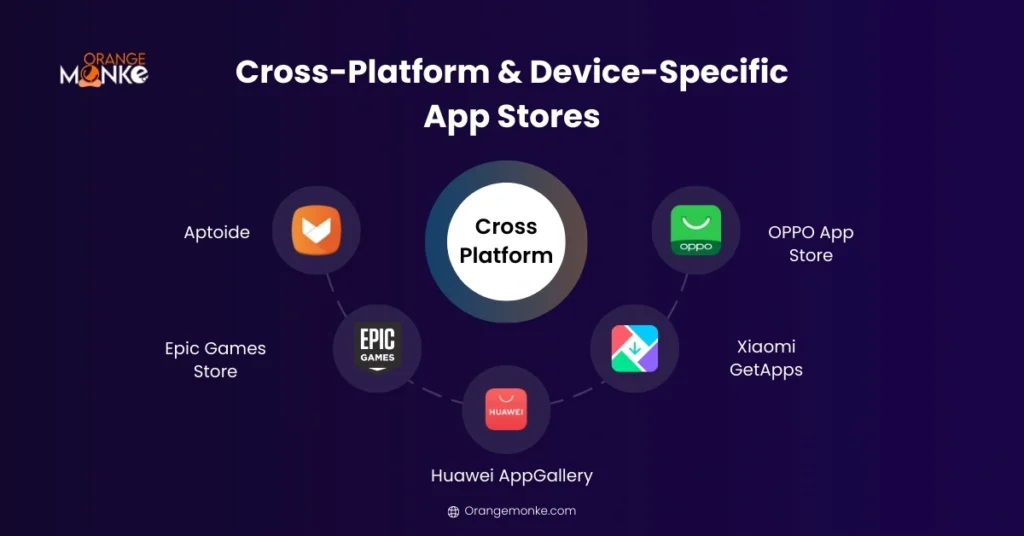
While most alternative app stores cater exclusively to Android or iOS, there are several cross-platform and device-specific stores that offer unique apps, exclusive content, and optimized experiences for certain devices. These stores provide flexibility, specialized apps, and even access to modded or beta apps.
Here’s a detailed look at some of the top cross-platform and device-specific stores:
1. Aptoide
Aptoide is primarily an Android app store but also offers limited support for iOS users. It is a community-driven platform where users can create their own mini-stores and share apps with the community.
Key Features:
- Community-Driven: Users rate and review apps, helping identify trustworthy apps.
- Modded & Tweaked Apps: Provides apps with unlocked features or enhanced functionality.
- Multiple Versions: Older or beta app versions are often available.
- Partial iOS Support: Some apps are accessible via workarounds or web-based versions.
2. Epic Games Store
Epic Games Store is a gaming-focused cross-platform store that supports Android, PC, and even consoles indirectly. While primarily known for PC games, Epic also distributes games and apps for Android devices.
Key Features:
- Exclusive Games: Access to titles unavailable on Google Play or App Store.
- Cross-Platform Play: Play games on Android and PC using the same account.
- Promotions & Free Games: Offers free games regularly and discounts on popular titles.
- Cloud Saves & Sync: Game progress can sync across platforms.
3. Huawei AppGallery
Huawei AppGallery is Huawei’s official app store, pre-installed on all Huawei devices. It is designed to provide optimized apps and services for Huawei smartphones, tablets, and wearables.
Key Features:
- Official Huawei Apps: Offers apps optimized for Huawei devices.
- App Security: Apps are verified and scanned for malware.
- Promotions & Rewards: Users can earn rewards, discounts, and exclusive deals.
- Regional Adaptation: Apps tailored to different regions based on Huawei’s partnerships.
4. Xiaomi GetApps
GetApps is Xiaomi’s official app store, pre-installed on all Xiaomi and Redmi devices. It provides a wide range of apps, including exclusive promotions for Xiaomi users.
Key Features:
- Device-Specific Optimization: Apps optimized for Xiaomi devices.
- Curated App Selection: Includes popular apps and games tailored to Xiaomi users.
- Regular Updates: Ensures apps are compatible with MIUI updates.
- Promotions & Rewards: Offers deals and discounts for app purchases.
5. OPPO App Store
The OPPO App Store is tailored for OPPO devices, offering apps, games, and utilities optimized for the brand’s smartphones and tablets.
Key Features:
- Device-Specific Apps: Optimized for OPPO hardware and software.
- Verified and Secure Apps: Apps are scanned for security before release.
- Promotions & Exclusive Content: Offers app discounts, exclusive games, and rewards.
- Regular Updates: Keeps apps compatible with ColorOS updates.
| Store | Features | Supported Platforms |
| Aptoide | Community-driven, modded apps | Android & limited iOS |
| Epic Games Store | Games & exclusive apps | Android, PC |
| Huawei AppGallery | Official Huawei apps | Android |
| Xiaomi GetApps | Pre-installed Xiaomi apps | Android |
| OPPO App Store | Device-specific apps | Android |
Additional Tips:
|
How To Use Alternative App Store Safely
While alternative app stores provide access to apps, modded versions, and exclusive content unavailable on Google Play or the Apple App Store, security risks exist.
These include malware, spyware, and apps with excessive permissions. Following safety best practices ensures your device and data remain secure.
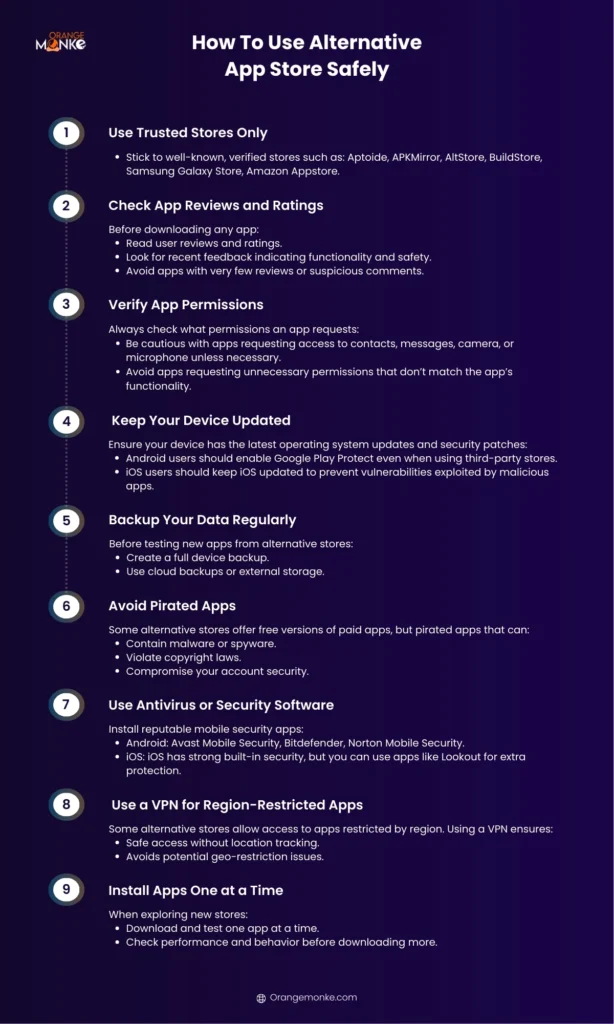
1. Use Trusted Stores Only
Not all alternative app stores are reliable. Stick to well-known, verified stores such as: Aptoide, APKMirror, AltStore, BuildStore, Samsung Galaxy Store, Amazon Appstore.
Why it matters: Trusted stores verify apps before publishing, reducing the risk of malware or malicious apps.
2. Check App Reviews and Ratings
Before downloading any app:
- Read user reviews and ratings.
- Look for recent feedback indicating functionality and safety.
- Avoid apps with very few reviews or suspicious comments.
Why it matters: Reviews help identify unsafe or poorly functioning apps before installation.
3. Verify App Permissions
Always check what permissions an app requests:
- Be cautious with apps requesting access to contacts, messages, camera, or microphone unless necessary.
- Avoid apps requesting unnecessary permissions that don’t match the app’s functionality.
Why it matters: Minimizing permissions protects your personal data and privacy.
4. Keep Your Device Updated
Ensure your device has the latest operating system updates and security patches:
- Android users should enable Google Play Protect even when using third-party stores.
- iOS users should keep iOS updated to prevent vulnerabilities exploited by malicious apps.
Why it matters: Updates fix security loopholes that malware could exploit.
5. Backup Your Data Regularly
Before testing new apps from alternative stores:
- Create a full device backup.
- Use cloud backups or external storage.
Why it matters: In case an app causes issues or corrupts data, you can restore your device without losing important information.
6. Avoid Pirated Apps
Some alternative stores offer free versions of paid apps, but pirated apps that can:
- Contain malware or spyware.
- Violate copyright laws.
- Compromise your account security.
Why it matters: Stick to verified apps and trusted stores to avoid legal or security issues.
7. Use Antivirus or Security Software
Install reputable mobile security apps:
- Android: Avast Mobile Security, Bitdefender, Norton Mobile Security.
- iOS: iOS has strong built-in security, but you can use apps like Lookout for extra protection.
Why it matters: Security apps help detect malware, phishing, or unsafe downloads in real time.
8. Use a VPN for Region-Restricted Apps
Some alternative stores allow access to apps restricted by region. Using a VPN ensures:
- Safe access without location tracking.
- Avoids potential geo-restriction issues.
Why it matters: Protects your privacy and allows safe downloading of global apps.
9. Install Apps One at a Time
When exploring new stores:
- Download and test one app at a time.
- Check performance and behavior before downloading more.
Why it matters: Helps identify malicious apps before they affect your device.
Pros And Cons of Alternative App Stores
Alternative app stores are excellent for accessing downloading apps outside Google Play and Apple App Store, but they come with benefits and potential drawbacks. Understanding these helps you choose the right store for your needs.
| Store | Pros | Cons | Best For |
| Aptoide | Huge library, modded apps, community ratings | Some unverified apps, slightly confusing UI | Modded & niche Android apps |
| APKMirror | Verified APKs, older versions available | Manual APK installation, no modded apps | Safe APK downloads & previous versions |
| Amazon Appstore | Free apps daily, curated apps, exclusive deals | Smaller library, device compatibility | Verified apps with promotions |
| Samsung Galaxy Store | Optimized for Samsung, verified apps | Only Samsung devices, limited selection | Samsung users |
| Aurora Store | Open-source, privacy-friendly, region bypass | Technical setup, some geo-limitations | Privacy-conscious & geo-restricted apps |
| AltStore | No jailbreak, beta apps, 7-day updates | PC required, limited library | Sideload apps safely |
| AppCake | Paid apps free, tweaked apps | Risky pirated apps, verify sources | Free premium apps on iOS |
| BuildStore | Curated apps, emulators, regular updates | Paid subscription, limited apps | Developers & advanced users |
| Cydia | Full customization, exclusive apps | Jailbreak required, security risk | Power users & enthusiasts |
| TweakBox | Tweaked apps, no jailbreak, regular updates | Risky pirated apps, trust profile needed | Casual users & gamers |
How To Choose the Best Alternative App Store
With so many alternative app stores available for Android and iOS, selecting the right platform can be challenging. The best store depends on your device, app needs, security priorities, and level of technical comfort. Here’s a guide to help you make the best choice.
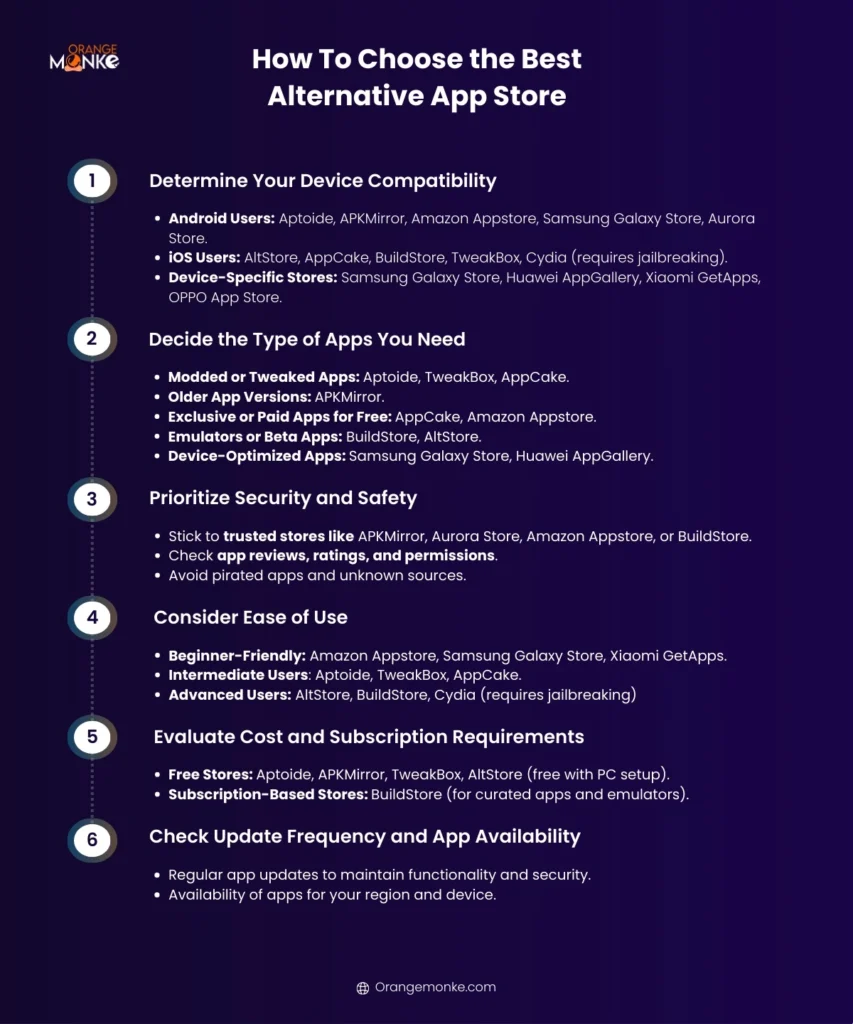
Step 1: Determine Your Device Compatibility
Not all alternative app stores support every device. Consider:
- Android Users: Aptoide, APKMirror, Amazon Appstore, Samsung Galaxy Store, Aurora Store.
- iOS Users: AltStore, AppCake, BuildStore, TweakBox, Cydia (requires jailbreaking).
- Device-Specific Stores: Samsung Galaxy Store, Huawei AppGallery, Xiaomi GetApps, OPPO App Store.
| Tip: Always choose a store optimized for your device to ensure smooth app performance. |
Step 2: Decide the Type of Apps You Need
Different stores cater to specific app needs:
- Modded or Tweaked Apps: Aptoide, TweakBox, AppCake.
- Older App Versions: APKMirror.
- Exclusive or Paid Apps for Free: AppCake, Amazon Appstore.
- Emulators or Beta Apps: BuildStore, AltStore.
- Device-Optimized Apps: Samsung Galaxy Store, Huawei AppGallery.
| Tip: Match the store with the kind of apps you want to access regularly. |
3. Prioritize Security and Safety
Security is critical when using third-party app stores, so:
- Stick to trusted stores like APKMirror, Aurora Store, Amazon Appstore, or BuildStore.
- Check app reviews, ratings, and permissions.
- Avoid pirated apps and unknown sources.
| Tip: Use antivirus apps and enable device security features like Google Play Protect or iOS built-in security. |
4. Consider Ease of Use
Some stores require technical knowledge, while others are beginner-friendly:
- Beginner-Friendly: Amazon Appstore, Samsung Galaxy Store, Xiaomi GetApps.
- Intermediate Users: Aptoide, TweakBox, AppCake.
- Advanced Users: AltStore, BuildStore, Cydia (requires jailbreaking)
| Tip: Choose a store that matches your comfort level to avoid installation or update issues. |
5. Evaluate Cost and Subscription Requirements
Some alternative app stores are free, while others require subscriptions:
- Free Stores: Aptoide, APKMirror, TweakBox, AltStore (free with PC setup).
- Subscription-Based Stores: BuildStore (for curated apps and emulators).
| Tip: Consider whether a paid subscription is worth the exclusive access to apps or emulators. |
6. Check Update Frequency and App Availability
The best alternative app store should provide:
- Regular app updates to maintain functionality and security.
- Availability of apps for your region and device.
| Tip: Stores like APKMirror and Aurora Store offer frequent updates, while device-specific stores optimize apps for your hardware. |
Best Manufacturer-Specific App Store Alternatives
For users looking for alternatives to Google Play, manufacturer-specific stores provide safe, optimized, and curated app experiences. Here’s a breakdown of the best manufacturer-specific app store alternatives:
1. Samsung Galaxy Store
Samsung Galaxy Store comes pre-installed on Samsung smartphones, tablets, and wearables. It offers apps, themes, and exclusive content tailored for Samsung devices.
Key Features:
- Device-optimized apps for Galaxy smartphones, tablets, and Galaxy Watch.
- Verified apps to ensure security and performance.
- Offers exclusive promotions, themes, and Galaxy apps.
- Frequent app updates for compatibility with the latest ColorOS updates.
2. Huawei AppGallery
Huawei AppGallery is Huawei’s official app store, pre-installed on all Huawei and Honor devices. It’s one of the largest manufacturer-specific stores, offering apps, games, and services optimized for Huawei devices.
Key Features:
- Verified apps and games with regular security scans.
- Exclusive Huawei apps and device-specific features.
- Regional adaptations for app availability.
- Offers promotions, rewards, and discounts for Huawei users.
3. Xiaomi GetApps
GetApps is Xiaomi’s official app store, pre-installed on all Xiaomi and Redmi devices. It provides curated apps, games, and device-optimized experiences for MIUI users.
Key Features:
- Apps optimized for Xiaomi and Redmi devices.
- Curated selection of apps and games for regional users.
- Regular updates for compatibility with MIUI.
- Offers promotions, rewards, and free apps.
4. OPPO App Store
OPPO App Store provides device-specific apps for OPPO smartphones and tablets. It is optimized to work seamlessly with ColorOS, OPPO’s Android skin.
Key Features:
- Verified apps to prevent malware and ensure security.
- Device-specific optimization for smoother performance.
- Exclusive apps, promotions, and game discounts.
- Regular updates to maintain compatibility with ColorOS.
5. Vivo App Store / iManager Store
Vivo devices come with the V-Appstore or iManager Store, providing apps optimized for Vivo smartphones and Funtouch OS.
Key Features:
- Device-specific apps optimized for Funtouch OS.
- Verified apps to ensure security and functionality.
- Promotions and discounts for app downloads.
- Regular app updates for Vivo users.
Best Chinese App Store Alternatives
China has a thriving mobile app ecosystem with app stores that offer unique apps, games, and services, many of which are unavailable on Google Play due to regional restrictions.
If you want to access Chinese apps safely, these stores are the best alternatives.
1. Tencent MyApp
Tencent MyApp is one of China’s largest app stores, offering millions of apps and games for Android devices. It is backed by Tencent, the company behind WeChat and QQ.
Key Features:
- Extensive library of apps and mobile games.
- Regular updates and security checks.
- Offers regional apps unavailable elsewhere.
- Supports both Android and Huawei devices.
2. Baidu Mobile Assistant
Baidu Mobile Assistant is a trusted Chinese app store managed by the Baidu search engine company. It offers apps, games, and system tools for Android.
Key Features:
- Verified and malware-scanned apps.
- Large library of Chinese apps and utilities.
- Easy-to-navigate categories and recommendations.
- Supports app updates and version rollback.
3. Xiaomi GetApps
Xiaomi’s official app store is pre-installed on all Xiaomi and Redmi devices. While global users may access it, it hosts China-exclusive apps and games unavailable on Google Play.
Key Features:
- Apps optimized for MIUI and Xiaomi devices.
- Regular security checks and updates.
- Regional Chinese apps and games.
- Promotions and reward programs for downloads.
4. Huawei AppGallery
Huawei AppGallery is pre-installed on Huawei and Honor devices, and it hosts a large selection of Chinese apps and games. It’s one of the fastest-growing app stores globally.
Key Features:
- Verified and secure apps.
- Exclusive Chinese apps and games.
- Supports global users but includes China-only apps.
- Frequent updates and regional customization.
5. 360 Mobile Assistant
360 Mobile Assistant is a popular Chinese app store from Qihoo 360, known for its antivirus software. It emphasizes security alongside a broad app library.
Key Features:
- Verified apps and malware-free downloads.
- Regional Chinese apps, tools, and games.
- Regular app updates and rollback options.
- Optimized for Android devices.
Best Alternative App Stores for Developers
For app developers, alternative app stores are more than just a way to distribute apps—they can be a gateway to reach niche audiences, test beta versions, and get valuable feedback.
Unlike Google Play or Apple App Store, many alternative stores offer fewer restrictions, faster publishing, and access to modded or beta app markets.
Here’s a detailed guide to the best alternative app stores for developers:
1. Aptoide (Android)
Aptoide is a community-driven Android app store that allows developers to create their own mini-stores and publish apps globally. It’s ideal for testing niche apps or reaching users who might not use Google Play.
Key Features for Developers:
- Easy App Publishing: Upload apps without extensive approvals.
- Mini-Stores: Developers can create their own branded store within Aptoide.
- Community Feedback: Ratings and reviews provide real-time user insights.
- Global Reach: Access users outside the Google Play ecosystem.
2. APKMirror (Android)
APKMirror is a trusted repository for Android APKs, often used by developers to distribute older app versions, beta releases, or apps removed from Google Play.
Key Features for Developers:
- Version Control: Publish multiple app versions simultaneously.
- Safe Distribution: Verified APKs reduce risk of malware.
- Beta Testing: Distribute beta versions to test new features before official launch.
3. AltStore (iOS)
AltStore allows iOS developers to sideload apps without jailbreaking, making it perfect for testing apps, beta releases, or custom builds.
Key Features for Developers:
- Sideload Beta Apps: Test apps on real devices without App Store approval.
- 7-Day Updates: Ensures apps remain active with regular refreshes.
- Open Source: Transparent and trusted by the iOS community.
4. BuildStore (iOS)
BuildStore is a subscription-based alternative store offering developers access to a curated audience for testing and distributing apps, emulators, and beta versions.
Key Features for Developers:
- Subscription Model: Reach users willing to test new apps.
- Exclusive Beta Testing: Target users interested in emulators or unreleased apps.
- Regular Updates: Ensures apps work with the latest iOS versions.
5. Amazon Appstore (Android)
Amazon Appstore is ideal for developers seeking alternative revenue streams, as it provides access to Amazon devices and international users outside Google Play.
Key Features for Developers:
- Monetization Options: Supports in-app purchases and Amazon Coins.
- Global Reach: Access users in regions where Google Play is restricted.
- Free App Promotions: Run “App of the Day” campaigns to increase visibility.
6. Samsung Galaxy Store (Android)
Samsung Galaxy Store is beneficial for developers who want to optimize apps for Samsung devices and reach millions of Samsung users worldwide.
Key Features for Developers:
- Device-Specific Optimization: Test apps on Samsung hardware.
- Exclusive Promotions: Featured apps get highlighted to Samsung users.
- Verified Apps: Security scanning ensures safe downloads.
How To Install Apps from an Alternative App Store on Android
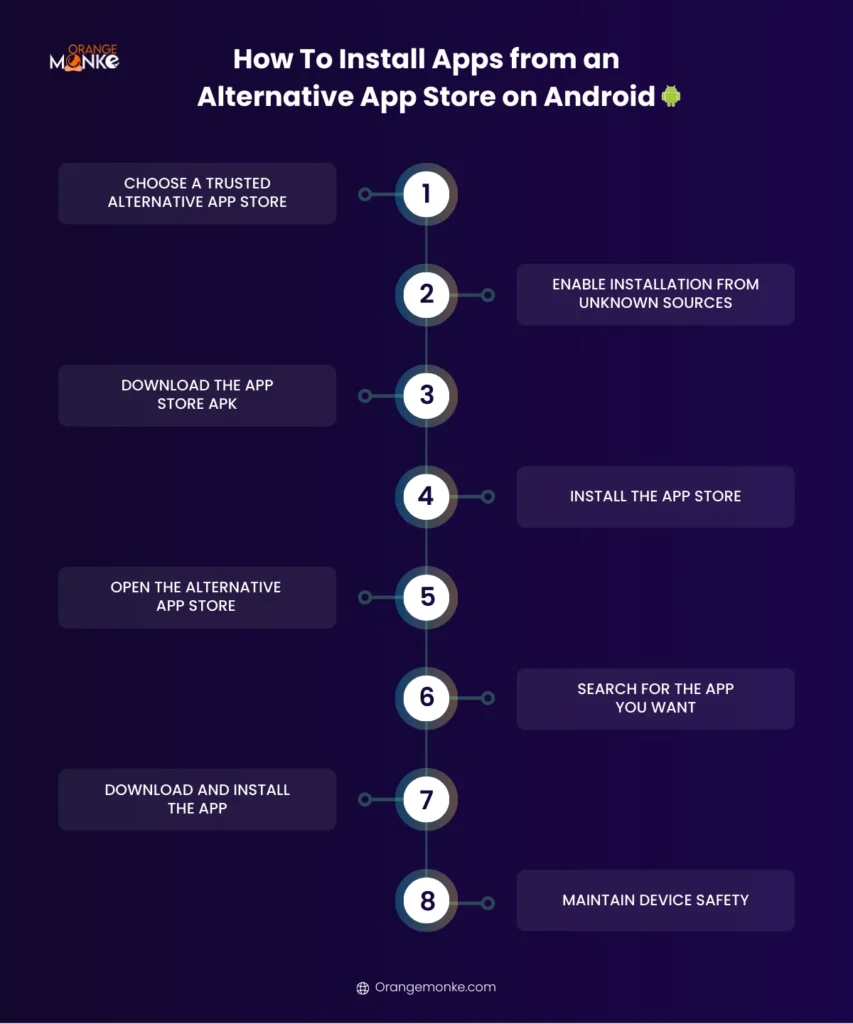
Learn how to safely install apps from trusted alternative app stores on Android by keeping your device secure with these simple step-by-step instructions.
Step 1: Choose a Trusted Alternative App Store
Pick a reliable store like Aptoide, APKMirror, Amazon Appstore, Samsung Galaxy Store, or Aurora Store. Stick to verified sources to avoid malware.
Step 2: Enable Installation from Unknown Sources
- Go to Settings > Security > Install unknown apps
- Select the browser or file manager you’ll use to download the APK
- Toggle Allow from this source
Step 3: Download the App Store APK
Visit the official website of the alternative store and download the APK file. Avoid third-party sites to reduce security risks.
Step 4: Install the App Store
- Open the downloaded APK file
- Follow the on-screen instructions to complete installation
Step 5: Open the Alternative App Store
Launch the app store and browse the available apps.
Step 6: Search for the App You Want
- Use the search bar to find your desired app
- Check ratings, reviews, and permissions before downloading
Step 7: Download and Install the App
Tap Install, and the app will be added to your device like a regular app.
Step 8: Maintain Device Safety
- Keep your device updated
- Use antivirus apps like Bitdefender or Avast Mobile Security
- Avoid pirated apps or suspicious downloads
How to Install Apps from an Alternative App Store on iOS
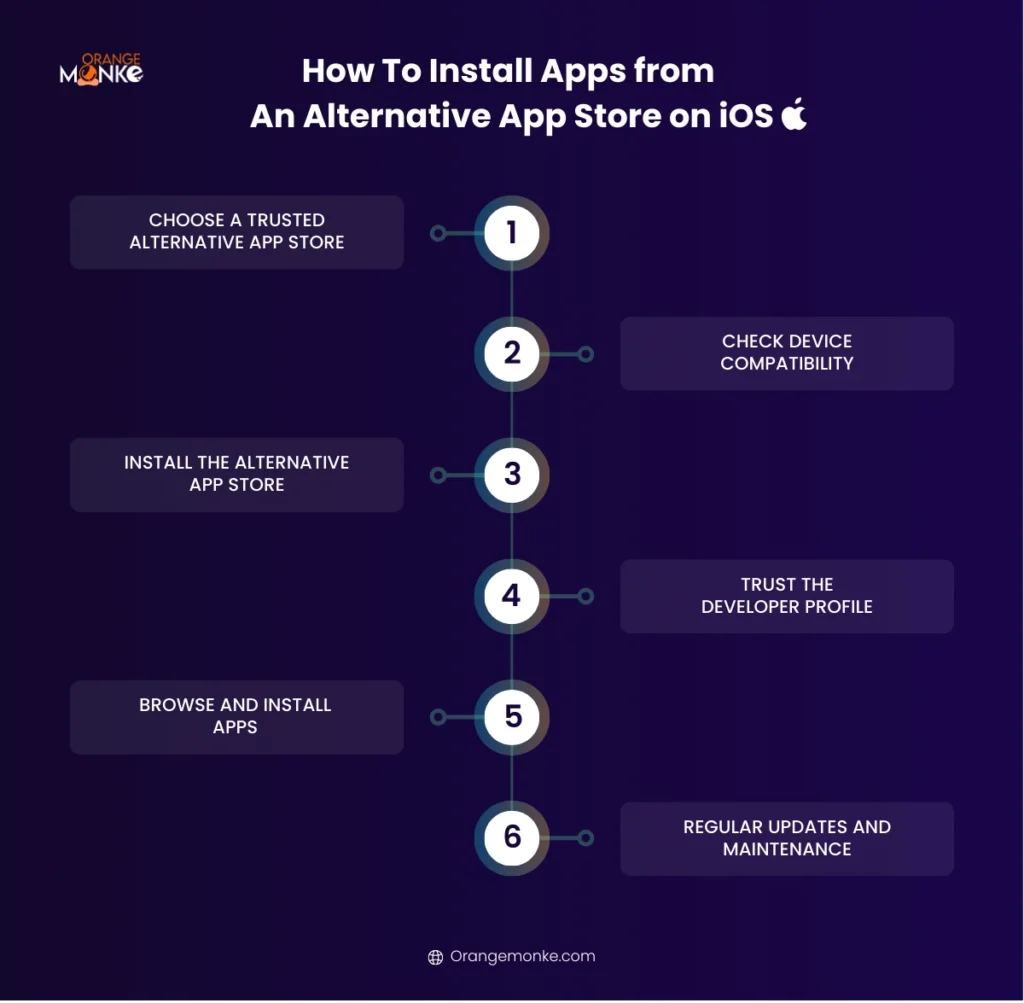
Learn how to safely install apps from alternative app stores on iOS without compromising device security.
Step 1: Choose a Trusted Alternative App Store
Popular iOS options include AltStore, AppCake, BuildStore, Cydia (for jailbroken devices), and TweakBox. Stick to reputable stores to avoid security risks.
Step 2: Check Device Compatibility
- Some stores require a PC or Mac (like AltStore)
- Some require jailbreaking (like Cydia)
- Others work directly on non-jailbroken devices (like TweakBox)
Step 3: Install the Alternative App Store
For AltStore:
- Download the AltServer on your PC or Mac
- Connect your iPhone via USB or Wi-Fi
- Install AltStore through AltServer
For AppCake or TweakBox:
- Open the store’s official website on Safari
- Tap Install Profile
- Allow the profile in Settings > General > Profiles & Device Management
Step 4: Trust the Developer Profile
- Go to Settings > General > Device Management
- Tap the profile associated with the alternative store
- Tap Trust
Step 5: Browse and Install Apps
- Open the alternative app store
- Search for the app you want
- Check app details and permissions
- Tap Install to download the app
Step 6: Regular Updates and Maintenance
- Some stores (like AltStore) require apps to be refreshed every 7 days
- Keep iOS updated for security
- Avoid pirated apps and unverified sources
How to Monetize Apps on Alternative App Stores
Learn how to turn your app into a revenue-generating powerhouse on alternative app stores. Our web development services ensure smooth performance, secure payments, and seamless user experience to help your app monetize effectively
- In-App Purchases (IAPs)
Offer premium features, virtual goods, or additional content that users can buy directly within your app. Many alternative stores support in-app purchase frameworks or their own payment systems. - Paid Apps
Charge a one-time fee for downloading your app. Some stores, like Amazon Appstore or BuildStore, allow paid apps and promotions, giving you an upfront revenue stream. - Subscription Models
Offer recurring subscriptions for premium content, advanced features, or ad-free experiences. Subscription-based apps can generate consistent income while keeping users engaged. - Advertising
Integrate ad networks compatible with alternative stores. Options include banner ads, interstitials, or rewarded ads. Some niche stores even provide their own ad platforms for developers. - Promotions and Deals
Leverage features like “App of the Day” on Amazon Appstore or limited-time discounts on Aptoide to boost downloads and visibility, which indirectly increases monetization. - Crowdfunding and Donations
Some developers encourage users to support apps via Patreon, Ko-fi, or built-in donation options. This works especially well for niche or community-driven apps on alternative platforms.
Bonus: How to Optimize Your App for Alternative App StoresTake your app beyond the Play Store and App Store with these optimization strategies.
|
Conclusion
Alternative app stores expand opportunities beyond Google Play and the Apple App Store, offering access to modded apps, beta releases, region-restricted content, and developer-friendly platforms.
For businesses and developers looking to promote apps across these ecosystems, Orange MonkE helps craft data-driven digital strategies, improve visibility, and scale app adoption effectively across multiple platforms.
FAQs
What is the best alternative App Store?
The best alternative app store depends on your needs. Aptoide is great for modded apps, APKMirror for safe APKs, and Amazon Appstore for verified apps and exclusive offers.
What is the best Play Store alternative?
For Android users, Aptoide, APKMirror, and Amazon Appstore are the best Google Play Store alternatives, offering verified apps, older versions, exclusive deals, and broader access beyond Google’s restrictions.
Will Apple allow alternative app stores?
Apple has begun allowing alternative app stores in certain regions, mainly due to regulatory pressure like the EU’s Digital Markets Act, though access remains limited and controlled compared to Android.
Where can I download apps for free?
You can download free apps from Google Play Store, Amazon Appstore, Aptoide, APKMirror, which offer free, open-source, and sometimes discounted premium apps.
Can you use other app stores on an iPhone?
Yes, but with limitations, iPhone users can access alternative stores like AltStore, and BuildStore through sideloading or subscriptions, often without jailbreaking, depending on the platform.
Are NSFW apps allowed on the App Store?
Apple does not allow explicit NSFW or adult-only apps on the official App Store. Such apps are typically found on alternative marketplaces or web-based platforms instead.
What is replacing the Play Store?
Nothing fully replaces Google Play Store, but alternatives like Aptoide, Amazon Appstore, Samsung Galaxy Store, and Huawei AppGallery offer strong substitutes with exclusive apps and fewer restrictions.
What is the best tweaked app store?
For tweaked and modded apps, Aptoide (Android) or AppCake (iOS) are popular choices, though users should verify app safety and permissions before installation.
What is the best app store?
Overall, Google Play Store and Apple App Store remain the best for security and reliability, while alternative app stores excel in flexibility, beta apps, region-restricted content, and developer freedom.
Is there an App Store for adults only?
There is no official adult-only app store on mainstream platforms. However, some third-party marketplaces and web-based app platforms host adult or NSFW apps outside Apple and Google policies.
What are the free app stores for android?
Popular free Android app stores include Google Play Store, Aptoide, APKMirror, and Amazon Appstore, offering free apps and verified downloads.
What is the best third-party app store?
The best third-party app store depends on usage: APKMirror for safety, Aptoide for variety and modded apps, Amazon Appstore for reliability, and Aurora Store for privacy-focused users.


We build the digital growth engine for businesses that don't have the time, team or clarity to do it themselves
Let's Start Your Success Story